
Sony BRAVIA KDL-26S2000: PC Settings menu
PC Settings menu: Sony BRAVIA KDL-26S2000
Table of contents
- WARNING Introduction Notice for Digital TV function
- Table of Contents
- Start-up Guide 1: Checking the 2: Connecting an aerial/ accessories VCR
- 3: Bundling the cables 5: Selecting the language and country/ region 4: Preventing the TV from toppling over
- 6: Auto-tuning the TV
- Safety information
- GB
- GB
- Precautions
- Overview of the remote
- Overview of the TV buttons and indicators
- Watching TV
- To access Text Picture Freeze To change the screen mode manually to suit the broadcast Using the Tools menu
- Checking the Digital Electronic Programme Guide To Do this
- To Do this
- Using the Favourite list * To Do this
- Viewing pictures from connected equipment
- Navigating through menus Menu Description
- Picture menu
- Noise Reduction Advanced Settings
- Sound menu
- Dual Sound
- Screen menu
- Set-up menu
- All Reset
- PC Settings menu
- Analogue Set-up menu (Analogue mode only)
- Manual Programme Preset
- Digital Set-up menu Digital Tuning
- Digital Set-up
- Connecting optional equipment Connecting to the TV (side)
- Connecting to the TV (rear)
- Using the Tools menu in PC input mode
- Specifications
- PC Input Signal Reference Chart
- Troubleshooting Picture Problem Cause/Remedy
- Sound Channels General
- Index
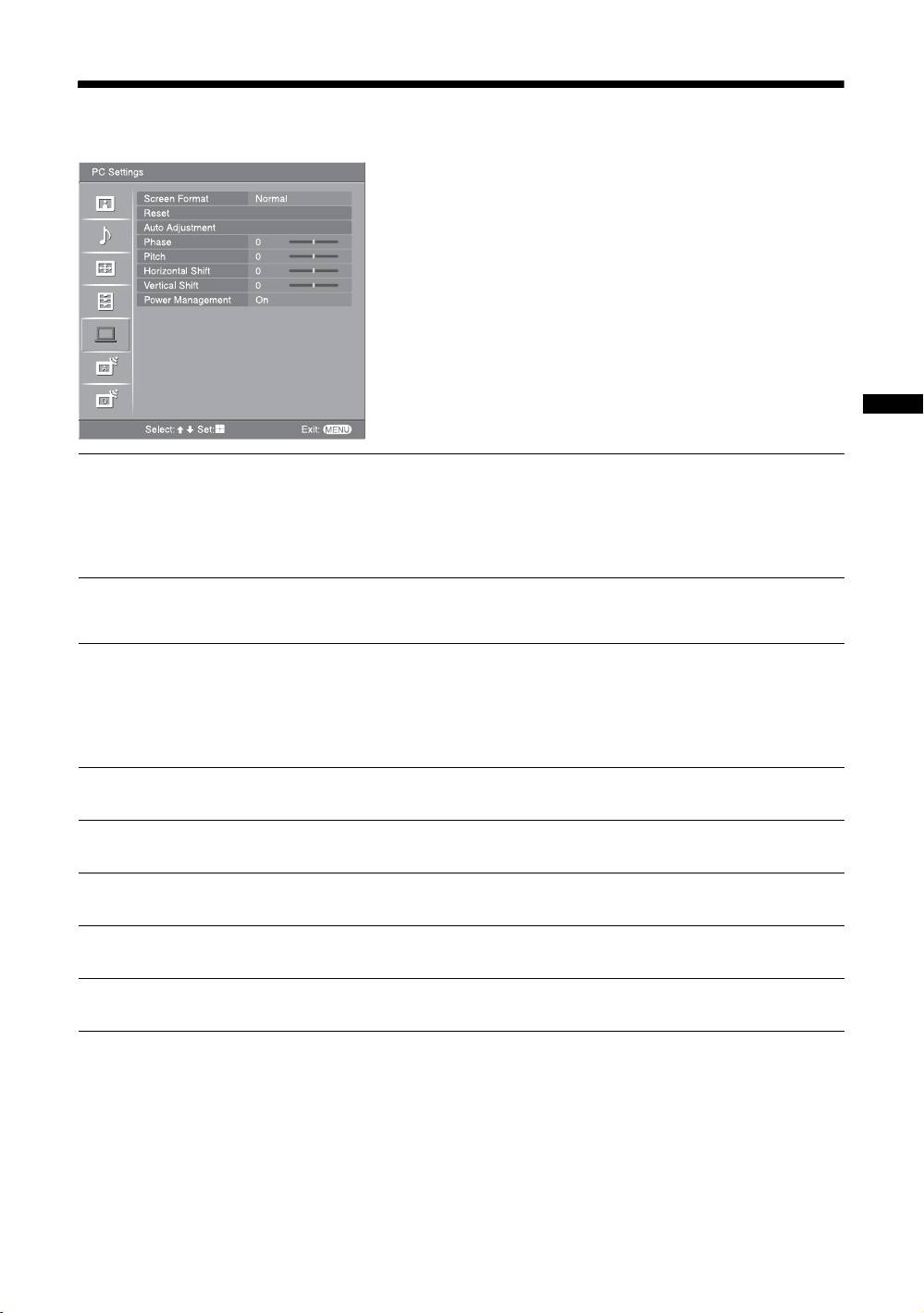
PC Settings menu
You can select the options listed below on the PC
Settings menu. To select options in “Settings”, see
“Navigating through menus” (page 19).
Using MENU Functions
Screen Format
Selects a screen mode for displaying input from your PC.
“Normal”: Displays the picture in its original size.
“Full1”: Enlarges the picture to fill the display area, keeping its original horizontal-
to-vertical aspect ratio.
“Full2”: Enlarges the picture to fill the display area.
Reset
Resets the PC settings except “Screen Format” and “Power Management” to the
factory settings.
Auto Adjustment
Automatically adjusts the display position and phase of the picture when the TV
receives an input signal from the connected PC.
Tip
Auto Adjustment may not work well with certain input signals. In such cases, manually adjust
“Phase”, “Pitch”, “Horizontal Shift” and “Vertical Shift”.
Phase
Adjusts the phase when the screen flickers.
Pitch
Adjusts the pitch when the picture has unwanted vertical stripes.
Horizontal Shift
Adjusts the horizontal position of the picture for each screen format.
Vertical Shift
Adjusts the vertical position of the picture for each screen format.
Power Management
Switches the TV to standby mode if no signal is received for 30 seconds.
GB
27
