
Sony BRAVIA KDL-26S2000: GB
GB: Sony BRAVIA KDL-26S2000
Table of contents
- WARNING Introduction Notice for Digital TV function
- Table of Contents
- Start-up Guide 1: Checking the 2: Connecting an aerial/ accessories VCR
- 3: Bundling the cables 5: Selecting the language and country/ region 4: Preventing the TV from toppling over
- 6: Auto-tuning the TV
- Safety information
- GB
- GB
- Precautions
- Overview of the remote
- Overview of the TV buttons and indicators
- Watching TV
- To access Text Picture Freeze To change the screen mode manually to suit the broadcast Using the Tools menu
- Checking the Digital Electronic Programme Guide To Do this
- To Do this
- Using the Favourite list * To Do this
- Viewing pictures from connected equipment
- Navigating through menus Menu Description
- Picture menu
- Noise Reduction Advanced Settings
- Sound menu
- Dual Sound
- Screen menu
- Set-up menu
- All Reset
- PC Settings menu
- Analogue Set-up menu (Analogue mode only)
- Manual Programme Preset
- Digital Set-up menu Digital Tuning
- Digital Set-up
- Connecting optional equipment Connecting to the TV (side)
- Connecting to the TV (rear)
- Using the Tools menu in PC input mode
- Specifications
- PC Input Signal Reference Chart
- Troubleshooting Picture Problem Cause/Remedy
- Sound Channels General
- Index
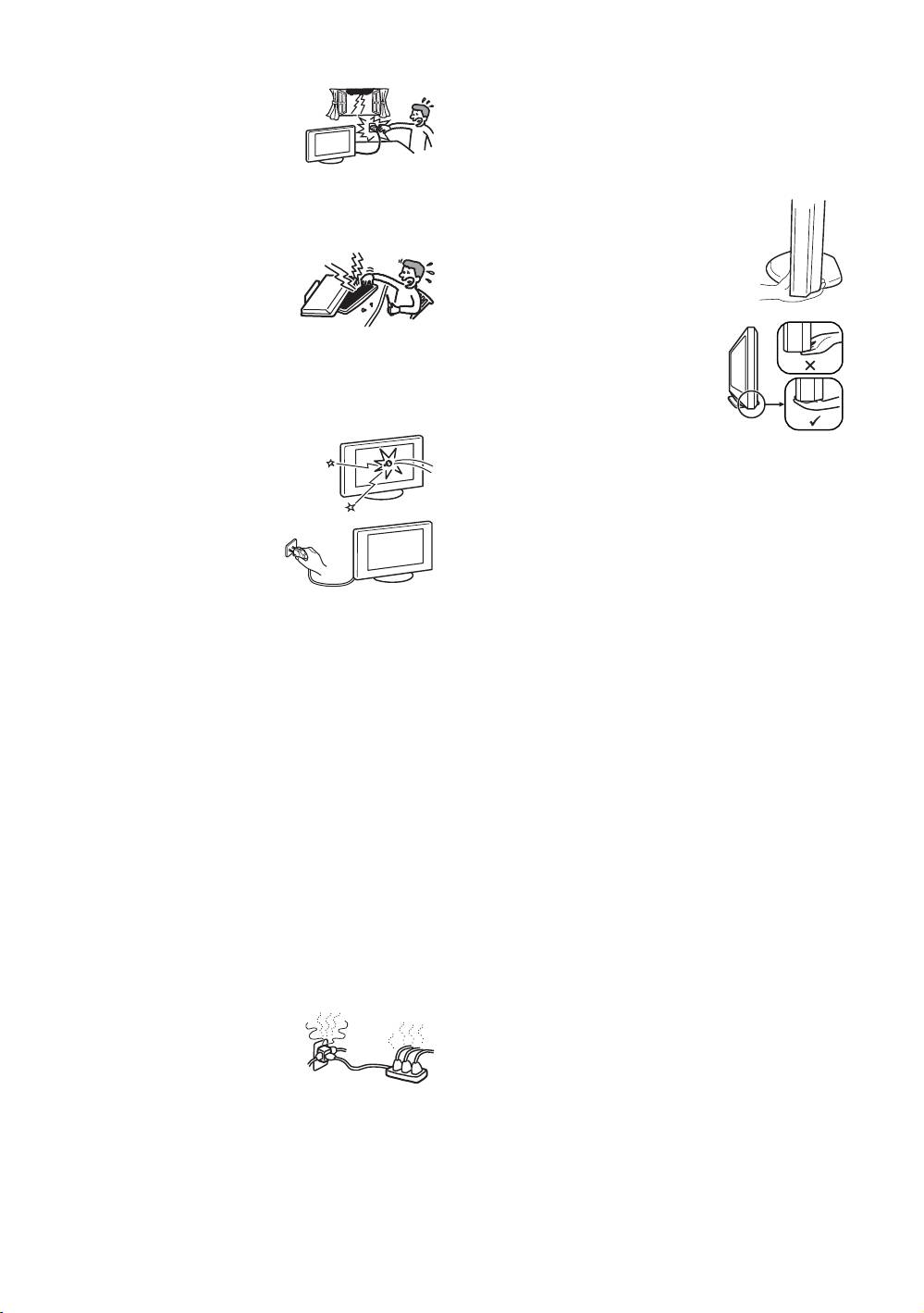
Lightning storms
Corrosion
For your own safety, do not touch any
If you use this TV set near the seashore, salt may corrode
part of the TV set, mains lead, or
metal parts of the TV set and cause internal damage or fire.
aerial lead during lightning storms.
It may also shorten the life of the TV set. Steps should be
taken to reduce the humidity and moderate the temperature
Damage requiring service
of the area where the TV set is located.
If the surface of the TV set cracks, do not touch it until you
have unplugged the mains lead. Otherwise electric shock
Handling
may result.
• When lifting the TV set or moving the
panel of the TV set, hold it firmly from the
Servicing
bottom.
Do not open the cabinet. Entrust the
TV set to qualified service personnel
only.
• For the KDL-46S2000/
Small accessories removal and
KDL-46S2010, when lifting or
fittable
moving the TV, be sure to hold the
Keep accessories out of children’s reach. If they are
panel firmly as illustrated. Place your
swallowed, choking or suffocation may occur. Call a doctor
palm directly under the panel, from
immediately.
the rear of the TV.
Broken pieces
Do not throw anything at the TV set. The
screen glass may break by the impact and
cause serious injury.
When not in use
For environmental and safety
reasons, it is recommended that
the TV set is not left in standby
when unused. Disconnect from
the mains. However, some TV
sets may have features which need the TV set to be left in
standby to work correctly. The instructions in this manual
will inform you if this applies.
Viewing the TV
• To view the TV comfortably, the recommended viewing
position is from four to seven times the screen’s vertical
length away from the TV set.
• View the TV in moderate light, as viewing the TV in poor
light strains your eyes. Watching the screen continuously
for long periods of time can also strain your eyes.
• If the angle of the TV set is to be adjusted, steady the base
of the stand with your hand to prevent the TV set from
becoming separated from the stand. Be careful not to get
your fingers caught between the TV set and the stand.
Volume adjustment
• Adjust the volume so as not to trouble your neighbours.
Sound carries very easily at night time. Therefore, closing
the windows or using headphones is suggested.
• When using headphones, adjust the volume so as to avoid
excessive levels, as hearing damage may result.
Overloading
This TV set is designed to operate on
a 220–240 V AC supply only. Take
care not to connect too many
appliances to the same mains socket
as this could result in fire or electric
shock.
Heat
Do not touch the surface of the TV set. It remains hot, even
after the TV set has been turned off for some time.
GB
9
