
Sony VPL-HW55ES: Selecting the Picture Viewing Mode
Selecting the Picture Viewing Mode: Sony VPL-HW55ES
Table of contents
- About the Quick Reference Manual
- WARNING
- For the Customers in Brazil only
- Precautions On preventing internal heat build- up On repacking On watching 3D video images On LCD Projector On condensation
- Notes on Installation and Usage
- Unsuitable Conditions
- Safety precautions for installing the unit on a ceiling
- Preparing Step 1 Checking the Supplied Accessories Inserting the Batteries into the Remote Control Using the CD-ROM manual
- a b Installing the Unit Step 2
- c
- Connecting the Unit Step 3 Connecting to a VCR
- To connect to equipment with component video output connectors
- Connecting to a Computer
- Connecting to a 3D Sync Transmitter
- Selecting the Menu Language Step 4
- Projecting Step 5
- Selecting the Picture Viewing Mode
- Error Handling Warning Indicators
- 1 2 Maintenance Replacing the Lamp
- 3 6
- 7 14
- Cleaning the Air Filter
US
18
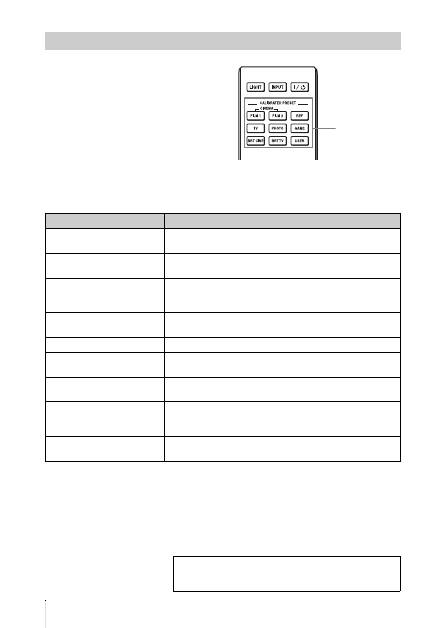
Press one of the CALIBRATED PRESET
buttons.
Selecting the Picture Viewing Mode
CALIBRATED
PRESET buttons
Setting items
Description
CINEMA FILM 1
Picture quality suited to reproducing the highly dynamic and
clear images typical of master positive film.
CINEMA FILM 2
Picture quality suited to reproducing the rich tone and color
typical of a movie theater.
REF
A picture quality setup suitable for when you want to reproduce
faithfully the original image quality, or for enjoying image
quality, without any adjustment.
TV
Picture quality suited for watching TV programs, sports,
concerts, etc.
PHOTO
Ideal for projecting still images taken with a digital camera.
GAME
Picture quality suited to gaming, with well-modulated colors
and fast response.
BRT CINE
Picture quality suited for watching movies in a bright
environment, such as a living room.
BRT TV
Picture quality suited for watching TV programs, sports,
concerts, and other video images in a bright environment, such
as a living room.
USER
Adjusts the picture quality to suit your taste then saves the
setting. The factory default setting is the same as “REF.”
For more information, refer to “Projecting” in the
Operating Instructions contained in the supplied CD-
ROM.
