
Sony Bravia KDL-32D3010: Picture menu
Picture menu: Sony Bravia KDL-32D3010
Table of contents
- Introduction Notice for Digital TV function Disposal of the TV set
- Start-up Guide 1: Checking the 2: Connecting an aerial/ accessories cable/VCR
- 3: Preventing the TV 5: Performing the initial from toppling over setup 4: Bundling the cables Selecting the language and country/ region
- To tune the TV for digital cable connection Auto-tuning the TV Detaching the Table- Top Stand from the TV
- Safety information
- Prohibited Usage Precautions Broken pieces: When not in use For children If the following problems occur...
- Overview of the remote
- Overview of the TV buttons and indicators
- Watching TV Additional operations
- To change the screen format manually to suit the broadcast Using the Tools menu
- Checking the Digital Electronic Programme Guide (EPG) * To Do this
- To Do this
- Using the Digital Favourite list *
- Connecting optional equipment
- Sockets Input symbol on Description screen
- Viewing pictures from the connected equipment
- Using HDMI control
- Navigating through menus
- Picture menu
- Colour Temperature
- Sound menu
- Dual Sound
- Screen menu
- Set-up menu
- AV Set-up
- HDMI Set-up
- All Reset
- PC Settings menu
- Analogue Set-up menu
- Manual Programme Preset
- Skip
- Digital Set-up menu
- Digital Set-up
- Specifications
- PC Input Signal Reference Chart
- Troubleshooting
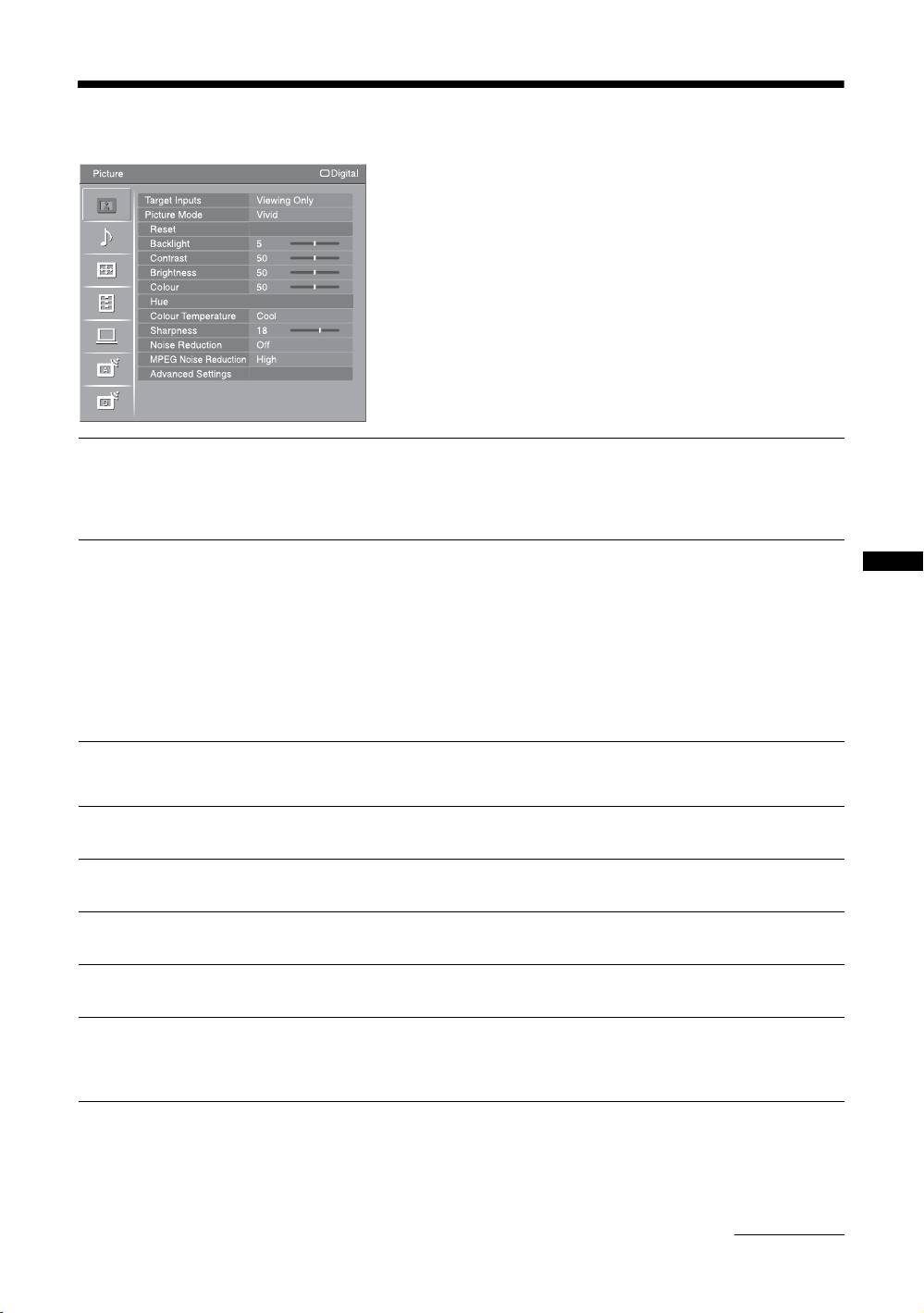
Picture menu
You can select the options listed below on the
“Picture” menu. To select options in “Settings”, refer
to “Navigating through menus” (page 20).
Target Inputs
Selects whether to apply settings made in the “Picture” menu to all inputs, or only to
the input currently being watched.
“All”: Applies settings to all inputs.
“Viewing Only”: Applies settings only to the current input.
Picture Mode
Selects the picture mode except for PC input source.
“Vivid”: For enhanced picture contrast and sharpness.
Using MENU Functions
“Standard”: For standard picture. Recommended for home entertainment.
“Cinema”: For viewing film-based content. Most suitable for viewing in a theatre-
like environment. This picture setting was developed in collaboration with Sony
Pictures Entertainment to faithfully reproduce movies as intended by their creators.
Display Mode
Selects the display mode for PC input source.
“Video”: For video images.
“Text”: For text, charts or tables.
Reset
Resets all the “Picture” settings except “Target Inputs”, “Picture Mode” and
“Display Mode” to the factory settings.
Backlight
Adjusts the brightness of the backlight.
Contrast
Increases or decreases picture contrast.
Brightness
Brightens or darkens the picture.
Colour
Increases or decreases colour intensity.
Hue
Increases or decreases the green tones and red tones.
~
“Hue” can only be adjusted for an NTSC colour signal (e.g. U.S.A. video tapes).
Continued
GB
21
