
Sony CPD-E430: Adjustments Navigating the menu Adjusting the brightness and contrast
Adjustments Navigating the menu Adjusting the brightness and contrast: Sony CPD-E430
Table of contents
- Owner’s Record
- Setup
- Adjustments Navigating the menu Adjusting the brightness and contrast
- On-Screen menu adjustments
- Troubleshooting On-screen messages
- Specifications If thin lines appear on the screen Self-diagnosis function
- Precautions
Adjustments
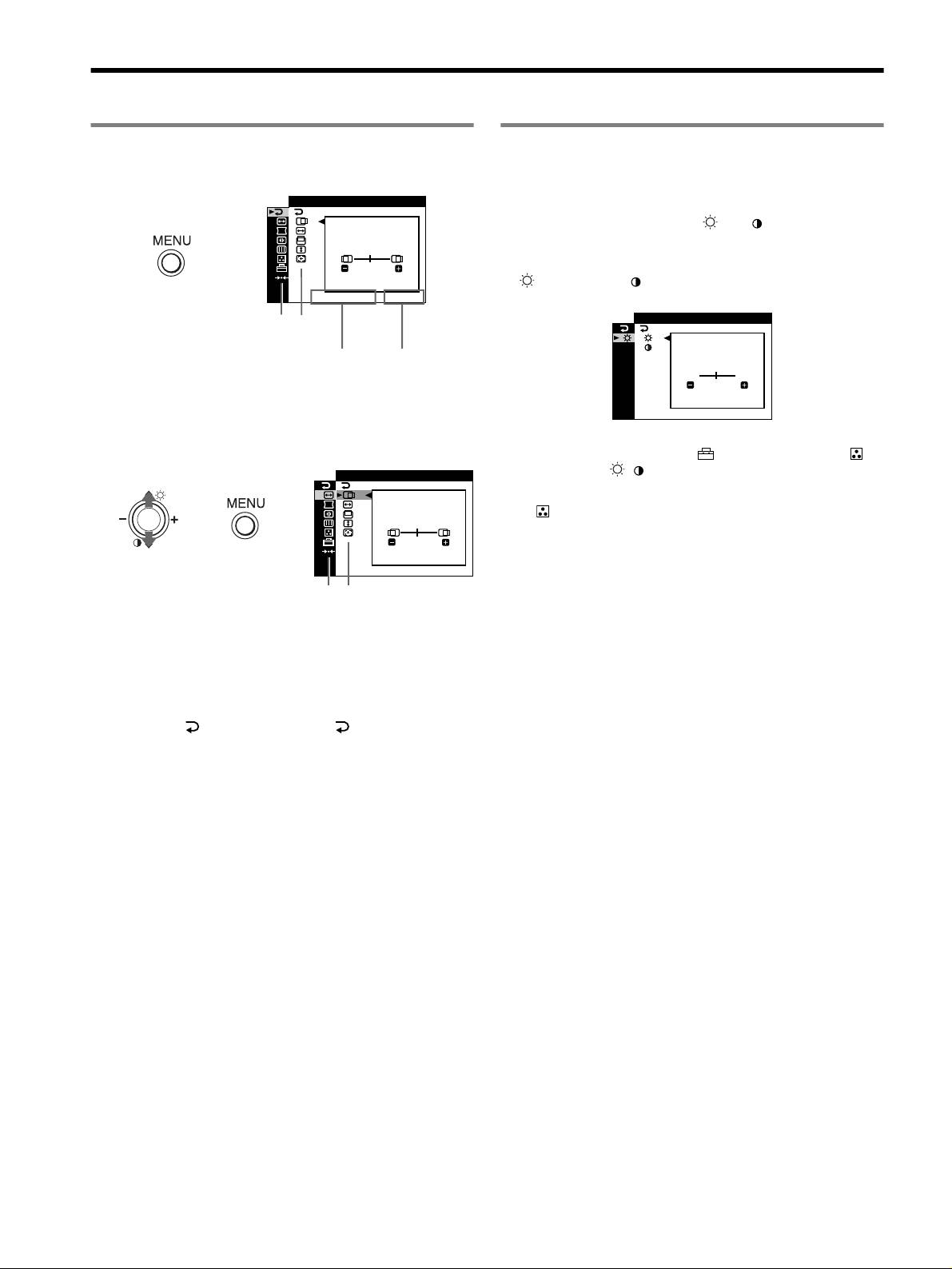
Navigating the menu
Adjusting the brightness and contrast
Brightness and contrast adjustments are made using a separate
1 Press the MENU button to display the main menu.
BRIGHT/CONTRAST menu. These adjustments are effective for
all input signals.
EX I T
1 Move the control button M ()/m ( ) to display the
BRIGHT/CONTRAST menu.
,
45
2 Move the control button m/M to select the brightness
( ) or contrast ( ). Then move the control button –/+
1280x1024 / 85Hz
to make adjustments.
/IBR GHT
CONTRAST
Main
Sub
menu
menu
BR I GHTNESS
The horizontal frequencies/resolution
The vertical
of the current input signal (only if the
frequencies
signal matches to one of this monitor’s
of the current
45
factory preset modes)
input signal
1280x1024 / 85Hz
2 Move the control button m/M to highlight the main
menu you want to adjust and press the control button.
Note
If you selected the sRGB mode in the (COLOR MODE) of the
(COLOR) menu, the / (BRIGHT/CONTRAST) menu for the sRGB
SZE
/I CENTER
mode appears and you cannot adjust the brightness nor the contrast on this
screen. For more information about using the sRGB mode, see sRGB mode
in the (COLOR) menu.
,,
45
1280x1024 / 85Hz
Main
Sub
menu
menu
3 Move the control button m/M to highlight the sub menu
you want to adjust. Then move the control button –/+
to make adjustments.
To close the menu
Press MENU button twice to return to the main menu. The default-
selected item is . Each time you select and press MENU
button, the menu exits. If no buttons are pressed, the menu closes
automatically after about 30 seconds.
4
