
Sony CPD-E100P: Technical Features Troubleshooting
Technical Features Troubleshooting: Sony CPD-E100P
Table of contents
- Owner’s Record
- Table of Contents
- Precautions
- Identifying parts and controls
- Setup Step 1: Connect your monitor to your computer Step 2: Connect the power cord
- Step 3: Turn on the monitor and computer Selecting the on-screen menu language (LANGUAGE/ INFORMATION)
- Customizing Your Monitor Navigating the menu
- Adjusting the brightness and contrast
- Adjusting the horizontal size or centering of the picture (H-SIZE/ CENTER) Adjusting the vertical size or centering of the picture (V-SIZE/ CENTER) Adjusting the curvature of the picture’s sides (PIN/PIN BALANCE) Adjusting the angle of the picture’s sides (KEY/KEY BALANCE)
- Adjusting the picture’s rotation (ROTATION) Enlarging or reducing the picture (ZOOM) Adjusting the color of the picture (COLOR)
- Additional settings (DEGAUSS/ CANCEL MOIRE) Resetting the adjustments
- Technical Features Troubleshooting
- Trouble symptoms and remedies Symptom Check these items
- Symptom Check these items
- Self-diagnosis function Specifications
13
GB
Technical Features
Preset and user modes
When the monitor receives an input signal, it automatically
matches the signal to one of the factory preset modes stored in the
monitor’s memory to provide a high quality picture at the center of
the screen. (See Appendix for a list of the factory preset modes.)
For input signals that do not match one of the factory preset modes,
the digital Multiscan technology of this monitor ensures that a
clear picture appears on the screen for any timing in the monitor’s
frequency range (horizontal: 30 – 70 kHz, vertical: 48 – 120 Hz).
If the picture is adjusted, the adjustment data is stored as a user
mode and automatically recalled whenever the same input signal
is received.
Note for Windows users
For Windows users, check your graphic board manual or the
utility program which comes with your graphic board and select
the highest available refresh rate to maximize monitor
performance.
Power saving function
This monitor meets the power-saving guidelines set by VESA,
E
NERGY
S
TAR, and NUTEK. If the monitor is connected to a
computer or video graphics board that is DPMS (Display Power
Management Signaling) compliant, the monitor will automatically
reduce power consumption in three stages as shown below.
*
“Sleep” and “deep sleep” are power saving modes defined by the
Environmental Protection Agency.
** When your computer enters the “active off” mode, the input signal is
cut and NO INPUT SIGNAL appears on the screen. After 20 seconds,
the monitor enters the power saving mode.
Troubleshooting
Before contacting technical support, refer to this section.
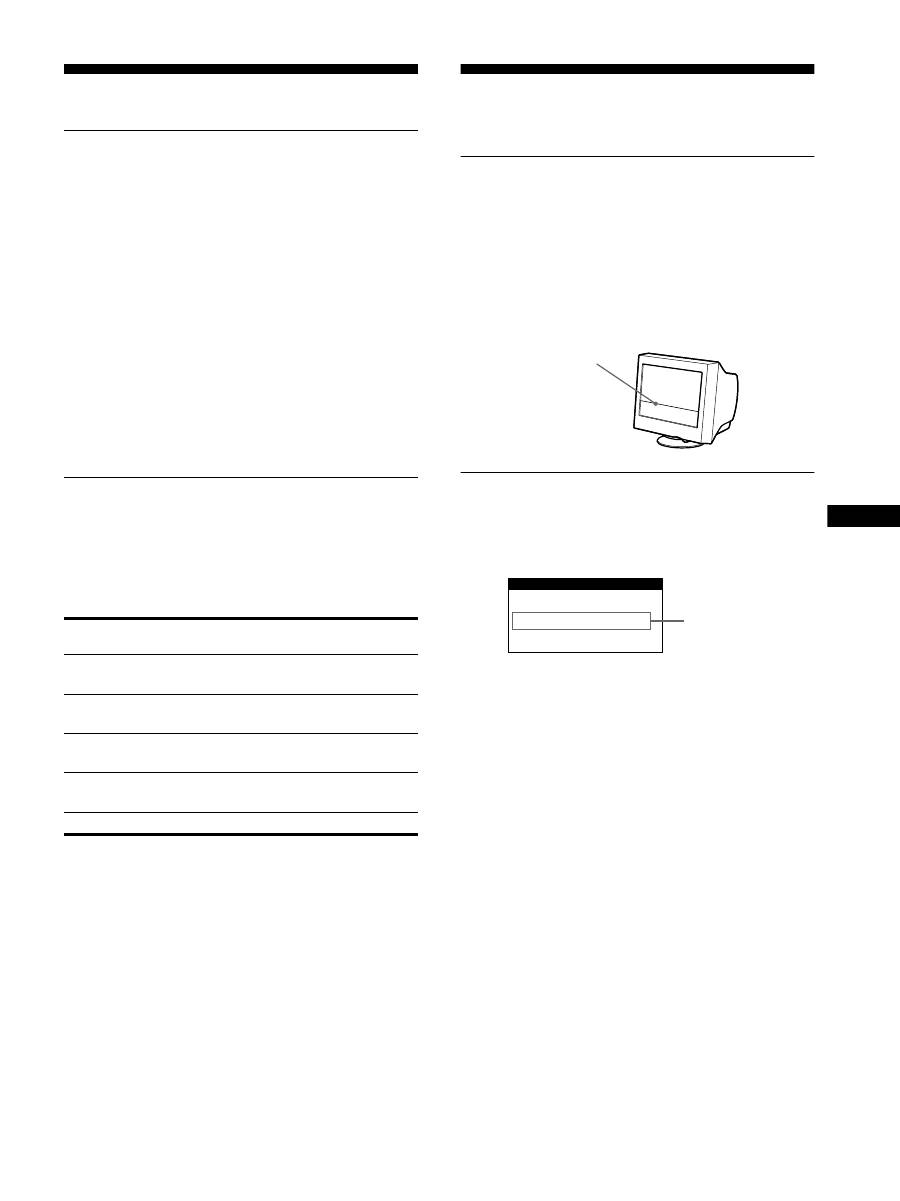
If thin line appears on your screen
(damper wire)
The visible line on your screen especially when the background
screen color is light (usually white), is normal for the Trinitron
monitor. This is not a malfunction. This is shadow from the
damper wire used to stabilize the aperture grille. The aperture
grille is the essential element that makes a Trinitron picture tube
unique by allowing more light to reach the screen, resulting in a
brighter, more detailed picture.
On-screen messages
If there is something wrong with the input signal, one of the
following messages appears on the screen. To solve the problem,
see “Trouble symptoms and remedies” on page 14.
The input signal condition
OUT OF SCAN RANGE
indicates that the input signal is not supported by the monitor’s
specifications.
NO INPUT SIGNAL
indicates that no signal is being input to the monitor.
Power mode
Power consumption
1
(power)
indicator
normal
operation
≤
95 W
green
1 standby
≤
15 W
green and orange
alternate
2 suspend
(sleep)*
≤
15 W
green and orange
alternate
3 active off**
(deep sleep)*
≤
5 W
orange
power off
0 W
off
Damper wire
INFORMATION
OUT OF SCAN RANGE
Input signal
condition
