
Sony BRAVIA KDL-26P25: Set-up menu
Set-up menu: Sony BRAVIA KDL-26P25
Table of contents
- Trademark information Introduction Notice for Digital TV function
- Table of Contents
- Start-up Guide 1: Checking the 2: Connecting an aerial/ accessories VCR
- 3: Bundling the cables 4: Preventing the TV from toppling over 5: Selecting the language and country/region
- 6: Auto-tuning the TV
- Safety information
- GB
- GB
- Precautions Disposal of the TV set
- Overview of the remote
- Overview of the TV buttons and indicators Watching TV
- Additional operations To access Text Picture Freeze PIP in PC Mode (Picture in Picture)
- Checking the Digital Electronic Programme Guide (EPG)
- Using the Favourite list
- Navigating through menus
- Picture Adjustment menu
- Sound Adjustment menu
- Features menu
- Set-up menu
- Sound Offset Manual Programme Preset
- Digital Set-up menu
- Using Optional Equipment Connecting optional equipment Connecting to the TV (side)
- Connecting to the TV (rear)
- Viewing pictures from connected equipment
- Additional Information Specifications
- Troubleshooting Picture Problem Cause/Remedy
- Problem Cause/Remedy Sound Channels General
010COV.book Page 20 Friday, January 19, 2007 9:53 AM
Timer
Sets the timer to turn on/off the TV.
•Sleep Timer
Sets a period of time after which the TV automatically switches itself into standby
mode.
When the Sleep Timer is activated, the (Timer) indicator on the TV (front)
lights up in orange.
Tips
• If you switch off the TV and switch it on again, “Sleep Timer” is reset to “Off”.
• “Sleep timer will end soon. Power will be turned off” appears on the screen one minute
before the TV switches to standby mode.
• Clock Set
Allows you to adjust the clock manually. When the TV is receiving digital
channels, the clock cannot be adjusted manually since it is set to the time code of
the broadcasted signal.
•Timer
Sets the timer to turn on/off the TV.
“Timer Mode”: Selects the desired period.
“On Time”: Sets the time to turn on the TV.
“Off Time”: Sets the time to turn off the TV.
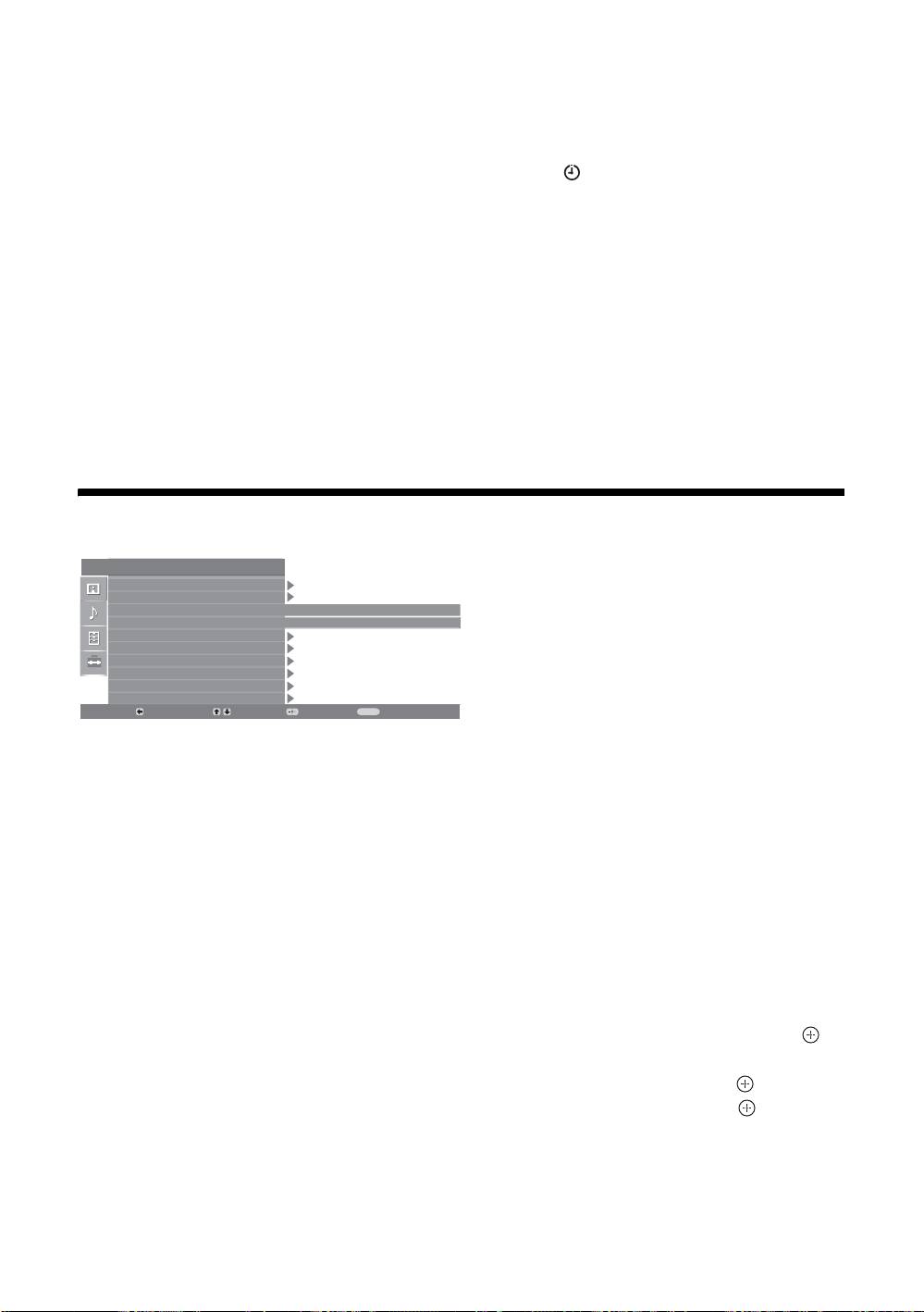
Set-up menu
Set Up
You can select the options listed below on the
System Information
Set-up menu. To select options in “Settings”, see
Auto Start Up
“Navigating through menus” (page 16).
Language
English
Country
-
Auto Tuning
Programme Sorting
AV Preset
Sound Offset
Manual Programme Preset
Digital Set Up
Back:
Select:
Enter:
Exit:
MENU
System Information
Displays the current software version and the signal level.
Auto Start-up
Starts the “first time operation menu” to select the language and country/region, and
tune in all available digital and analogue channels.
Language
Selects the language in which the menus are displayed.
Country
Selects the country/region where you operate the TV.
Tip
The country/region in which you want to use the TV does not appear in the list, select “-”
instead of a country/region.
Auto Tuning
Tunes in all the available analogue channels.
Programme Sorting
Changes the order in which the analogue channels are stored on the TV.
1 Press
F/f to select the channel you want to move to a new position,
then press
g.
2 Press
F/f to select the new position for your channel, then press .
AV Preset
Assigns a name to any equipment connected to the side and rear sockets.
1 Press
F/f to select the desired input source, then press .
2 Press
F/f to select the desired option below, then press .
• AV1 (or AV2/ AV3/ AV4/ PC/ HDMI 1/HDMI 2), VIDEO, DVD, CABLE, GAME,
CAM, SAT
: Uses one of the preset labels to assign a name to connected equipment.
• “Edit”: Creates your own label.
• “Skip”: Skips an input source that is not connected to any equipment when you
press F/f to select the input source.
GB
20
KDL-40/32/26U2000
2-693-044-41(0)
