
Sony BRAVIA KDL-20S2000: Picture Adjustment menu
Picture Adjustment menu: Sony BRAVIA KDL-20S2000
Table of contents
- Table of Contents
- Start-up Guide 1: Checking the accessories 2: Connecting an aerial/ VCR
- 3: Bundling the cables 4: Preventing the TV from toppling over 5: Selecting the language and country/region
- 6: Auto-tuning the TV
- Safety information Carrying Placement
- Ventilation Optional accessories Wiring Medical institutions Outdoor use Vehicle, Ships and other vessels Water and moisture Moisture and flammable objects Lightning storms
- Broken pieces Dangerously high Voltage are
- Precautions Disposal of the TV set
- Overview of the remote
- Overview of the TV buttons and indicators
- Watching TV Additional operations
- To access Text Picture Freeze PIP in PC Mode (Picture in Picture)
- Checking the Digital Electronic Programme Guide (EPG)
- Using the Favourite list
- Viewing pictures from connected equipment
- Navigating through menus Using MENU Functions
- Picture Adjustment menu
- Sound Adjustment menu Sound Effect Treble Bass Balance Reset Dual Sound Auto Volume
- TV Speakers
- Features menu Screen Power Saving AV2 Output RGB Center
- PC Adjustment Timer
- Set-up menu Auto Start-up Language Country Auto Tuning Programme Sorting AV Preset Sound Offset
- Manual Programme Preset
- Digital Set-up menu Digital Tuning
- Digital Set-up
- Connecting optional equipment Using Optional Equipment Connecting to the TV (side)
- Connecting to the TV (rear)
- Specifications Additional Information
- Troubleshooting Picture
- Sound Channels General
20
GB
KDL-20S2020
2-685-333-41(0)
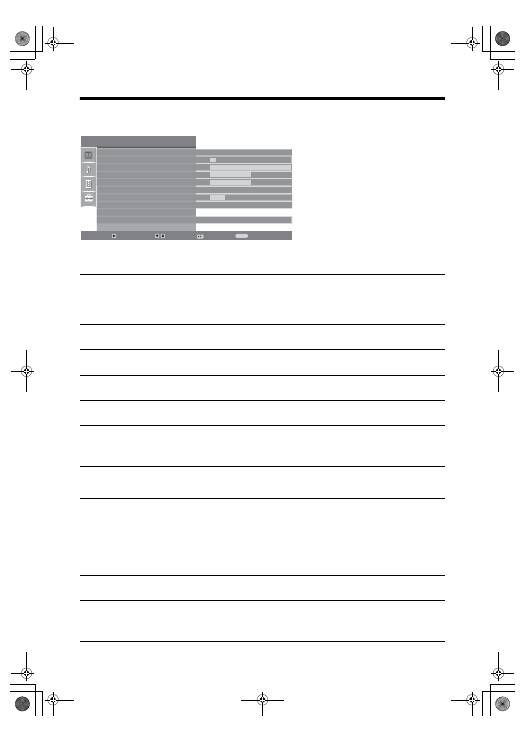
Picture Adjustment menu
You can select the options listed below on the
Picture menu. To select options in “Settings”,
see “Navigating through menus” (page 19).
Picture Mode
Selects the picture mode.
• “Vivid”: For enhanced picture contrast and sharpness.
• “Standard”: For standard picture. Recommended for home entertainment.
• “Custom”: Allows you to store your preferred settings.
Backlight
Adjusts the brightness of the backlight.
Contrast
Increases or decreases picture contrast.
Brightness
Brightens or darkens the picture.
Colour
Increases or decreases colour intensity.
Hue
Increases or decreases the green tones.
Tip
“Hue” can only be adjusted for an NTSC colour signal (e.g., U.S.A. video tapes).
Sharpness
Sharpens or softens the picture.
Colour Tone
Adjusts the whiteness of the picture.
• “Cool”: Gives the white colours a blue tint.
• “Neutral”: Gives the white colours a neutral tint.
• “Warm”: Gives the white colours a red tint.
Tip
“Warm” can only be selected when you set “Picture Mode” to “Custom”.
Reset
Resets all picture settings except “Picture Mode” to the factory settings.
Noise Reduction
Reduces the picture noise (snowy picture) in a weak broadcast signal.
• “Auto”: Automatically reduces the picture noise.
• “High/Mid/Low”: Modifies the effect of the noise reduction.
Picture Adjustment
Select:
Enter:
Exit:
MENU
Picture Mode
Backlight
Contrast
Brightness
Colour
Hue
Sharpness
Colour Tone
Reset
Noise Reduction
Custom
5
Max
50
50
0
15
Warm
Auto
Back:
010COV.book Page 20 Monday, June 12, 2006 3:29 PM
