
Sony BRAVIA KDL-20S2020: Watching TV
Watching TV: Sony BRAVIA KDL-20S2020
Table of contents
- Trademark information Introduction Notice for Digital TV function
- Table of Contents
- Start-up Guide 1: Checking the 2: Connecting an aerial/ accessories VCR
- 3: Bundling the cables 4: Preventing the TV from toppling over 5: Selecting the language and country/region
- 6: Auto-tuning the TV
- Safety information
- GB
- GB
- Precautions
- Overview of the remote
- Overview of the TV buttons and indicators
- Watching TV
- To access Text Picture Freeze PIP in PC Mode (Picture in Picture) To change the screen mode manually to suit the broadcast GB
- Checking the Digital Electronic Programme Guide To Do this
- To Do this
- Using the Favourite list To Do this
- Viewing pictures from connected equipment
- Navigating through menus
- Picture Adjustment menu
- Sound Adjustment menu
- TV Speakers
- Features menu
- Timer
- Set-up menu
- Manual Programme Preset
- Skip
- Digital Set-up menu Digital Tuning
- Digital Set-up
- Using Optional Equipment Connecting optional equipment Connecting to the TV (side)
- Connecting to the TV (rear)
- Additional Information Specifications
- Troubleshooting Picture
- Sound Channels General
010COV.book Page 13 Monday, June 12, 2006 3:29 PM
Watching TV
Watching TV
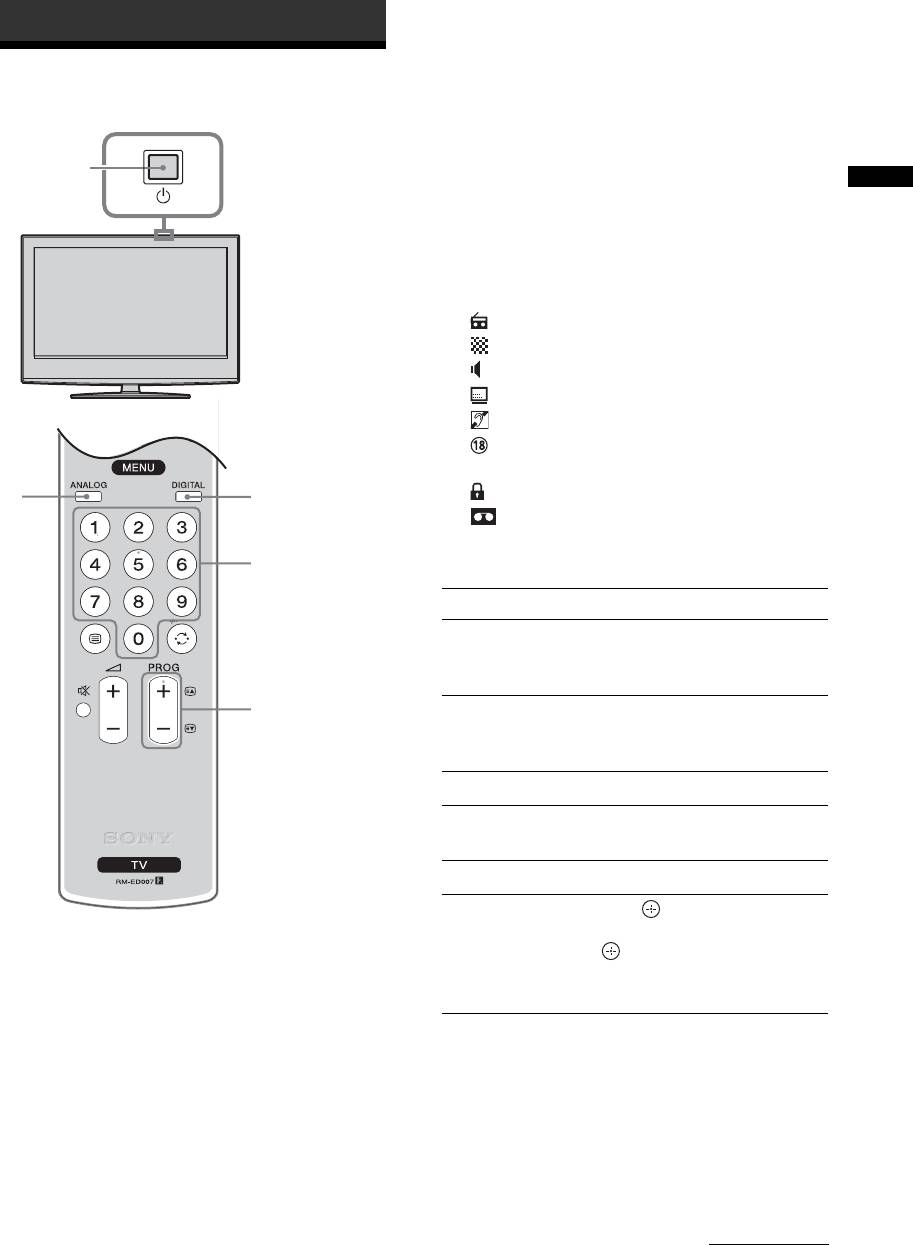
3 Press the number buttons or PROG +/- to
select a TV channel.
To select channel numbers 10 and above using the
number buttons, enter the second and third digits
1
1
within two seconds.
To select a digital channel using the Digital
Watching TV
Electronic Programme Guide (EPG), see page 15.
In digital mode
An information banner appears briefly. The
following icons may be indicated on the banner.
: Radio service
: Scrambled/Subscription service
: Multiple audio languages available
: Subtitles available
: Subtitles available for the hearing impaired
: Recommended minimum age for current
programme (from 4 to 18 years)
2
2
: Parental Lock
: Current programme is being recorded
3
Additional operations
To Do this
Turn off the TV
Press "/1.
temporarily
(Standby mode)
3
Turn on the TV
Press %. Press 2 +/- to set the
from Standby mode
volume level.
without sound
Turn off the TV Press 1 on the TV (top side).
Adjust the volume Press 2 + (increase)/
- (decrease).
Mute the sound Press %. Press again to restore.
Access the
Press . To select an analogue
1 Press 1 on the TV (top side) to switch on
Programme index
channel, press
F/f, then press
the TV.
table (in analogue
.
mode only)
To access the Input signal index
When the TV is in standby mode (the 1 (standby)
table, see page 18.
indicator on the TV (front) is red), press "/1 on
the remote to switch on the TV.
2 Press DIGITAL to switch to digital mode or
ANALOG to switch to analogue mode.
The channels available vary depending on the
mode.
Continued
13
GB
2-685-333-41(0)
KDL-20S2020
