
Sony SU-WH500: Preparation Installation Check the supplied items
Preparation Installation Check the supplied items: Sony SU-WH500
Table of contents
- On Safety
- CAUTION
- Preparation Installation Check the supplied items
- Confirm the completion of the installation Other information
Preparation
Installation
• Be sure to have the TV’s operating instructions, the supplied
“Installation Guide,” a Phillips screwdriver, and an electric drill
1 Decide on the installation location
before installation.
• If you use a supported TV model that is not described in this
Decide on the center position of your TV.
manual, check the installation procedure by referring to your TV’s
1
Make a mark on the Paper Template M that indicates the screen
operating instructions.
center of your TV, referring to the Screen center dimension C in
“TV installation dimensions table” at the end of this manual.
• Refer to the “Installation Guide” when there is a mark
appended to the procedure.
Tape the Paper Template to the wall.
2
Decide on the installation location, referring to your TV’s
Check the supplied items
dimension and the screen center mark on the Paper Template M,
and tape the Paper Template M to the wall.
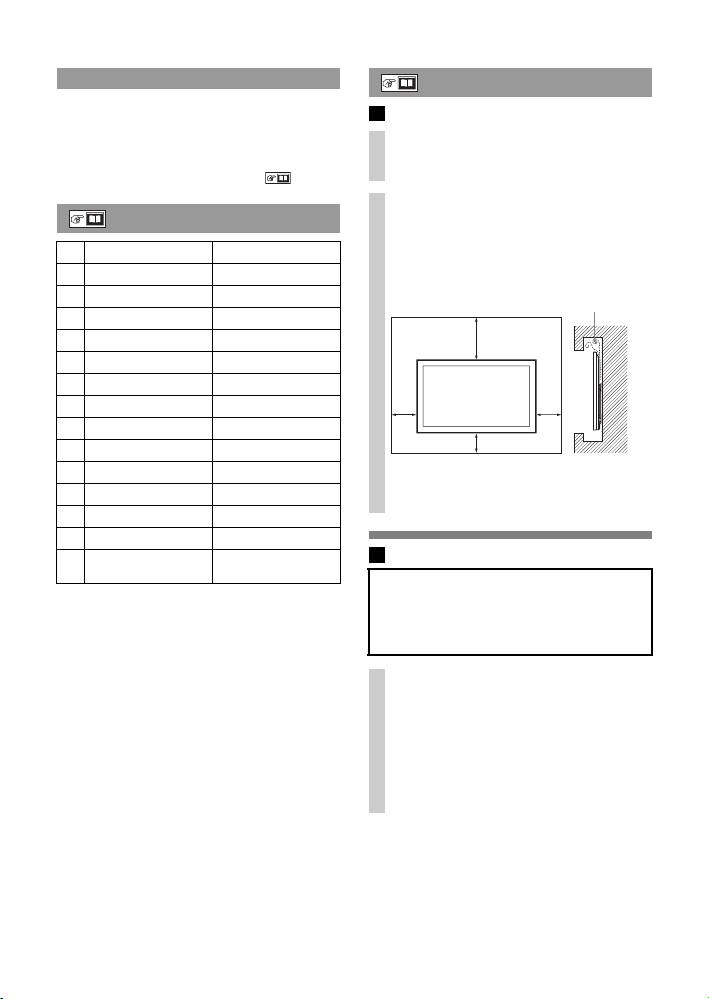
Allow for suitable clearance between your TV and the ceiling and
A Wire Bracket ×1
protruding parts of the wall as shown below to the left. Never
B Pulley ×2
install your TV as shown below to the right:
Air circulation is
C Tilt-up Bracket ×1
Unit: mm (inches)
blocked.
D Belt Bracket ×1
)
/
8
7
E Support Belt ×1
300
(11
F Anchor A ×6 (Spare ×1)
G Wood Screw (φ5×65) ×6 (Spare ×1)
Wall
H Anchor B ×6 (Spare ×1)
100
100
(4)
(4)
I Screw (M5×60) ×6 (Spare ×1)
100
(4)
J Screw (M6×18) ×4
K Cushion A ×4
~
If you intend to route the cables into the wall, make a hole in the
L Cushion B ×4
wall to insert the cables before beginning the installation.
M Paper Template ×1
N Installation Guide ×1
2 Install the Wire Bracket on the wall
O Instructions
×1
(this manual)
WARNING
~
The wall that the TV will be mounted on should be able to support
Keep small children away from the small parts to prevent accidental
a weight of at least four times that of the TV. (Refer to your TV’s
swallowing.
operating instructions for its weight.)
Determine the strength of the wall the TV will be mounted on.
Reinforce the wall sufficiently, if necessary.
Make holes for installing on the wall.
1
Make four holes at the marks on the Paper Template M using an
electric drill.
A For thick walls
Make holes 65 mm (2
5
/
8
inches) deep in the wall using a 9 mm
(
3
/
8
inches) electric drill. This is for a standard installation.
B For thin walls
This is for a sturdier installation using the Anchor B H. Make
holes only in the superficial area of the wall using a 13 mm
(
17
/
32
inches) electric drill.
4 (GB)
