
Sony SU-B461S: Troubleshooting Specifications Indicator
Troubleshooting Specifications Indicator: Sony SU-B461S
Table of contents
- NOTICE FOR CUSTOMERS IN THE UNITED KINGDOM CAUTION On Safety WARNING
- AC power cord (mains lead) NOTE ON AC adapter (mains adaptor)
- CAUTION PRECAUTIONS
- Step 1: Checking the parts
- Step 2: 2 Installing the TV 1 3
- 4 6 7 5
- 8 Step 3: Safety measures to prevent toppling over
- Step 4: Connecting the TV and Player
- Step 5: Step 6: Connecting the AC Performing the TV power cord (mains lead) settings
- Troubleshooting Specifications Indicator
- HDMI section General
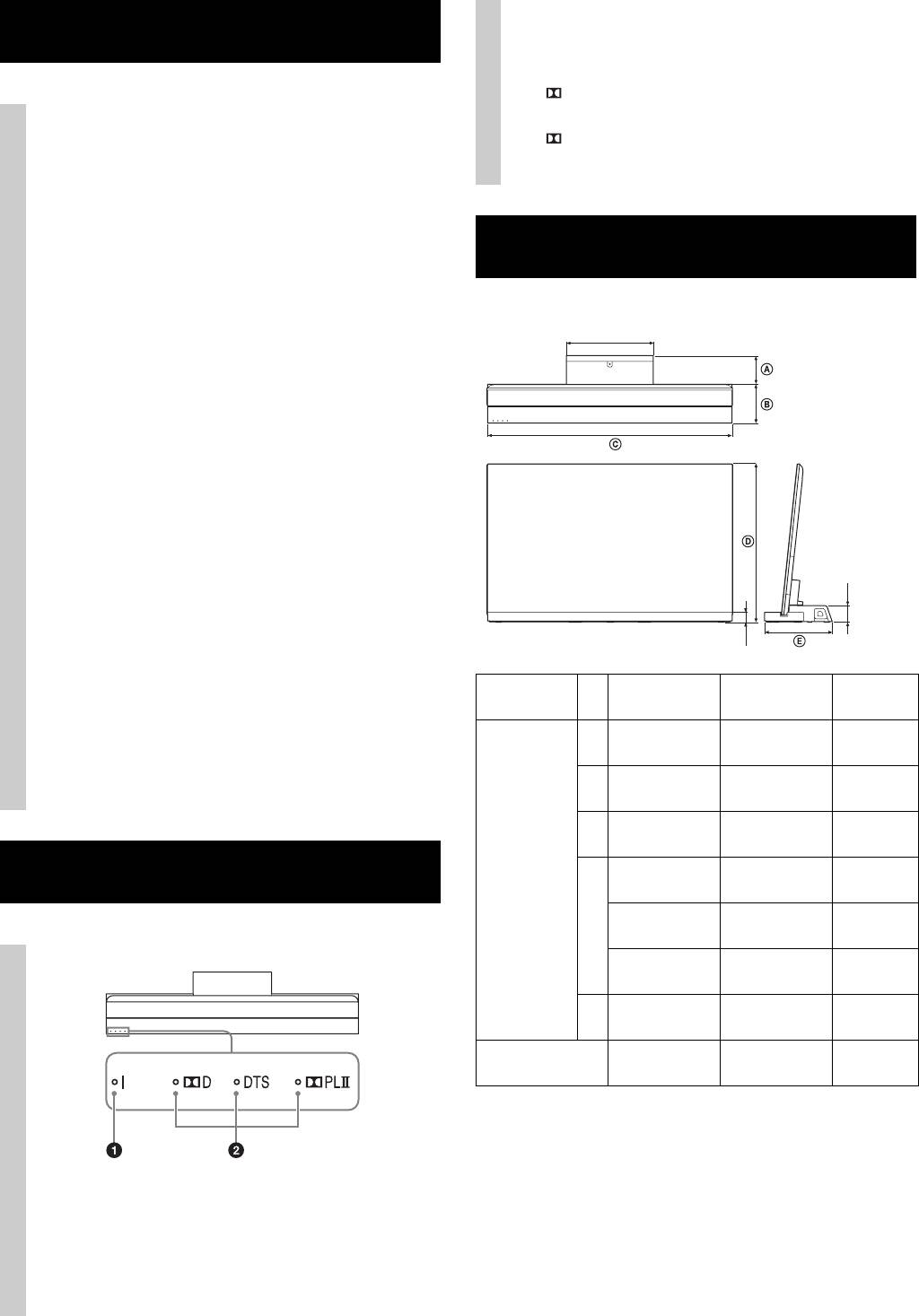
2 Audio format indicators
Troubleshooting
Light up according to the audio format that is being
input to the TV Stand.
D: Dolby Digital
DTS
Sound
PLII: Dolby Pro Logic II
No sound:
• Check the HDMI cable connection.
• Check the settings for “Control for HDMI” and
“Audio System” in Step 6 (page 11).
Using with headphones:
Specifications
• Switch “Audio System” to “TV Speakers” in the
“Speakers” setting.
Using with dual sound of the TV digital transmission:
• Depending on the transmission, the sound cannot
33.6 cm
switch. Switch the “Optical Out” setting of the TV
from “Auto” to “PCM”.
Using with external equipment for dual sound:
• If the sound cannot be switched, switch the audio
output setting of the external equipment to activate
PCM.
Indicator
Although the TV power is turned on, the : (power)
indicator of the TV Stand does not light up:
• Check whether the AC adapter (mains adapter)’s AC
6.4 cm
power cord (mains lead) is plugged into a wall
outlet.
3.8 cm
• Consult customer support services.
Flash : (power) indicator red:
SU-B551S SU-B461S SU-B401S
• A malfunction may have occurred with this product.
Dimensions:
Check how many times the LED flashes, and consult
cm
A 10.2 11.8 11.0
Sony service center.
B 19.0 15.9 15.1
C 127.6 107.9 94.4
Indicator
55HX92x:
46HX92x:
79.6
68.6
–
D
55HX82x:
46HX82x:
79.8
68.7
–
55NX72x:
46NX72x:
40NX72x:
79.7
68.7
61.2
E 29.2 27.7 26.1
Stand Weight:
6.3 kg 5.6 kg 4.9 kg
Amplifier section
Rated Output Power Front: 10 W + 10 W, (per channel)
1 : (power) indicator
8 ohms, 1 kHz, THD less than 1%
Lights as follows:
Subwoofer: 20 W, 6 ohms, 100 Hz,
Green: The TV Stand is power on. (“Audio System”
THD less than 1%
is set for “Speakers.”)
Off: The TV Stand is standby or power off.
12 (GB)
