
Sony SU-B461S: Step 5: Step 6: Connecting the AC Performing the TV power cord (mains lead) settings
Step 5: Step 6: Connecting the AC Performing the TV power cord (mains lead) settings: Sony SU-B461S
Table of contents
- NOTICE FOR CUSTOMERS IN THE UNITED KINGDOM CAUTION On Safety WARNING
- AC power cord (mains lead) NOTE ON AC adapter (mains adaptor)
- CAUTION PRECAUTIONS
- Step 1: Checking the parts
- Step 2: 2 Installing the TV 1 3
- 4 6 7 5
- 8 Step 3: Safety measures to prevent toppling over
- Step 4: Connecting the TV and Player
- Step 5: Step 6: Connecting the AC Performing the TV power cord (mains lead) settings
- Troubleshooting Specifications Indicator
- HDMI section General
Step 5:
Step 6:
Connecting the AC
Performing the TV
power cord (mains lead)
settings
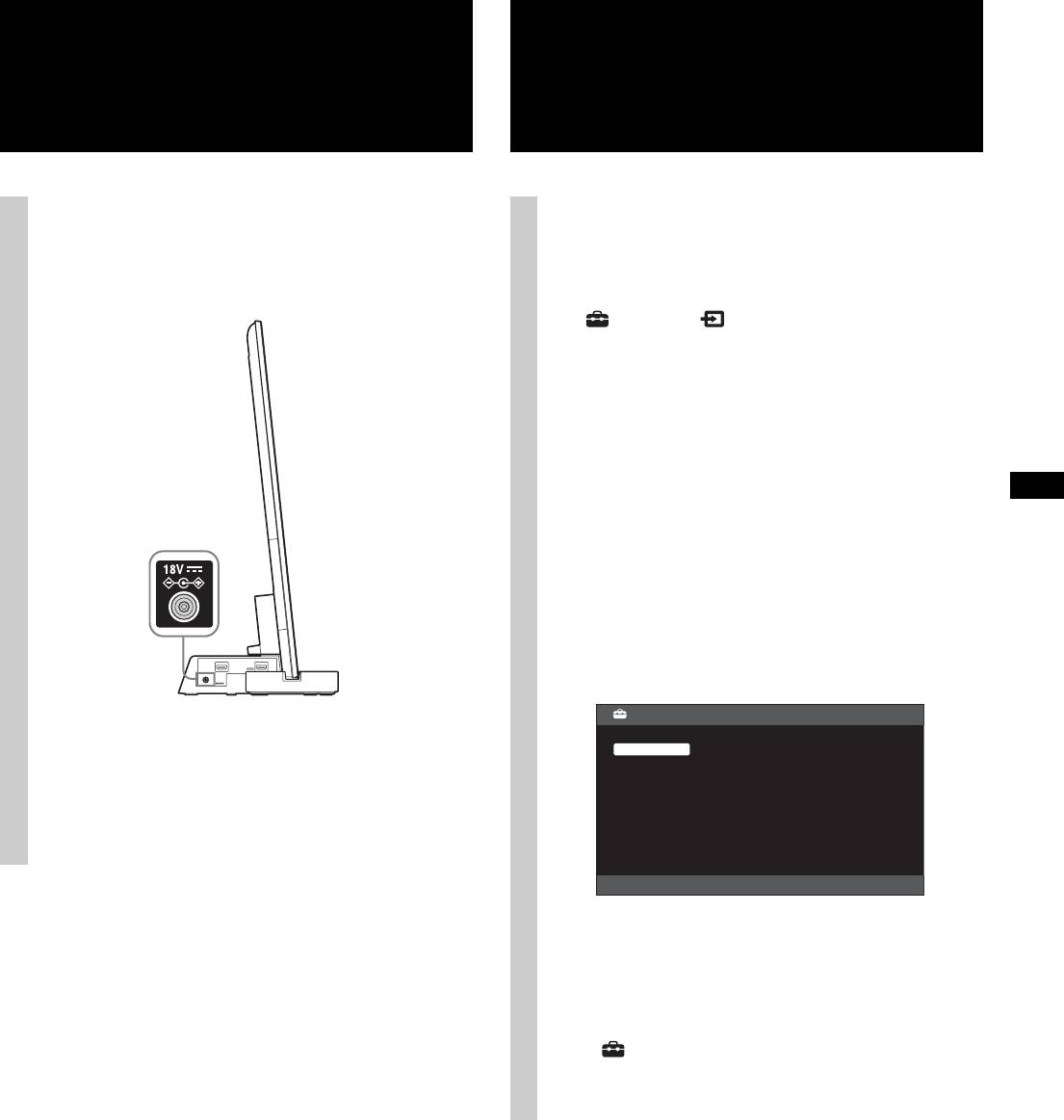
Connect all components and TV to the TV Stand
1 Set to “On” in the “Control for HDMI”
before connecting the AC power cord (mains lead) of
function.
the TV Stand’s AC Adapter (mains adapter) to a wall
Press the HOME button of the remote of the TV
outlet.
and select the menu as follows;
Settings > External Inputs > HDMI Set-up
> Control for HDMI > On
2 Set to “Audio System” in “Speakers” menu.
Press the SYNC MENU button of the remote of the
TV and select the menu as follows;
Speakers > Audio System
~
• After completing the settings for procedure 1 and 2,
the : (power) indicator lights up in green.
z
• Scene Select mode
This TV Stand is synchronized with the TV sound settings
automatically, and works together with the Scene Select
function, for you to choose your preferred sound for the
selected scene.
To change the sound, change the TV sound settings.
Scene Select
~
HDMI1
• Connect the TV Stand to an easily accessible AC outlet
Auto
General
(mains). Should you notice an abnormality in the TV
Cinema
Stand, disconnect the main plug from the AC outlet
Sports
Music
(mains) immediately.
Animation
Photo
Game
Graphics
• Position Control
If you set “External Device Control” to “On” of the TV, this
TV Stand adjusts the volume balance between the left and
right speakers according to viewing position. (Setting of the
TV)
To set “Position Control”, press the HOME button, then
select > System Settings > Position Control > the desired
option.
11 (GB)
