
Sony CDX-M600R: Setting the clock DAB automatically Overview of DAB
Setting the clock DAB automatically Overview of DAB: Sony CDX-M600R
Table of contents
- Welcome ! Precautions
- Notes on CDs
- Table of Contents
- Location of controls
- Location of controls
- The corresponding buttons of the unit control the same functions as those on the card remote commander.
- Turning the unit on/off Getting Started Resetting the unit Security release settings
- How to use the menu Setting the clock
- CD Player CD/MD Unit (optional) Listening to a CD
- Locating a specific track Locating a specific point in a track Automatically scrolling a disc name Locating a disc
- Playing tracks repeatedly Playing tracks in random — Repeat Play order — Shuffle Play
- Labelling a CD — Disc Memo
- Locating a disc by name
- Selecting specific tracks for playback
- Memorising only the Radio desired stations Memorising stations automatically
- Receiving the memorised stations
- RDS Overview of the RDS Retuning the same function programme automatically Displaying the station name
- Listening to a regional programme Local link function
- Listening to traffic announcements
- Presetting the RDS stations with the AF and TA data
- Locating a station by programme type
- Setting the clock DAB automatically Overview of DAB
- Basic operations of DAB
- Presetting DAB services Presetting DAB services automatically — BTM manually
- Listening to a DAB programme
- Settings on the audio Locating a DAB service by reception programme type (PTY)
- DSP (CDX-M700R only) Setting the equalizer
- Selecting the listening Selecting a soundstage position menu
- Adjusting the balance Adjusting the front and rear fader
- Adjusting the volume of the subwoofer(s) Listening to each programme source in its registered DSO
- Using the rotary Other Functions commander Labelling the rotary commander
- By rotating the control Other operations (the SEEK/AMS control) By pushing in and rotating the control (the PRESET/DISC control)
- Changing the operative direction Adjusting the sound characteristics (CDX-M600R only) Attenuating the sound
- Changing the sound and display settings
- Boosting the bass sound Selecting the spectrum analyser
- Additional Adjusting the sound and Information frequency of the equalizer preamplifier Maintenance
- Dismounting the unit
- If the front panel does not open because of a blown fuse
- Specifications
- Troubleshooting guide General CD/MD playback
- Radio reception RDS
- Error displays (when an optional CD/MD unit is connected)
With Optional Equipment
Setting the clock
DAB
automatically
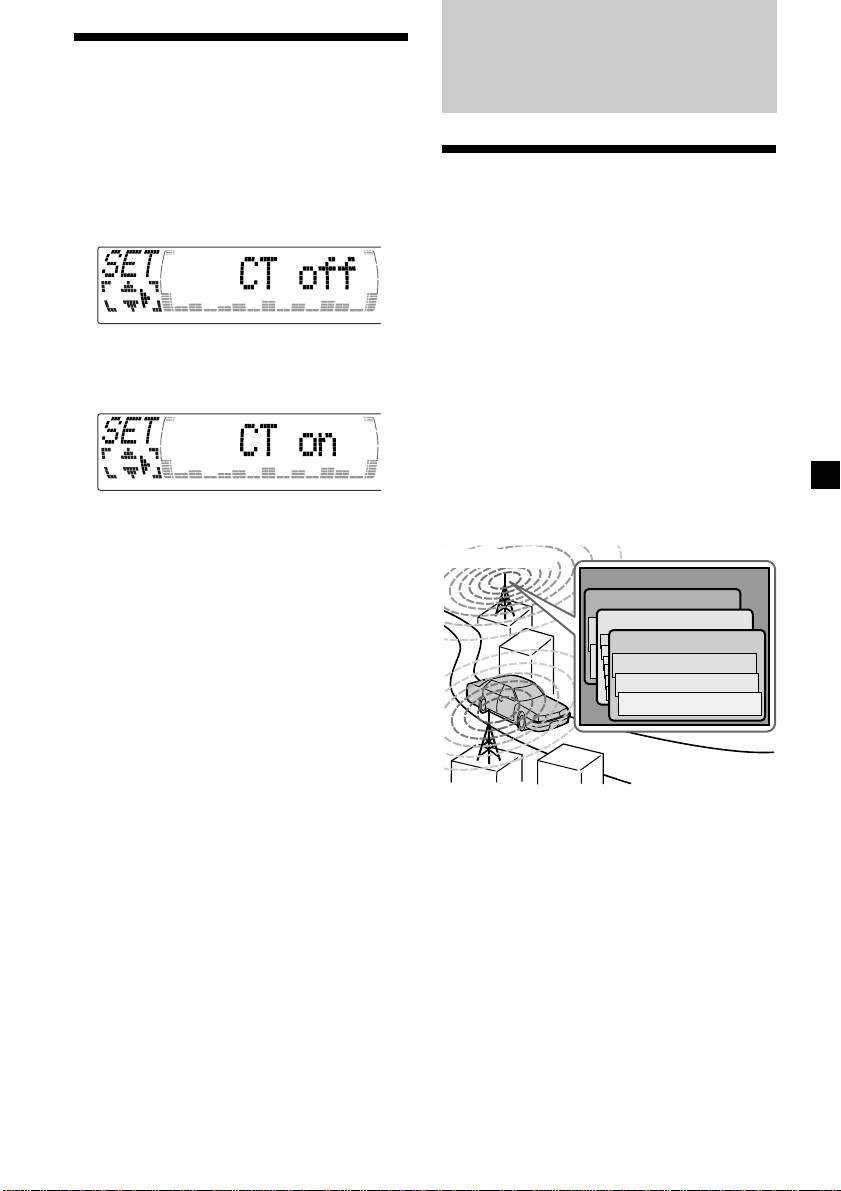
The CT (Clock Time) data from the RDS
transmission sets the clock automatically.
Overview of DAB
1 During radio reception, press (MENU),
then press M or m repeatedly until “CT”
DAB (Digital Audio Broadcasting) is a new
appears.
multimedia broadcasting system that transmits
audio programmes with a quality comparable
to that of CDs. This is made possible by the use
of a microcomputer in the DAB tuner which
uses the radio signals sent from multiple
aerials and multi-path signals (reflected radio
waves) to boost the strength of the main signal.
This makes DAB almost immune to radio
2 Press , repeatedly until “CT on”
interference even in a moving object such as a
appears.
car.
The clock is set.
Each DAB station bundles radio programmes
(services) into an ensemble which it then
broadcasts. Each service contains one or more
components. All ensembles, services, and
components are identified by name, so you can
access any of them without having to know
their frequencies.
3 Press (ENTER) to return to the normal
display.
DAB programme
Ensemble
To cancel the CT function
Service
Select “CT off” in step 2.
Service
Service
Notes
Component
• The CT function may not work even though an
RDS station is being received.
Component
• There might be a difference between the time
Component
set by the CT function and the actual time.
Notes
• The DAB system is actually in a testing phase.
This means some services have not been
sufficiently defined or are presently being tested.
At present, such services are not supported by
the optional DAB tuner unit XT-100DAB.
• DAB programmes are broadcast in Band-III (174
to 240 MHz) and L-Band (1,452 to 1,492 MHz),
with each band divided into channels (41 in
Band-III and 23 in L-Band). One ensemble is
broadcast per channel by each DAB station.
• When you change the mode from FM3 to DAB,
all the AF TA modes stay active.
• When you change any of the AF TA modes in
DAB, that mode stays active in FM1.
23

