
Sony CPD-E230: Adjustments Navigating the menu Adjusting the brightness and contrast
Adjustments Navigating the menu Adjusting the brightness and contrast: Sony CPD-E230
Table of contents
- Owner’s Record
- Table of Contents Setup 1 Connecting your monitor to your computer 2 Turning on the monitor and computer
- Adjustments Navigating the menu Adjusting the brightness and contrast
- On-Screen menu adjustments
- Troubleshooting On-screen messages
- If thin lines appear on the screen Specifications Self-diagnosis function
- Precautions
Adjustments
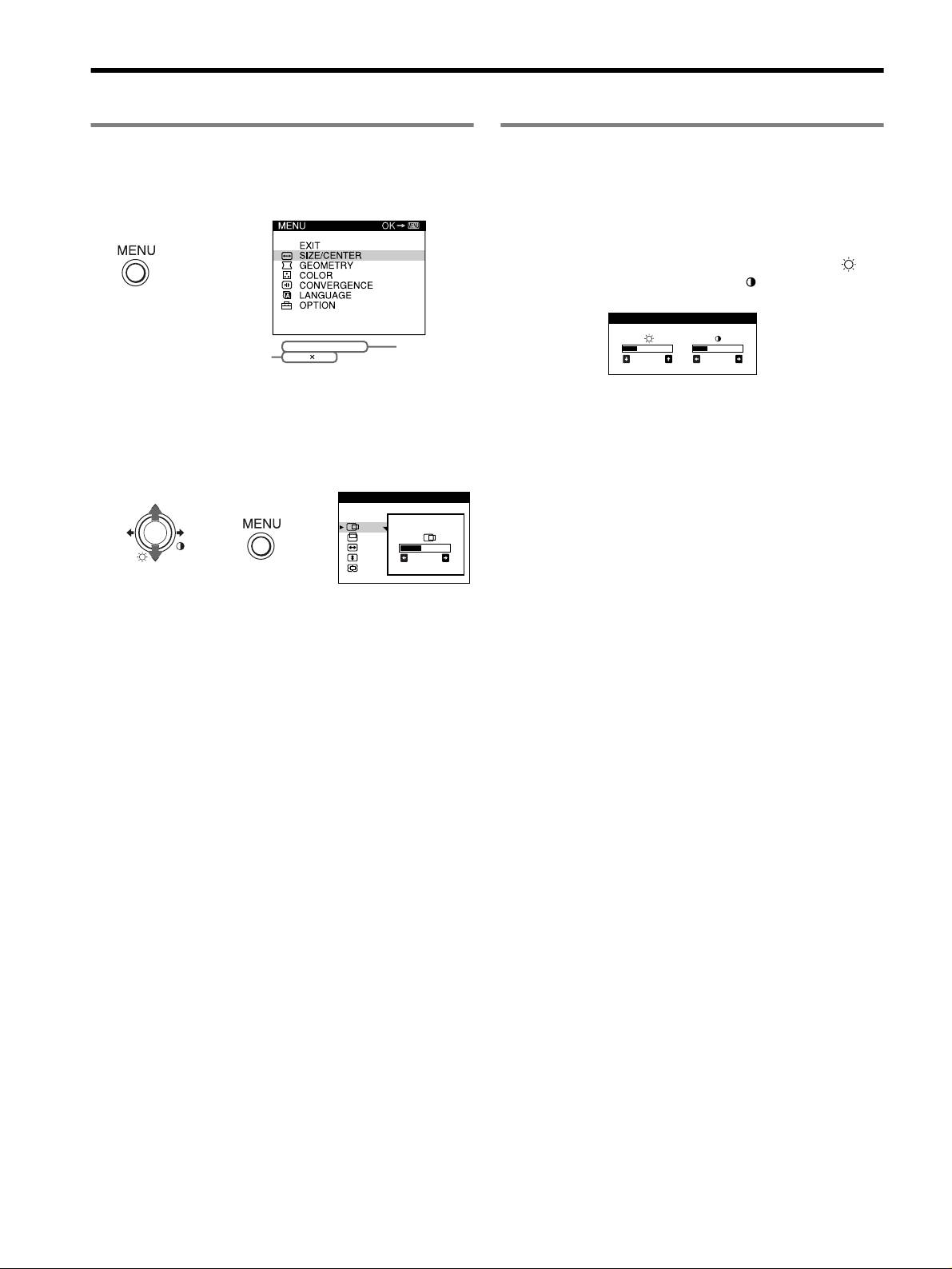
Navigating the menu
Adjusting the brightness and contrast
Brightness and contrast adjustments are made using a separate
1 Press the MENU/OK button to display the main menu.
BRIGHTNESS/CONTRAST menu. These adjustments are
effective for all input signals.
Main menu
1 Move the joystick in any direction to display the
BRIGHTNESS/CONTRAST menu.
,
2 Move the joystick m/M to adjust the brightness ( ),
and </, to adjust the contrast ( ).
BRI GHTNESS / CONTRAST
the resolution of the current
60.0kHz/ 75Hz
the horizontal
input signal (only if the signal
1024
768
and vertical
26 26
matches to one of the
frequencies
recommended VESA timing
of the current
modes).
input signal
2 Move the joystick m/M to highlight the main menu you
want to adjust and press the MENU/OK button.
Sub menu
SIZE/CENTER
,,
26
3 Move the joystick m/M to highlight the sub menu you
want to adjust. Then move the joystick </, to make
adjustments.
4
