
Sony CDP-XE520: Recording From CDs Additional Information Adjusting the Recording Level Notes on CDs
Recording From CDs Additional Information Adjusting the Recording Level Notes on CDs: Sony CDP-XE520
Table of contents
- WARNING Precautions
- TABLE OF CONTENTS
- Unpacking Hooking Up the System
- Getting Started Where do I go next?
- Playing a CD
- Playing CDs Using the Display
- Checking the information of CD TEXT discs
- Locating a Specific Track or a Particular Point in a Track
- Playing Tracks Repeatedly
- Playing in Random Order
- Creating Your Own Programme
- Playing CDs Creating a programme using the remote (CDP-XE520 and CDP-XE320 only) Checking the track order Changing the track order
- Recording From CDs Recording Your Own Programme Recording a CD by Specifying Tape Length (Time Edit)
- Fading In or Out
- Recording From CDs Changing the fading time (CDP-XE520 only) Fading out at the specified time
- Recording From CDs Additional Information Adjusting the Recording Level Notes on CDs
- Additional Information Troubleshooting Specifications
- Index
Recording From CDs
Additional Information
Recording From CDs
Recording From CDs
Adjusting the Recording Level
Notes on CDs
(Peak Search)
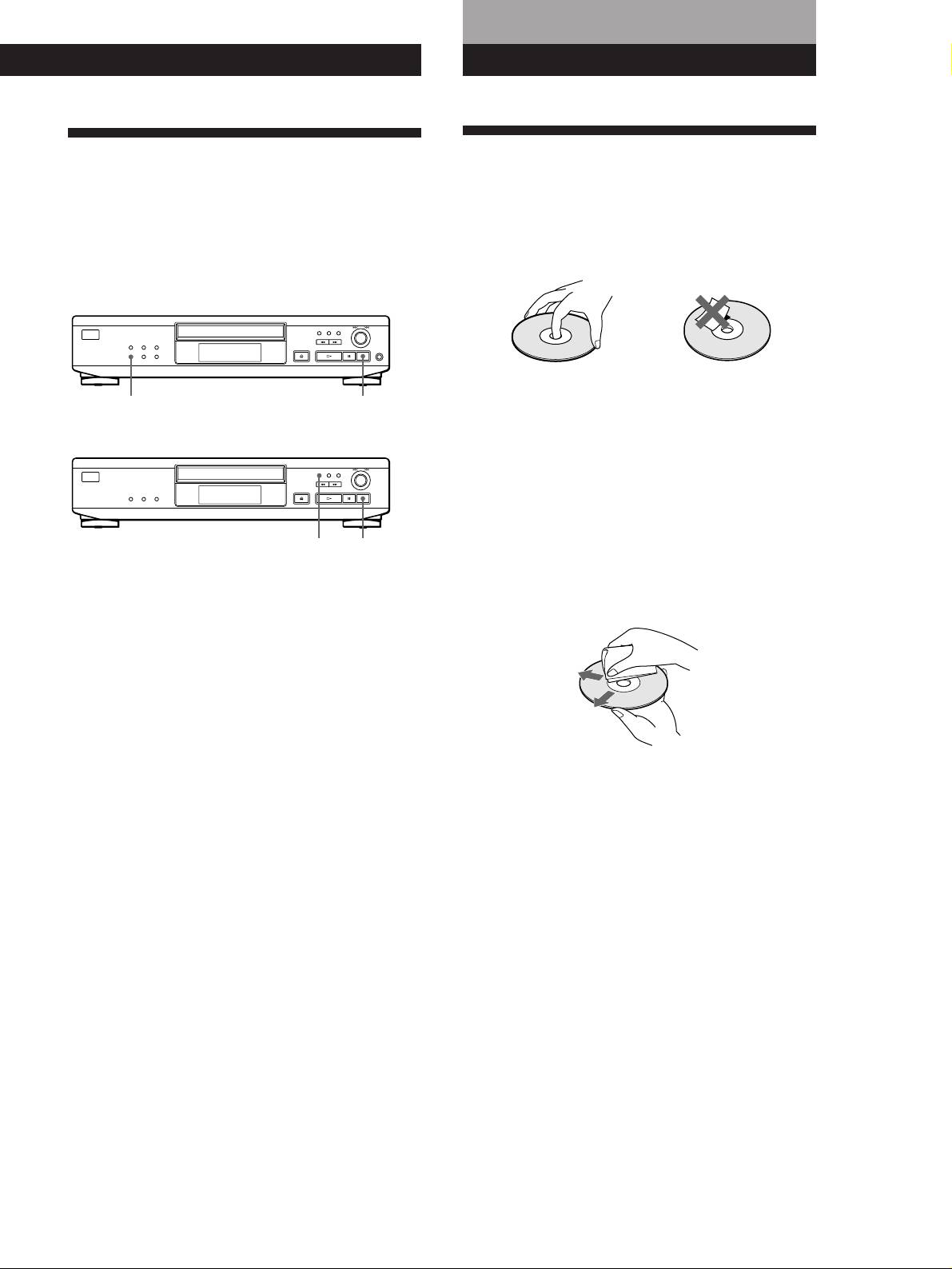
On handling CDs
• To keep the disc clean, handle the disc by its edge. Do not
The player locates the highest level among the tracks to
touch the surface.
be recorded to let you adjust the recording level before
• Do not stick paper or tape on the disc.
you start recording.
• CDP-XE520
Not this way
PEAK SEARCH
p
• Do not expose the disc to direct sunlight or heat sources
such as hot air ducts, nor leave it in a car parked in direct
• CDP-XE320 and CDP-XE220
sunlight as there can be considerable rise in temperature
inside the car.
• Do not use any commercially available stabilizer. If you do,
the disc and the player may be damaged.
• After playing, store the disc in its case.
PEAK SEARCH
p
On cleaning
1 Before you start playing, press PEAK SEARCH.
• Before playing, clean the disc with a cleaning cloth. Wipe
“PEAK” flashes in the display and the player starts
the disc from the centre out.
scanning the disc searching for the highest peak
level.
After scanning all the tracks, the player repeats the
portion with the highest peak level.
2 Adjust the recording level on the deck.
3 Press p on the player to stop Peak Search.
“PEAK” disappears from the display.
• Do not use solvents such as benzine, thinner,
commercially available cleaners or anti-static spray
intended for vinyl LPs.
Note
The portion with the highest level may differ every time you
try the adjustment on the same disc. The difference is,
however, so slight that you won’t find any problem in
adjusting the recording level precisely.
GB
17
