
Sony CDP-XE320: Recording From CDs Changing the fading time (CDP-XE520 only) Fading out at the specified time
Recording From CDs Changing the fading time (CDP-XE520 only) Fading out at the specified time: Sony CDP-XE320
Table of contents
- WARNING Precautions
- TABLE OF CONTENTS Welcome! About This Manual
- Unpacking Hooking Up the System
- Where do I go next?
- Playing a CD
- Using the Display
- Checking the information of CD TEXT discs
- Locating a Specific Track or a Particular Point in a Track
- Playing Tracks Repeatedly
- Playing in Random Order
- Creating Your Own Programme
- Creating a programme using the remote
- Recording Your Own Programme Recording a CD by Specifying Tape Length (Time Edit) (CDP-XE520 only)
- Fading In or Out
- Recording From CDs Changing the fading time (CDP-XE520 only) Fading out at the specified time
- Recording From CDs Additional Information Adjusting the Recording Level Notes on CDs (Peak Search)
- Troubleshooting Specifications
- Index
Recording From CDs
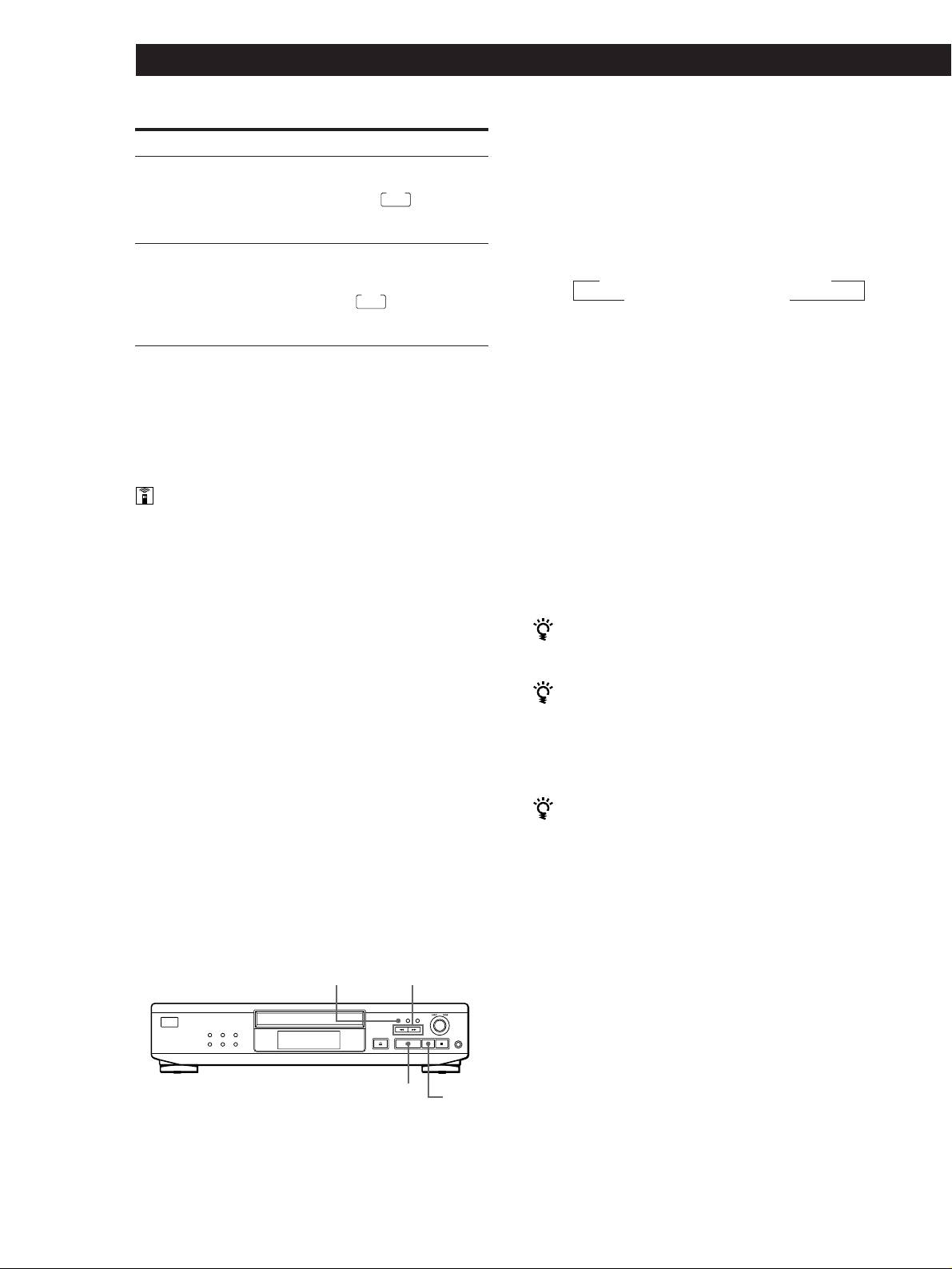
1 Press EDIT/TIME FADE repeatedly before you
To
Press FADER
start playing until “T.FADE” and “TAPE A”
Start play fading in
During pause. For the CDP-XE520,
appear in the display.
“FADE” flashes. For the CDP-XE320
FADE
and CDP-XE220,
lights up
and the Q indication flashes. Then
2 Press 0 or ) to specify the playing time. Each
play fades in.
time you press these buttons, the display changes
as shown below with the tape length of one side.
End play fading out
When you want to start fading out.
For the CDP-XE520, “FADE”
n HALF ˜ C-46 23.00 ˜ C-54 27.00 ˜ C-60 30.00 N
flashes. For the CDP-XE320 and
FADE
CDP-XE220,
lights up and the
n - -. - - ˜ C-90 45.00 ˜ C-74 37.00 N
q indication flashes. Then play
fades out and the player pauses.
When you select “HALF”
The player sets the playing time to a half of the total
playing time.
Fading time lasts for 5 seconds. If you press FADER
during Music Scan (page 10), fading time changes to 2
3 Press · to start playing.
seconds (CDP-XE520 only).
At the specified time the play fades out and the
player pauses. “TAPE B” appears in the display.
Changing the fading time (CDP-XE520 only)
4 To record on side B, reverse the tape and press ·
or P on the player to resume playing.
You can change the fading time from 2 to 10 seconds
Again, the play fades out at the specified time.
before fading in or out. If you don’t change it, fading
lasts for 5 seconds.
To cancel Time Fade
Press EDIT/TIME FADE.
1 Before you start playing, press FADER.
You can freely specify the playing time
2 Press the number buttons to specify the fading
See “You can specify the tape length freely” on page 15.
time.
You can change discs during Time Fade
Notes
If the play ends before the specified fade-out time, (for
• The fading time is reset to 5 seconds when you turn off the
example, when you record CD-singles on a tape) you can
player.
change the disc. The specified fade-out time is counted
• If you press FADER during Music Scan (page 10), fading
only during playing.
time changes to 2 seconds.
You can fade in to resume playing in Step 4
After you reverse the tape, press FADER on the remote.
Fading out at the specified time
(Time Fade) (CDP-XE520 only)
Notes
You can have the player fade out automatically by
• Time Fade will be cancelled if you press 0 or ) during
specifying the playing time. Once you set the time fade,
the operation.
it works twice, that is, the play fades out at the end of
• “HALF” does not appear when the disc has more than 24
both sides of a tape.
tracks.
EDIT/TIME FADE
0/)
·
P
GB
16
