
Sony CDP-XE220: Recording From CDs Fading In or Out
Recording From CDs Fading In or Out: Sony CDP-XE220
Table of contents
- WARNING Precautions
- TABLE OF CONTENTS Welcome! About This Manual
- Getting Started Unpacking Hooking Up the System
- Getting Started Connecting the mains lead Where do I go next?
- Playing a CD
- Using the Display
- Playing CDs Checking the information of CD TEXT discs (CDP-XE520 only)
- Locating a Specific Track or a Particular Point in a Track
- Playing CDs Playing Tracks Repeatedly
- Playing in Random Order (Shuffle Play)
- Playing CDs Creating Your Own Programme (Programme Play)
- Playing CDs Creating a programme using the remote Checking the track order Changing the track order
- Recording Your Own Programme Recording a CD by Specifying Tape Length (Time Edit) (CDP-XE520 only)
- Recording From CDs Fading In or Out
- Recording From CDs
- Adjusting the Recording Level Notes on CDs
- Troubleshooting Specifications
- Index
Recording From CDs
Recording From CDs
1 Press EDIT/TIME FADE before you start playing
When tracks, which aren’t numerically consecutive on
until “EDIT” appears and “TAPE A” flashes in the
the disc, are programmed consecutively (i.e. 1, 3, 5
display.
etc.)
A one-second access time blank is added between the
tracks.
2 Press 0 or ) to specify the tape length.
Each time you press these buttons, the display
changes as shown below with the tape length of
To check and change your programme
one side .
See page 13.
n HALF ˜ C-46 23.00 ˜ C-54 27.00 ˜ C-60 30.00 N
n - -. - - ˜ C-90 45.00 ˜ C-74 37.00 N
When you select “HALF”
The player divides the total playing time of the disc in
Fading In or Out
half, keeping the original order.
Note that you cannot select “HALF” when the disc has
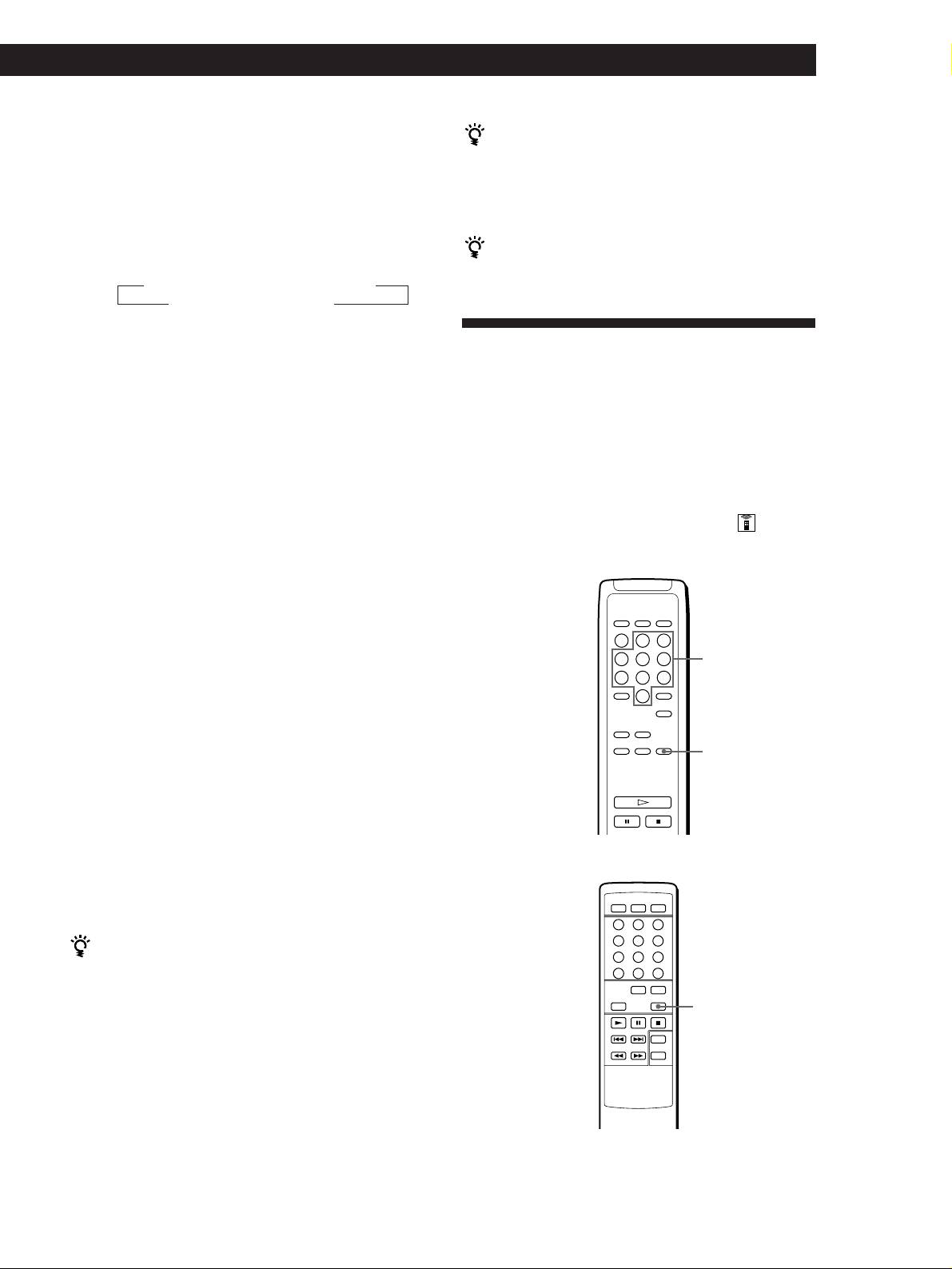
You can manually fade in or out to prevent tracks from
more than 24 tracks.
starting or ending abruptly.
Note that you cannot use this effect when you use the
3 Press EDIT/TIME FADE to have the player create
DIGITAL OUT (OPTICAL) connector.
the programme.
The display shows the tracks to be recorded.
“TAPE B” flashes in the display.
Fading in or out at the point you want
(CDP-XE520 and CDP-XE320 only)
4 When you record on both sides of the tape, press
EDIT/TIME FADE again.
• CDP-XE520
The player inserts a pause, then creates the
programme for side B. The display shows the
programmed tracks.
When you record on one side of the tape or on a
DAT or MD, skip this step.
Number buttons
5 Start recording on the deck and then press · on
the player.
When you record on both sides of the tape, the
player pauses at the end of the programme for side
FADER
A.
6 When you record on side B, reverse the tape and
press · or P on the player to resume playing.
To cancel Time Edit
• CDP-XE320
Press PLAY MODE.
When using the remote, press CONTINUE.
You can specify the tape length freely
You can set the tape length using ≠ AMS ±.
Example: When the tape length of one side is 30 minutes
and 15 seconds
FADER
1 To set the minutes, turn ≠ AMS ± until
“30” appears in the display, then push
≠ AMS ±.
2 To set the seconds, turn ≠ AMS ± until
“15” appears in the display, then push
≠ AMS ±.
(Continued)
GB
15
