
Sony CDP-XE220: Playing a CD
Playing a CD: Sony CDP-XE220
Table of contents
- WARNING Precautions
- TABLE OF CONTENTS Welcome! About This Manual
- Getting Started Unpacking Hooking Up the System
- Getting Started Connecting the mains lead Where do I go next?
- Playing a CD
- Using the Display
- Playing CDs Checking the information of CD TEXT discs (CDP-XE520 only)
- Locating a Specific Track or a Particular Point in a Track
- Playing CDs Playing Tracks Repeatedly
- Playing in Random Order (Shuffle Play)
- Playing CDs Creating Your Own Programme (Programme Play)
- Playing CDs Creating a programme using the remote Checking the track order Changing the track order
- Recording Your Own Programme Recording a CD by Specifying Tape Length (Time Edit) (CDP-XE520 only)
- Recording From CDs Fading In or Out
- Recording From CDs
- Adjusting the Recording Level Notes on CDs
- Troubleshooting Specifications
- Index
Basic Operations
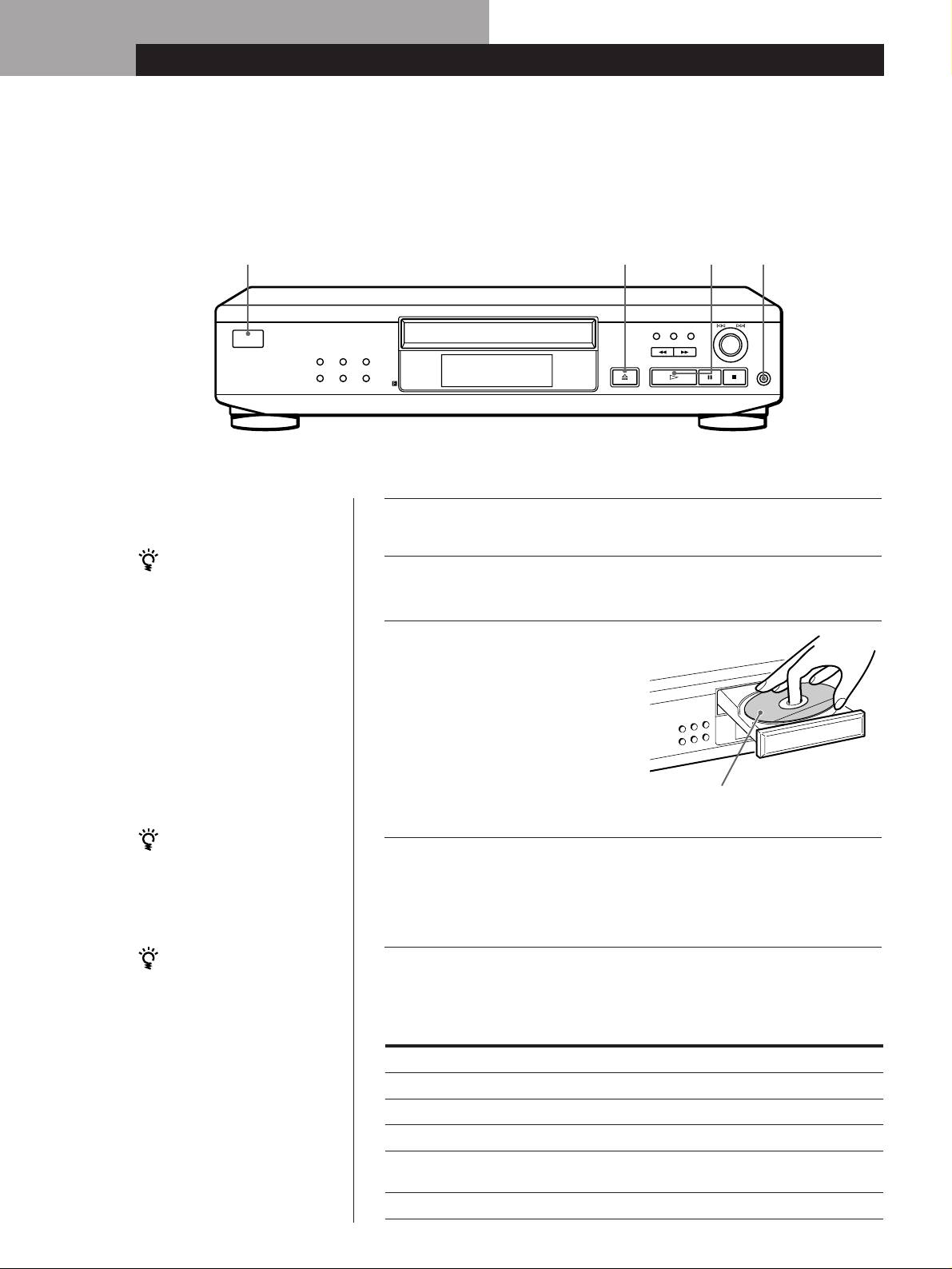
Playing a CD
Connect the
2
3
4
headphones.*
AMS
EDIT/TIME FADE
CHECK CLEAR
I / u
REPEATPLAY MODE
TIME/TEXT
OPEN/CLOSE
PHONES
PEAK SEARCH
MUSIC SCAN
LANGUAGE
*CDP-XE520 only
• See pages 4 – 5 for the hookup
Turn on the amplifier and select the CD player position so that
information.
1
you can listen to the sound from this player.
If you turn on the player with
a CD in the tray
Press I/u to turn on the player.
You can start playing
2
automatically from the
beginning of the CD. If you
Press §␣ OPEN/CLOSE,
connect a commercially
available timer, you can start
3
and place a disc on the
playing the CD at any time
disc tray.
you want.
With the label side up
You can adjust the output
level with the LINE OUT
Press ·.
LEVEL +/– on the remote
4
The disc tray closes and the player plays all the tracks once
(CDP-XE520 and CDP-XE320
only) Z
(Continuous Play).
Adjust the volume on the amplifier.
You can adjust the
headphones volume on the
To stop playback
remote (CDP-XE520 only) Z
Connect the headphones to
Press p.
the PHONES jack and adjust
the volume with the LINE
OUT LEVEL +/– on the
To
You need to
remote.
Pause
Press P
Resume play after pause
Press P or ·
Go to the next track
Turn ≠ AMS ± clockwise
Go back to the preceding track
Turn ≠ AMS ±
counterclockwise
Stop play and remove the CD
Press §␣ OPEN/CLOSE
GB
6
