
Sony CDP-XE220: Locating a Specific Track or a Particular Point in a Track
Locating a Specific Track or a Particular Point in a Track: Sony CDP-XE220
Table of contents
- WARNING Precautions
- TABLE OF CONTENTS Welcome! About This Manual
- Getting Started Unpacking Hooking Up the System
- Getting Started Connecting the mains lead Where do I go next?
- Playing a CD
- Using the Display
- Playing CDs Checking the information of CD TEXT discs (CDP-XE520 only)
- Locating a Specific Track or a Particular Point in a Track
- Playing CDs Playing Tracks Repeatedly
- Playing in Random Order (Shuffle Play)
- Playing CDs Creating Your Own Programme (Programme Play)
- Playing CDs Creating a programme using the remote Checking the track order Changing the track order
- Recording Your Own Programme Recording a CD by Specifying Tape Length (Time Edit) (CDP-XE520 only)
- Recording From CDs Fading In or Out
- Recording From CDs
- Adjusting the Recording Level Notes on CDs
- Troubleshooting Specifications
- Index
Playing CDs
1 Before playing a CD TEXT disc, press
LANGUAGE.
Locating a Specific Track or a
“SELECT LANG” and the current operating
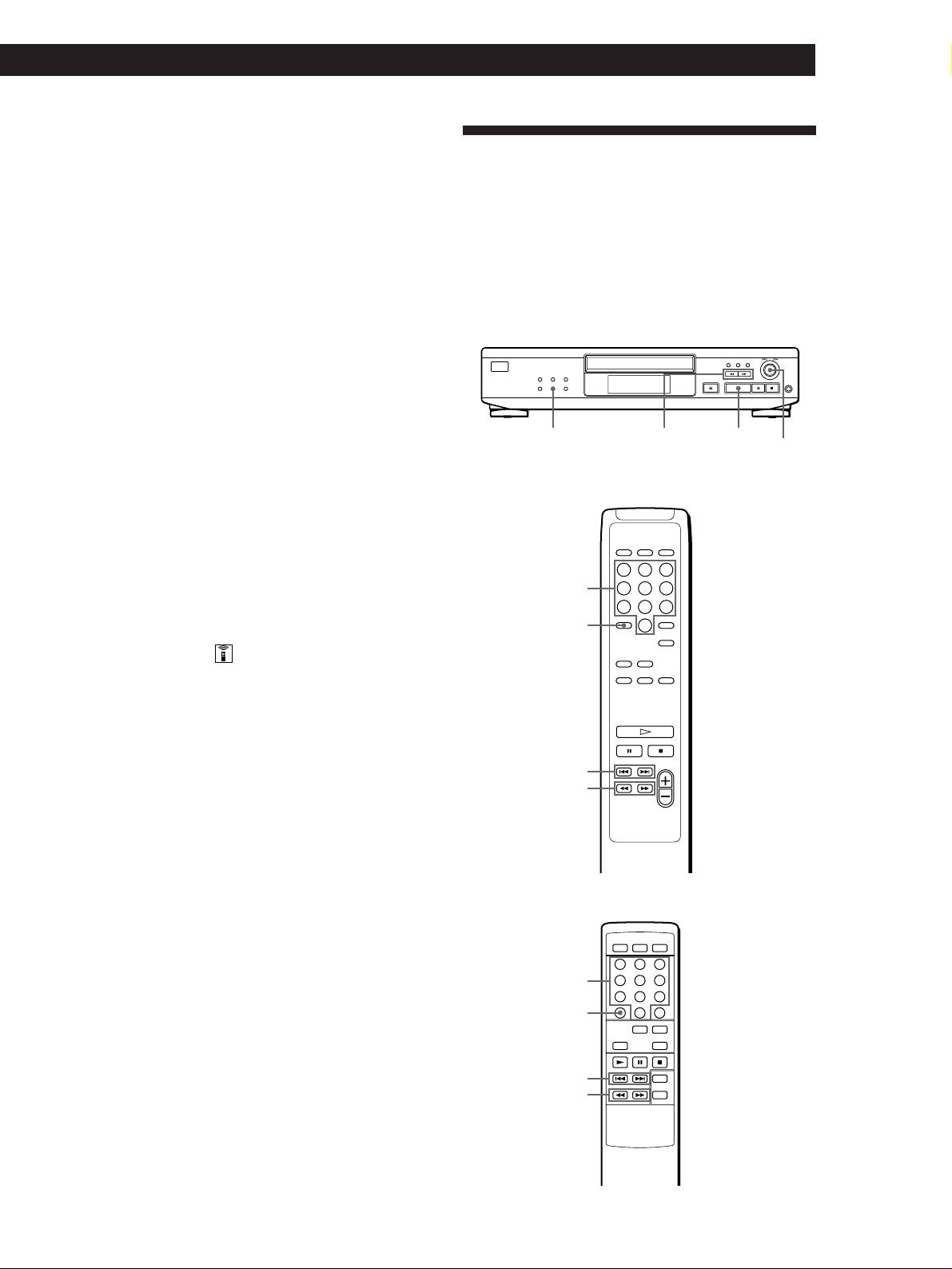
Particular Point in a Track
language appear in the display.
You can quickly locate any track while playing a disc
2 Turn ≠ AMS ± until the language you want
using the AMS (Automatic Music Sensor) on the player
to select appears in the display.
or number buttons (for the CDP-XE520 and
CDP-XE320) on the remote.
3 Push ≠ AMS ± to select the language.
You can also locate a particular point in a track while
“READING TEXT” appears momentarily, then the
playing a disc.
display shows the new selected language.
4 Press TIME/TEXT (or TIME on the remote)
repeatedly until the information you want to check
appears (see page 8).
MUSIC SCAN
0/)
·
Notes
(CDP-XE520 only)
≠ AMS ±
• If your CD TEXT disc is not equipped with other languages,
“CAN'T SELECT” appears in the display when you press
• CDP-XE520
the LANGUAGE button.
• If you press LANGUAGE while playing a CD TEXT disc,
the current operating language appears momentarily.
• The operating language you have selected remains until
you turn off the power.
Number
buttons
>10
Turning off indications in the display
(CDP-XE520 only)
Each time you press DISPLAY ON/OFF on the remote
while playing a disc, the display turns off and on
alternately.
Even when the display is turned off, the display turns
on if you pause or stop play. When you resume play,
the display turns off again.
=/+
0/)
Before you start playing, when you press DISPLAY
ON/OFF to turn off the display, “DISPLAY OFF”
appears, and when you press the button to turn on the
display, “DISPLAY ON” appears.
• CDP-XE320
Number
buttons
>10
=/+
0/)
(Continued)
GB
9
