
Sony KDL-40R480B: Installing the Base on the wall 4 Decide the positions of the screws for installing the Base (20) .
Installing the Base on the wall 4 Decide the positions of the screws for installing the Base (20) .: Sony KDL-40R480B
Table of contents
- Installation Information for Using Sony Wall-Mount Bracket (SU-WL450)
- On Safety
- Do not allow the AC power cord or the connecting cable to be pinched.
- Installing the TV onto the wall
- Deciding on the installation location 1 Decide on the installation location.
- 2 Select Wall mounting style. It is selectable as shown below. 3 Fit Base Adaptor by using Screw (PSW 4x10) to Base (20) when selecting 2-a.
- Installing the Base on the wall 4 Decide the positions of the screws for installing the Base (20) .
- 2 Attach the Attachment parts for Preparing for the installation Wall-Mount Bracket. Check the of the TV Attachment parts by referring to 1 Detach the Table-Top Stand “Supplied with SU-WL450” in from the TV. “Checking the parts” on page
- 3 Bundle the AC Adapter using Installing the TV on the wall the cable holders (supplied with the TV). Make sure that the 1 Connect the necessary cable(s) label is facing outwards when to the TV. bundling AC adapter. 2 Install the TV onto the Base.
- Confirming the completion of the installation Other information 3 Preventing the bottom of the TV from shifting.
- Specifications
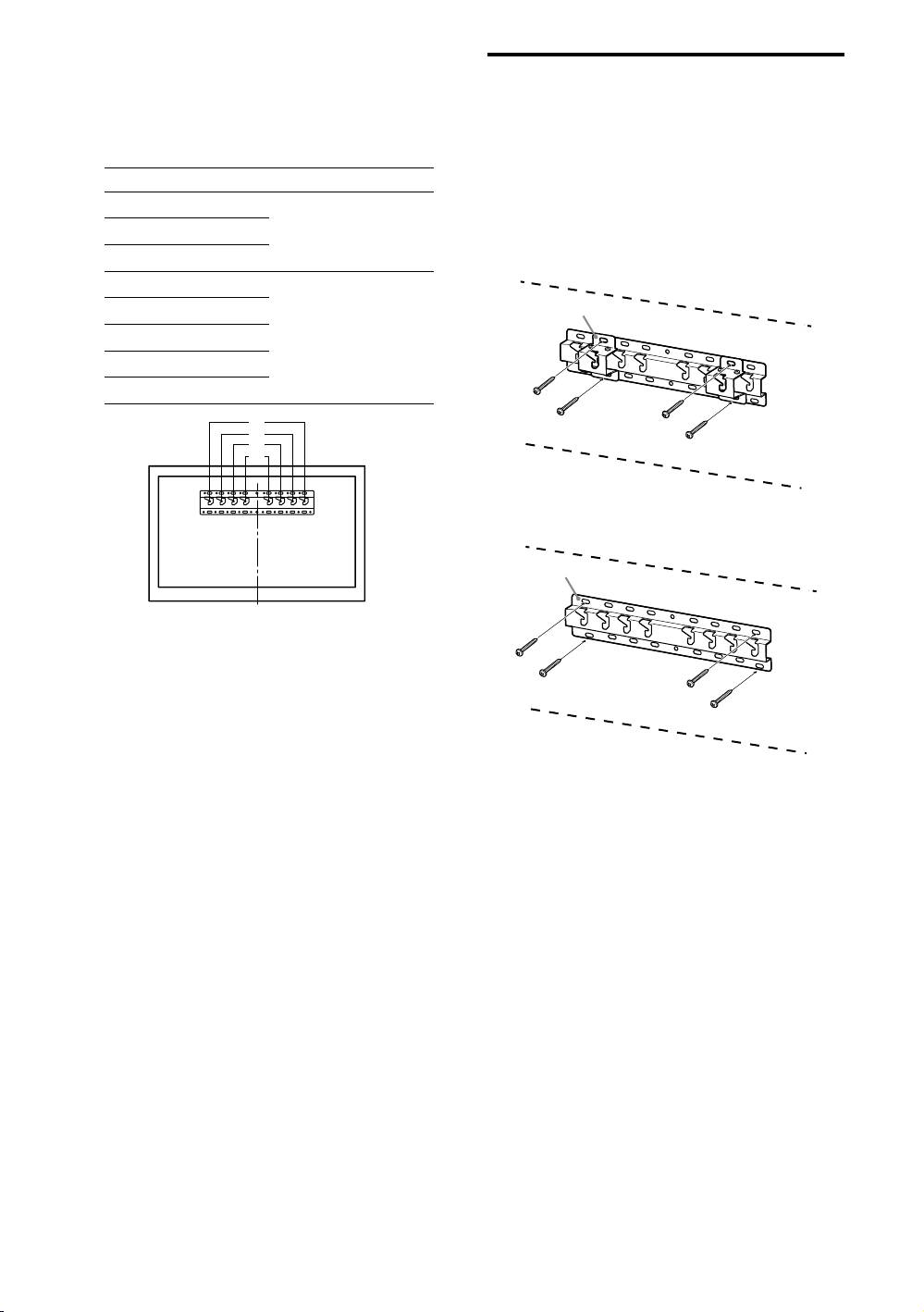
Refer to the below table about
Installing the Base on the
the Base Adaptor fitting
wall
location. In case of selecting
Use four or more screws of 8 mm diameter
2-b, then skip this step.
or equivalent (not supplied).
Fit four screws to the holes of Base
Model Name KDL- Hook location
Adaptor with Base (20) (2-a only).
48W60B
Install the Base (20) on the wall
b
horizontally.
48W58B
40W60B
2-a
48R48B
40R48B
40R45B
c
32R43B
32R41B
a
b
c
d
2-b
4 Decide the positions of the
screws for installing the Base
(20) .
Refer to the specifications on page 12.
When selecting 2-a, please use the hole
positions of Base Adaptor .
WARNING
The wall that the TV will be mounted on should be
able to support a weight of at least four times that of
the TV (Refer to your TV’s Reference Guide for its
weight.).
Determine the strength of the wall the TV will be
mounted on. Reinforce the wall sufficiently, if
necessary.
− 8 (GB) −
