
Sony KDL-40R453B: Deciding on the installation location 1 Decide on the installation location.
Deciding on the installation location 1 Decide on the installation location.: Sony KDL-40R453B
Table of contents
- Installation Information for Using Sony Wall-Mount Bracket (SU-WL450)
- On Safety To Customers WARNING To Customers CAUTION To Sony dealers Precautions
- Installing the TV onto the Checking the parts wall Preparing for installation
- Deciding on the installation location 1 Decide on the installation location.
- 2 Select Wall mounting style. It is selectable as shown below. WARNING 3 Fit Base Adaptor by using Screw (PSW 4x10) to Base (20) when selecting 2-a.
- Installing the Base on the wall 4 Decide the positions of the screws for installing the Base (20) .
- Preparing for the installation of the TV
- Installing the TV on the wall
- Confirming the completion of the installation Other information
- Specifications
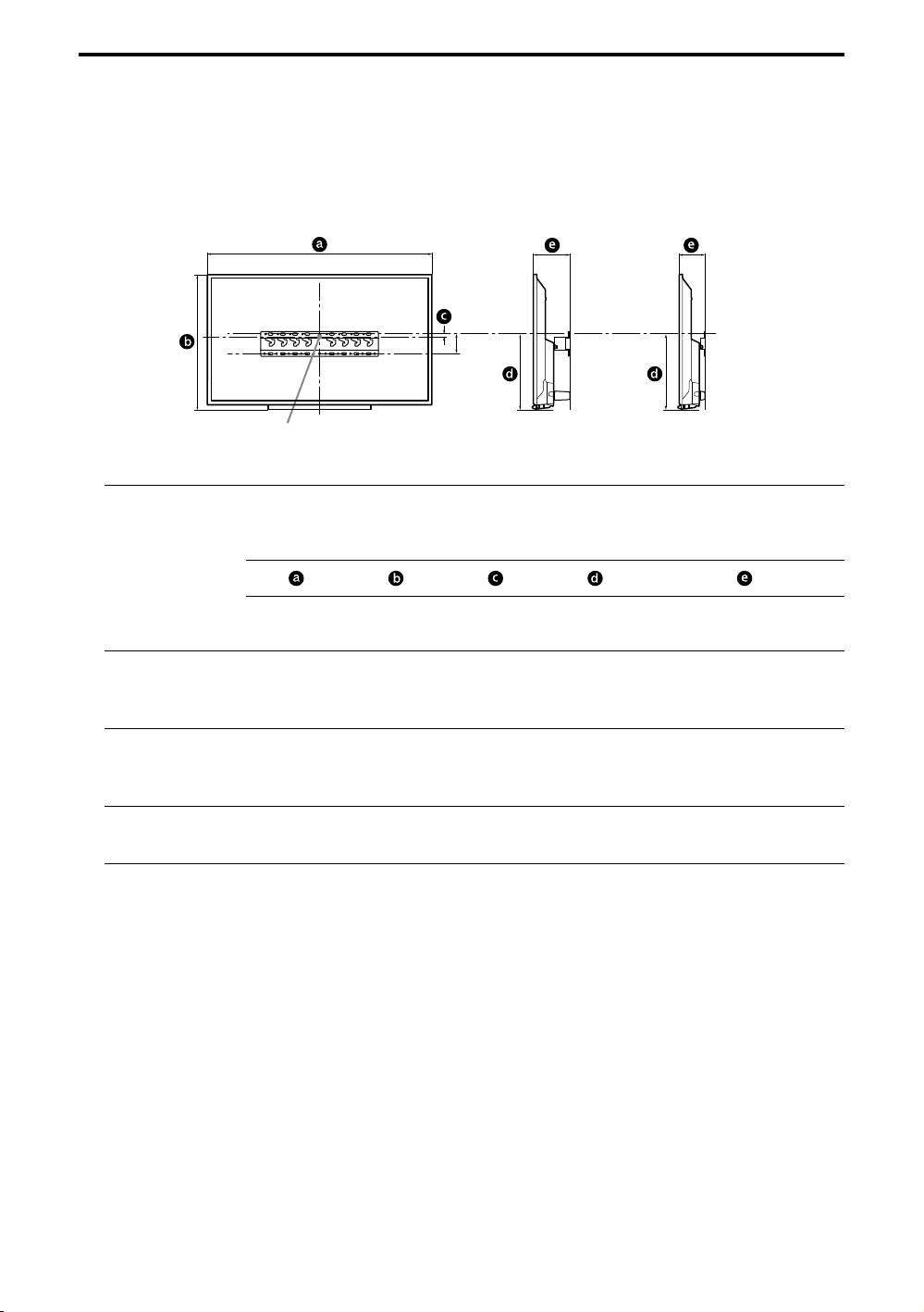
Deciding on the installation location
1 Decide on the installation location.
Make sure that the wall has enough space for the TV and is capable of supporting a weight of at
least four times that of the TV.
Refer to the following table on installing the TV to the wall. Refer to your TV’s Reference Guide
for the TV's weight.
Standard mounting Slim mounting
80
Screen centre point
Unit: mm
Screen
Display dimensions
centre
Length for mounting
dimension
Model Name
KDL-
Standard
Slim
mounting
mounting
48W60B
48W58B
1,086 646 -29 305 152 111
48R48B
40W60B
40R48B
926 556 16 306 151 110
40R45B
32R43B
736 451 68 306 142 101
32R41B
Note
Figures in the table may differ slightly depending on the installation.
When your TV is installed on the wall, the upper side of the TV slightly leans forward.
− 6 (GB) −


