
Sony CDX-CA850: Presetting DAB services Presetting DAB services automatically manually
Presetting DAB services Presetting DAB services automatically manually: Sony CDX-CA850
Table of contents
- Welcome !
- Table of Contents
- Location of controls Card remote commander RM-X113
- Main unit
- Precautions Notes on discs
- Getting Started Resetting the unit
- Detaching the front panel
- Setting the clock CD Player CD/MD Unit (optional) Playing a disc
- Playing tracks repeatedly Display items Playing tracks in random order
- Labelling a CD
- Locating a disc by name Selecting specific tracks for playback
- Radio Storing stations automatically
- Receiving the stored stations Storing only the desired stations
- Tuning in a station through a RDS list Overview of RDS
- Automatic retuning for best reception results
- Receiving traffic Presetting RDS stations with announcements AF and TA setting
- Tuning in stations by programme type
- Setting the clock DAB (optional) automatically Overview of DAB
- Basic operations of DAB
- Presetting DAB services Presetting DAB services automatically manually
- Tuning in DAB programme through a list
- Locating a DAB service by programme type (PTY) Switching multi-channel audio and DRC
- By pressing buttons Other Functions Using the rotary commander Inserting the supplied lithium battery
- By rotating the control Changing the operative direction By pushing in and rotating the control
- Adjusting the sound Changing the sound and characteristics display settings Quickly attenuating the sound
- Setting the equalizer Adjusting the equalizer curve
- Selecting the spectrum analyzer Setting the Dynamic Soundstage Organizer (DSO)
- Labelling a Motion Display Additional Information Maintenance
- Removing the unit
- Specifications
- CD/MD playback Troubleshooting General Radio reception
- Error displays/Messages Error displays RDS Messages
Presetting DAB services
Presetting DAB services
automatically
manually
— BTM
— Preset Edit
The BTM (Best Tuning Memory) function picks
You can also preset DAB services manually or
out DAB ensembles and automatically assigns
delete a service which is already preset. Note that
the services within the ensembles to preset
up to 40 services (preset either by the BTM
service numbers. The unit can preset up to 40
function or manually) can be preset to the unit’s
services.
memory.
If services have been previously set, the BTM
function operates under the following conditions:
1 While listening to a DAB programme,
• If you activate the BTM function while
press (MEN U).
listening to a preset service, the unit will store
2 Press either side of (DISC) repeatedly
detected services (by overwriting) only to
until “PRS Edit” appears, then press
preset numbers higher than that of the current
(ENTER).
present service.
• If you activate the function while listening to a
3 Select the service and the preset
service that is not preset, the unit will replace
number you want to preset.
the contents of all preset numbers.
1 Press either side of (SEEK) to select
• In both cases above, if the unit detects a service
the service.
that is identical to one already preset, the
previously stored service remains unchanged
2 Press either side of (DISC) to select
and the newly detected service is not preset.
the preset number.
1 While listening to a DAB programme,
press (MENU).
2 Press either side of (DISC) repeatedly
until “BTM” appears.
3 Press (ENTER).
3 Press (ENTER).
A beep sounds when the service is stored.
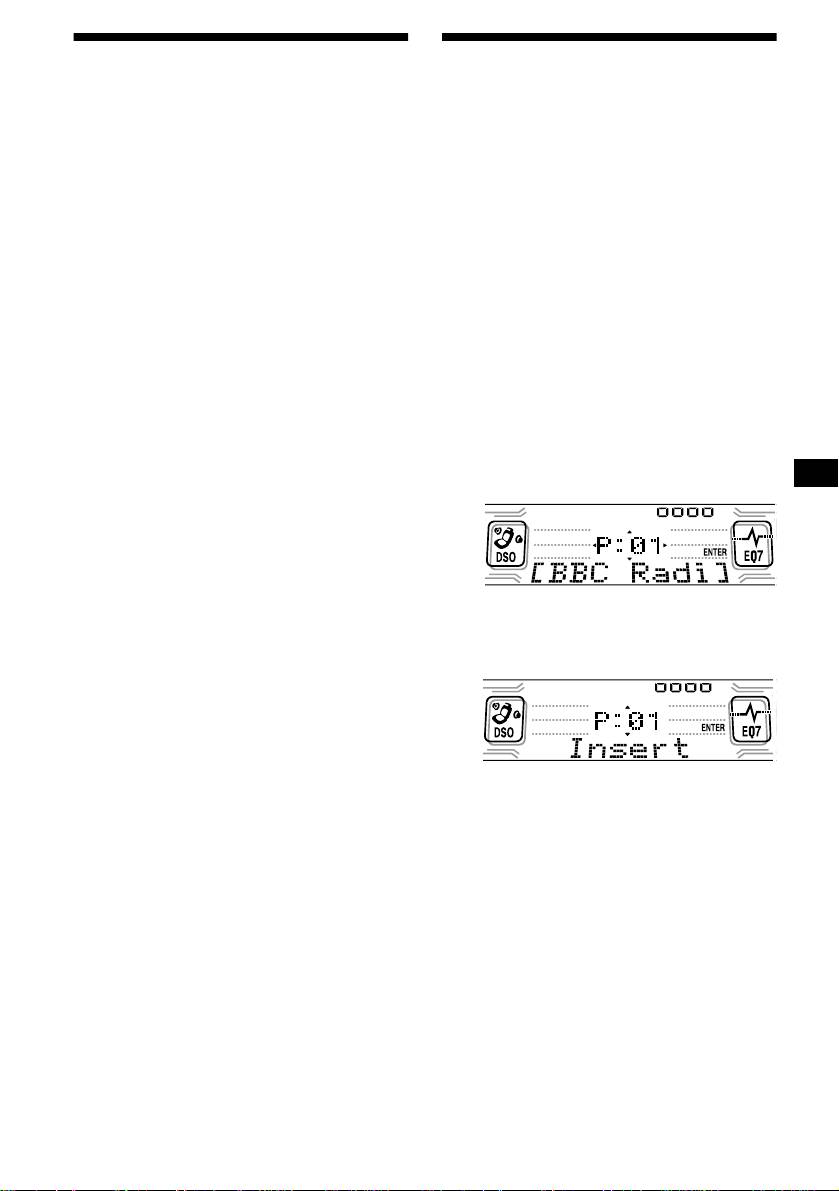
The Preset Edit commands will appear in
After activating the BTM function, the unit
the display.
tunes the service assigned in the preset
memory 1 automatically.
Note
If the unit can only tune in a few services, the BTM
function may not assign services to all the preset
service numbers.
4 Press either side of (DISC) to select
the desired command.
5 Press (ENTER).
To edit other services, repeat steps 3 and 4.
continue to next page t
21


