
Sony CDX-L550X: Precautions
Precautions: Sony CDX-L550X
Table of contents
- Welcome!
- Table of Contents
- Location of controls
- Precautions
- Notes on discs
- Detaching the front panel Getting Started Resetting the unit
- Setting the clock
- Display items CD Player Playing a disc
- Playing tracks repeatedly Radio Storing stations automatically Playing tracks in random
- Receiving the stored stations Storing only the desired stations
- RDS Overview of RDS
- Automatic retuning for best reception results
- Receiving traffic Presetting RDS stations with announcements AF and TA setting
- Tuning in stations by programme type
- Setting the clock Other Functions automatically Using the rotary commander
- By rotating the control Changing the operative direction By pushing in and rotating the control
- Adjusting the sound Changing the sound and characteristics display settings Quickly attenuating the sound
- Selecting the sound position
- Setting the equalizer
- Additional Information Maintenance Removing the unit
- Specifications
- Troubleshooting
- Error displays/Messages
Precautions
• If your car was parked in direct sunlight, allow
the unit to cool off before operating it.
• Power aerials will extend automatically when
SCROLL
S
the unit is operating.
O
P
E
N
P
R
E
S
E
T
DSPL
MENU
PTY
If you have any questions or problems
SEEKSEEK
concerning your unit that are not covered in this
SOUND
ENTER
manual, please consult your nearest Sony dealer.
AF
TA
O
FF
Moisture condensation
On a rainy day or in a very damp area, moisture
condensation may occur inside the lenses and
display of the unit. Should this occur, the unit
will not operate properly. In such a case, remove
the disc and wait for about an hour until the
moisture has evaporated.
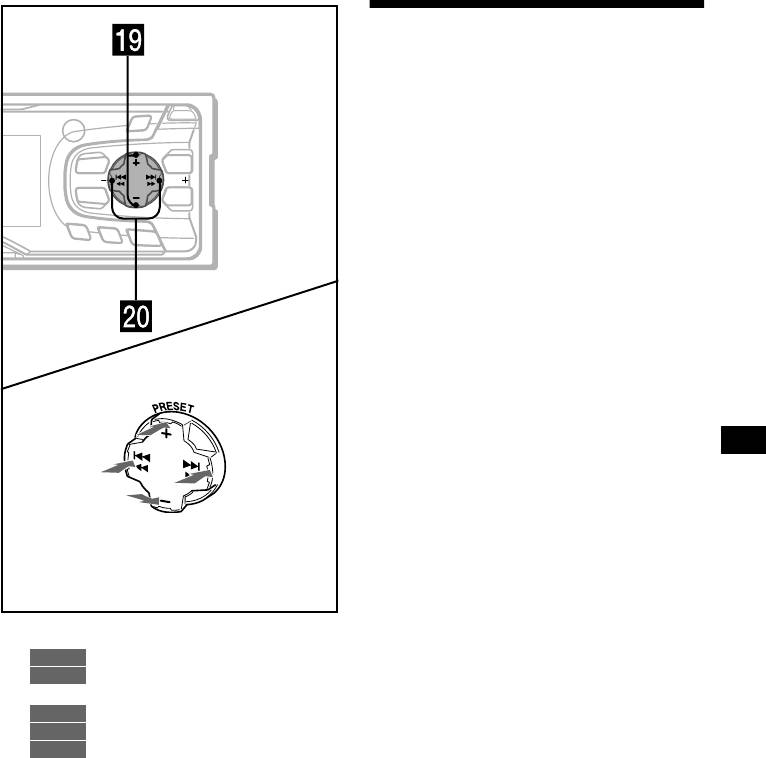
(PRESET)
(+): to select upwards
To maintain high sound quality
Be careful not to splash juice or other soft drinks
(SEEK)
(SEEK)
onto the unit or discs.
(–): to select
(+): to select
leftwards/
rightwards/
.
>
(PRESET)
(–): to select downwards
In menu mode, the currently selectable button (s)
of these four are indicated with a “ M” in the display.
s PRESET buttons (+/–)
RADIO
11, 12, 15
MENU
8, 10, 14, 16, 19, 20
t SEEK buttons (–/+)
CD
9
RADIO
11, 13
MENU
8, 16, 18, 19, 20
5
