
Sony CDX-L550V: Selecting the sound position
Selecting the sound position: Sony CDX-L550V
Table of contents
- Welcome!
- Table of Contents
- Location of controls
- Precautions
- Notes on discs
- Detaching the front panel Getting Started Resetting the unit
- Setting the clock
- Display items CD Player Playing a disc
- Playing tracks repeatedly Radio Storing stations automatically Playing tracks in random order
- Receiving the stored stations Storing only the desired stations
- RDS Overview of RDS
- Automatic retuning for best reception results
- Receiving traffic Presetting RDS stations with announcements AF and TA setting
- Tuning in stations by programme type
- Setting the clock Other Functions automatically Using the rotary commander
- By rotating the control Changing the operative direction By pushing in and rotating the control
- Adjusting the sound Changing the sound and characteristics display settings Quickly attenuating the sound
- Selecting the sound position
- Setting the equalizer
- Additional Information Maintenance Removing the unit
- Specifications
- Troubleshooting
- Error displays/Messages Error displays Messages
P/M (Play Mode)
• LOCAL-ON/OFF (Local seek mode) (page 11)
Selecting the sound position
– Select “ON” to only tune into stations with
stronger signals.
— My Best sound Position (MBP)
• MONO-ON/OFF (Monaural mode) (page 11)
When you drive without passengers, you can
– Select “ON” to hear FM stereo broadcast in
enjoy the most comfortable sound environment
monaural. Select “OFF” to return to normal
with “My Best sound Position.”
mode.
“My Best sound Position” has two presets, which
• REG-ON/OFF (Regional) (page 13)
adjust the sound level of balance and fader. You
can select one very easily with the MBP button.
1 Press (MENU).
Balance Level Fader Level
To set A.SCRL, press (MENU) during CD
Display
Playback.
window
Right Left Front Rear
2 Press either side of (PRESET)
MBP-A
– 4 dB 0 0 – 4 dB
repeatedly until the desired item
MBP-B 0 – 4 dB 0 – 4 dB
appears.
MBP-OFF
0000
3 Press the (+) side of (SEEK) to select
the desired setting (Example: ON or
OFF).
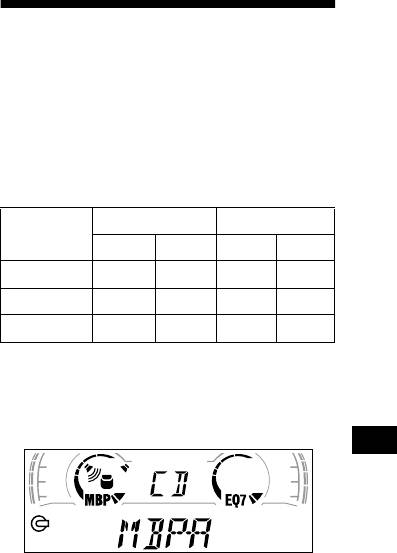
Press ( MBP) repeatedly for the desired
listening position.
4 Press (ENTER).
The mode of “My Best sound Position” is
After the mode setting is completed, the
shown in the display in order of the table.
display returns to normal play mode.
Note
The displayed item will differ depending on the source.
Tip
You can easily switch among categories (“SET,”
“DSPL,” “SND,” and “P/M”) by pressing either side of
(PRESET) for 2 seconds.
After one second, the display goes back to the
normal playback mode.
If you want to adjust the sound level of
balance and fader more precisely, you can do
it using the (SOUND) button (page 18).
Notes
• When the BAL (balance) or FAD (fader) in “Adjusting
the sound characteristics” (page 18) is adjusted, the
MBP setting returns OFF.
• When MBP is set to OFF, the BAL and FAD setting is
activated.
19
