
Sony CDX-C5000R: Playing tracks repeatedly Playing tracks in random order — Shuffle Play
Playing tracks repeatedly Playing tracks in random order — Shuffle Play: Sony CDX-C5000R
Table of contents
- Welcome ! Precautions
- Notes on CDs
- Table of Contents
- Location of controls
- Location of controls
- Resetting the unit Detaching the front panel
- Turning the unit on/off Setting the clock How to use the menu
- Listening to a CD
- Locating a specific track Locating a specific point in a track Automatically scrolling a disc name
- Playing tracks repeatedly Playing tracks in random order — Shuffle Play
- Labelling a CD — Disc Memo (For a CD unit with the CUSTOM FILE function)
- Locating a disc by name
- Selecting specific tracks for playback
- Memorising only the desired stations Memorising stations automatically
- Receiving the memorised stations
- Overview of the RDS function Retuning the same programme automatically Displaying the station name
- Listening to traffic announcements
- Presetting the RDS stations with the AF and TA data
- Locating a station by programme type
- Setting the clock automatically Labelling the rotary commander (optional)
- Using the rotary commander (optional)
- Adjusting the sound characteristics
- Attenuating the sound Changing the sound and display settings
- Boosting the bass sound Maintenance
- Cleaning the connectors Dismounting the unit
- Specifications
- Troubleshooting guide General CD/MD playback
- Radio reception RDS
- Error displays (when an optional CD/MD unit is connected)
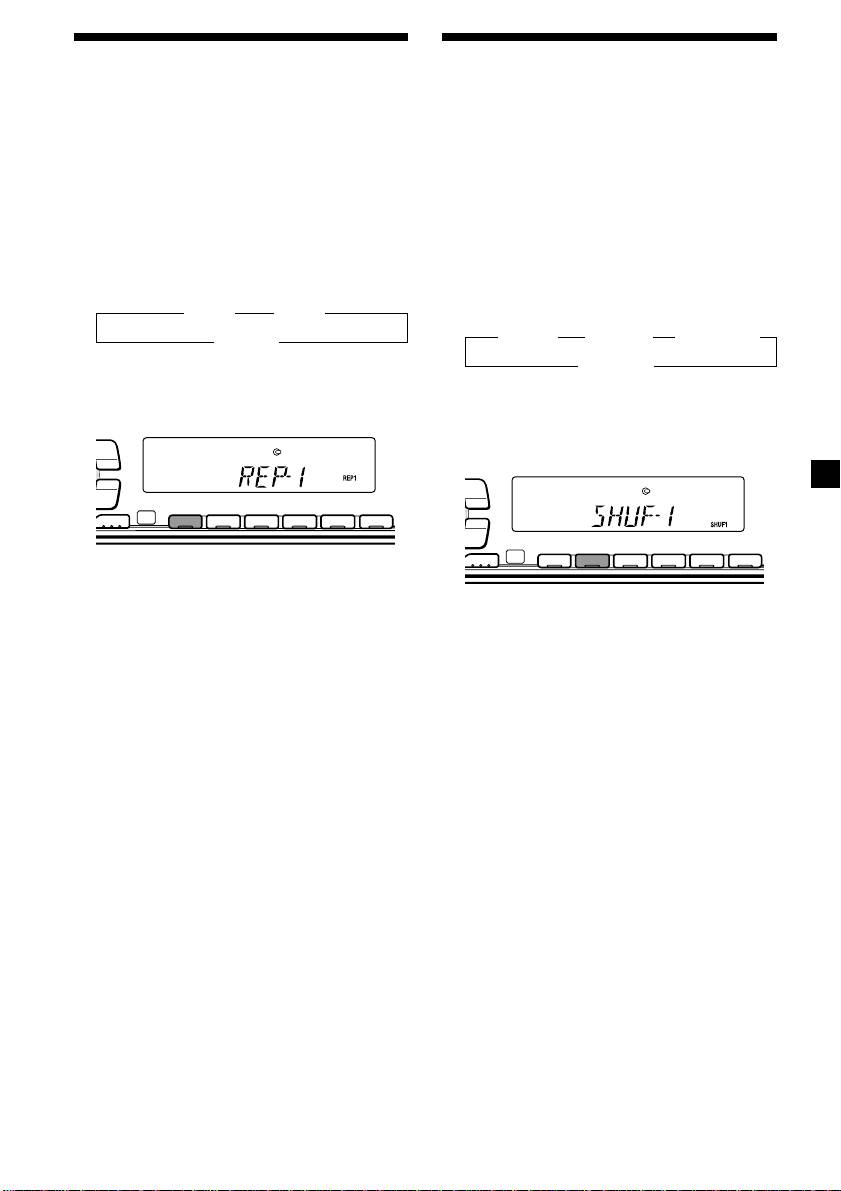
Playing tracks repeatedly
Playing tracks in random
— Repeat Play
order — Shuffle Play
The CD in the main unit will automatically
You can select:
repeat itself when it reaches the end. As repeat
•SHUF-1 — to play the tracks on the current
play, you can select:
disc in random order.
•REP-1 — to repeat a track.
•SHUF-2 — to play the tracks in the current
•REP-2 — to repeat a disc in the optional CD/
optional CD/MD unit in random order.
MD unit.
•SHUF-ALL — to play all the tracks in all the
optional CD/MD units in random order.
During playback, press (1) (REP)
repeatedly until the desired setting
During playback, press (2) (SHUF)
appears in the display.
repeatedly until the desired setting
B REP-1 B REP-2*
appears in the display.
B SHUF-1 B SHUF-2* B SHUF-ALL*
REP-OFF b
* “REP-2” is only available when you connect
SHUF-OFF b
one or more optional CD units, or when you
* “SHUF-2” and “SHUF-ALL” are only available
connect two or more optional MD units.
when you connect one or more optional CD
PTY
DSPL
units, or when you connect two or more
optional MD units.
LIST
PTY
DSPL
-
SEEK/AMS
LIST
ENTER
REP SHUF
-
SEEK/AMS
MODE
1 2 3 4 56
ENTER
REP SHUF
MODE
1 2 3 4 56
Repeat Play starts.
To return to normal play mode, select “REP-
Shuffle Play starts.
OFF.”
To return to normal play mode, select “SHUF-
OFF.”
11

