
Sony CDX-4000R RU: Notes on CDs
Notes on CDs: Sony CDX-4000R RU
Table of contents
- Welcome ! Precautions
- Notes on CDs
- Table of Contents
- Location of controls
- Resetting the unit Detaching the front panel
- Turning the unit on/off Setting the clock How to use the menu
- Listening to a CD
- Automatically scrolling a disc name Locating a specific track — Auto Scroll — Automatic Music Sensor (AMS) Locating a specific point in a track — Manual Search
- Playing a CD in various modes Memorising stations automatically
- Receiving the memorised stations Memorising only the desired stations
- Overview of the RDS function Displaying the station name
- Retuning the same programme automatically
- Listening to traffic announcements
- Presetting the RDS stations with the AF and TA data
- Locating a station by programme type
- Setting the clock automatically Labelling the rotary commander (optional)
- Using the rotary commander (optional)
- Adjusting the sound characteristics
- Attenuating the sound Changing the sound and display settings
- Boosting the bass sound Maintenance
- Cleaning the connectors Dismounting the unit
- Specifications CD player section General Tuner section Power amplifier section
- Troubleshooting guide General CD playback
- Radio reception RDS
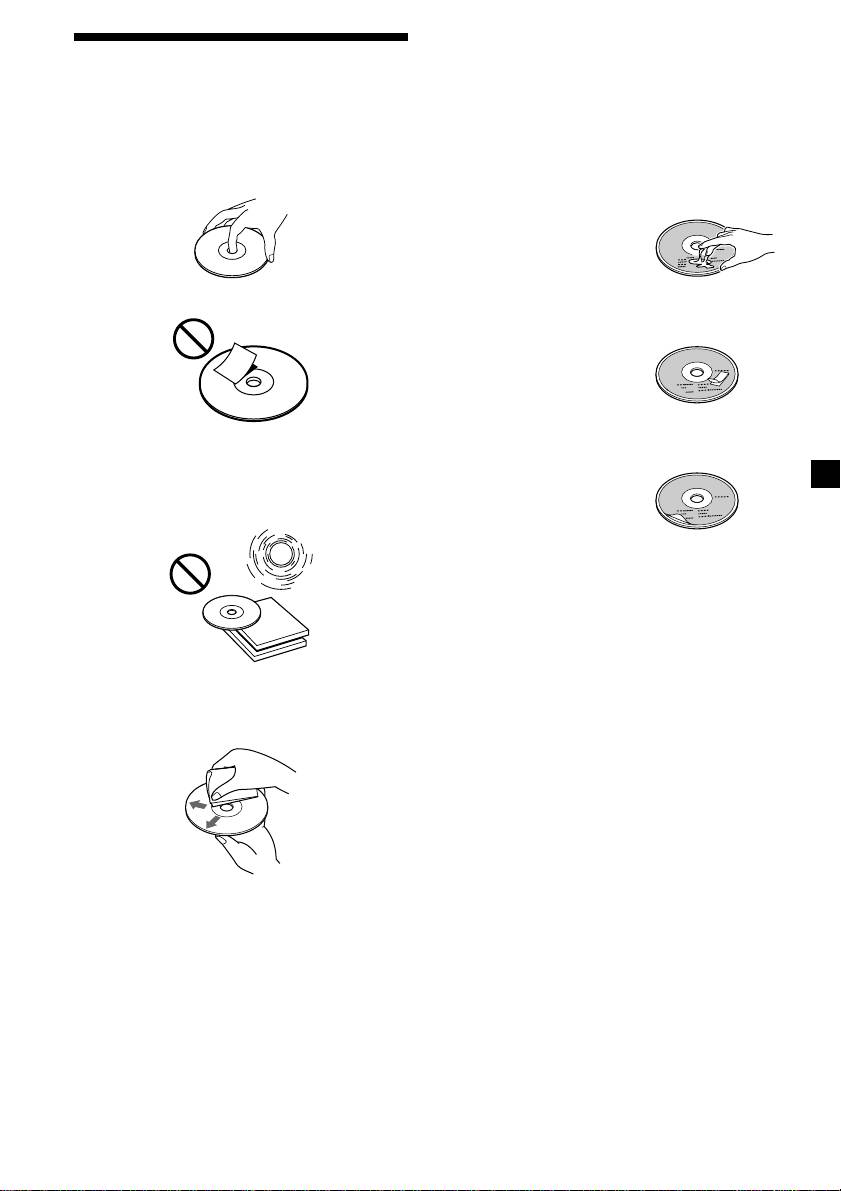
Notes on discs
Notes on CDs
If you use the discs explained below, the sticky
residue can cause the CD to stop spinning and
A dirty or defective disc may cause sound
may cause malfunction or ruin your discs.
dropouts while playing. To enjoy optimum
sound, handle the disc as follows.
Do not use second-hand or rental CDs that
Handle the disc by its edge. To keep the disc
have a sticky residue on the surface (for
clean, do not touch the surface.
example, from peeled-off stickers or from ink,
or glue leaking from under the stickers).
There are paste residue.
Ink is sticky.
Do not stick paper or tape on the disc.
Do not use rental CDs with old labels that are
beginning to peel off.
Stickers that are beginning
to peel away, leaving a
sticky residue.
Do not use your CDs with labels or stickers
Do not expose the discs to direct sunlight or
attached.
heat sources such as hot air-ducts, or leave
them in a car parked in direct sunlight where
Labels are attached.
there can be a considerable rise in temperature
inside the car.
Notes on CD-R discs
•You can play CD-Rs (recordable CDs) on this
unit. However depending on the conditions
of the recording equipment or the CD-R disc
itself, some CD-Rs cannot be played on this
unit.
•You cannot play a CD-R that is not finalized
Before playing, clean the discs with an optional
(Finalization is necessary for a recorded CD-
cleaning cloth. Wipe each disc from the center
R disc to be played on the audio CD player).
out.
•You cannot play CD-RWs (rewritable CDs)
on this player.
When you play 8 cm (3 in.) CDs
Use the optional Sony compact disc single
adaptor (CSA-8) to protect the CD player from
damage.
Do not use solvents such as benzine, thinner,
commercially available cleaners, or antistatic
spray intended for analog discs.
3
