
Sony CDX-CA650: Getting Started Resetting the unit
Getting Started Resetting the unit: Sony CDX-CA650
Table of contents
- Welcome!
- Table of Contents
- Location of controls
- Card remote commander RM-X114 (optional)
- Precautions Notes on discs
- Getting Started Resetting the unit
- Attaching the front panel
- Setting the clock CD Player CD/MD Unit (optional) Playing a disc
- Display items
- Playing tracks repeatedly Labelling a CD Playing tracks in random order
- Locating a disc by name
- Selecting specific tracks for playback
- Receiving the stored stations Radio Storing stations automatically
- Storing only the desired Tuning in a station through a stations list
- Automatic retuning for best RDS reception results Overview of RDS
- Receiving traffic announcements
- Presetting RDS stations with Tuning in stations by AF and TA setting programme type
- Setting the clock automatically
- Other Functions Using the rotary commander
- Adjusting the sound characteristics Quickly attenuating the sound
- Changing the sound and display settings
- Selecting the sound position Setting the equalizer
- Additional Information Maintenance
- Removing the unit
- Specifications
- CD/MD playback Troubleshooting General Radio reception
- Error displays/Messages Error displays RDS Messages
Notes on CD-R discs
• You can play CD-Rs (recordable CDs)
designed for audio use on this unit.
Getting Started
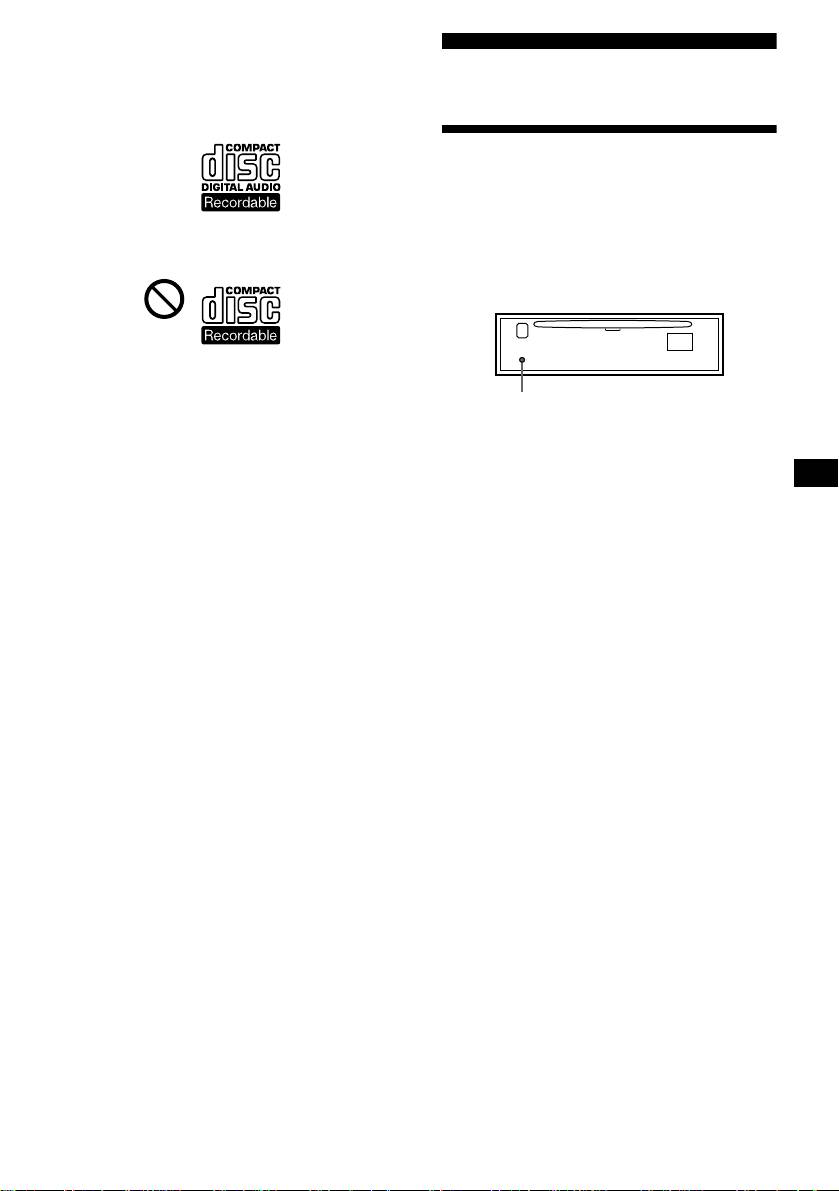
Look for this mark to distinguish CD-Rs for
audio use.
Resetting the unit
Before operating the unit for the first time or
after replacing the car battery, you must reset
the unit.
This mark denotes that a disc is not for
Remove the front panel and press the
audio use.
RESET button with a pointed object, such as
a ballpoint pen.
• Some CD-Rs (depending on the equipment
used for its recording or the condition of the
RESET button
disc) may not play on this unit.
• You cannot play a CD-R that is not
Note
finalized*.
Pressing the RESET button will erase the clock setting
* A process necessary for a recorded CD-R disc to
and some stored contents.
be played on the audio CD player.
7

