
Sony CDX-C4900R: Using the rotary commander (optional)
Using the rotary commander (optional): Sony CDX-C4900R
Table of contents
- Welcome ! Precautions
- Notes on CDs
- Table of Contents
- Location of controls
- Location of controls
- Getting Started Resetting the unit Detaching the front panel
- Turning the unit on/off Setting the clock How to use the menu
- CD Player CD/MD Unit (optional) Listening to a CD
- Locating a specific track Locating a specific point in a track Automatically scrolling a disc name
- Playing tracks repeatedly Playing tracks in random order — Shuffle Play
- Labelling a CD — Disc Memo (For
- Locating a disc by name
- Selecting specific tracks for playback
- Memorising only the desired stations Memorising stations automatically
- Receiving the memorised stations
- Overview of the RDS function Retuning the same programme automatically Displaying the station name
- Listening to traffic announcements
- Presetting the RDS stations with the AF and TA data
- Locating a station by programme type
- Setting the clock Other Functions Labelling the rotary commander (optional)
- Using the rotary commander (optional)
- Adjusting the sound characteristics
- Attenuating the sound Changing the sound and display settings
- Boosting the bass sound Maintenance
- Cleaning the connectors Dismounting the unit
- Specifications
- Troubleshooting guide General CD/MD playback
- Radio reception RDS
- Error displays (when an optional CD/MD unit is connected)
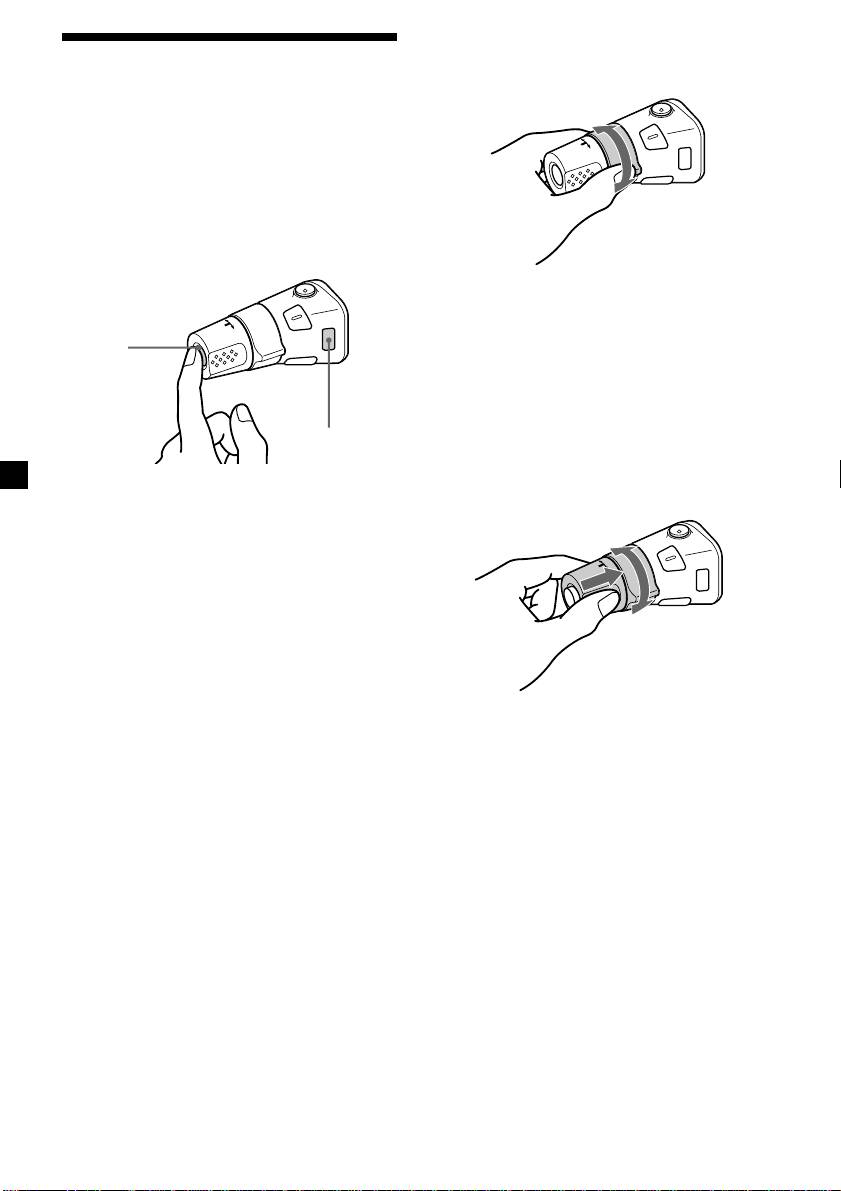
By rotating the control
Using the rotary
(the SEEK/AMS control)
commander (optional)
The rotary commander works by pressing
buttons and/or rotating controls.
You can also control an optional CD/MD unit
with the rotary commander.
By pressing buttons
(the SOURCE and MODE buttons)
Rotate the control momentarily and
release it to:
•Locate a specific track on a disc. Rotate
(SOURCE)
and hold the control until you locate the
specific point in a track, then release it to
start playback.
•Tune in stations automatically. Rotate and
hold the control to find a specific station.
(MODE)
By pushing in and rotating the
control (the PRESET/DISC control)
Each time you press (SOURCE), the
source changes as follows:
Tuner t CD t MD*
* If the corresponding optional equipment is
not connected, this item will not appear.
Pressing (MODE) changes the operation
in the following ways:
• Tuner: FM1 t FM2 t FM3 t MW t LW
• CD unit*: CD1 t CD2 t …
• MD unit*: MD1 t MD2 t …
Push in and rotate the control to:
* If the corresponding optional equipment is
•Receive the stations memorised on the
not connected, these items will not appear.
number buttons.
•Change the disc.
22

