
Dell C/Port II APR: Docking Panel Door on the Computer
Docking Panel Door on the Computer: Dell C/Port II APR
Table of contents
- System Information Guide
- Notes, Notices, and Cautions
- System Information Guide Other Documents Available Getting Help Docking Device Overview
- I/O Panel of the Docking Device External I/O Connectors
- External I/O Connectors Audio Connectors and Infrared Sensor
- Docking Control Base Controls and Indicators Monitor Stand
- Docking Device With the Monitor Stand Before Docking the Computer
- Check Your Computer for Existing Docking Drivers Installing the Docking Drivers Installing the Docking Drivers From the ResourceCD or Drivers and Utilities CD
- Installing the Docking Drivers From the Dell Support Website
- Docking Your Computer
- Docking Panel Door on the Computer
- Docking the Computer
- Docking for the First Time With Windows XP and Windows 2000 Docking for the First Time With Windows Me
- Docking for the First Time With Windows NT 4.0
- Docking for the First Time With Windows 98
- Docking for the First Time With Windows 95
- Updating Drivers in Windows XP and Windows 2000 Updating Drivers in Windows Me
- Undocking the Computer
- Securing the C/Port II APR Security Features Securing the C/Port II APR
- Dell Diagnostics
- Technical Specifications
- Technical Specifications
- Safety and EMC Instructions: Portable Computers
- 24 Dell Latitude C/Port II APR System Information Guide
- Power (Safety Instructions)
- Regulatory Notices
- CE Notice (European Union)
- EN 55022 Compliance (Czech Republic Only) Polish Center for Testing and Certification Notice
4G281bk1.book Page 11 Friday, October 19, 2001 3:21 PM
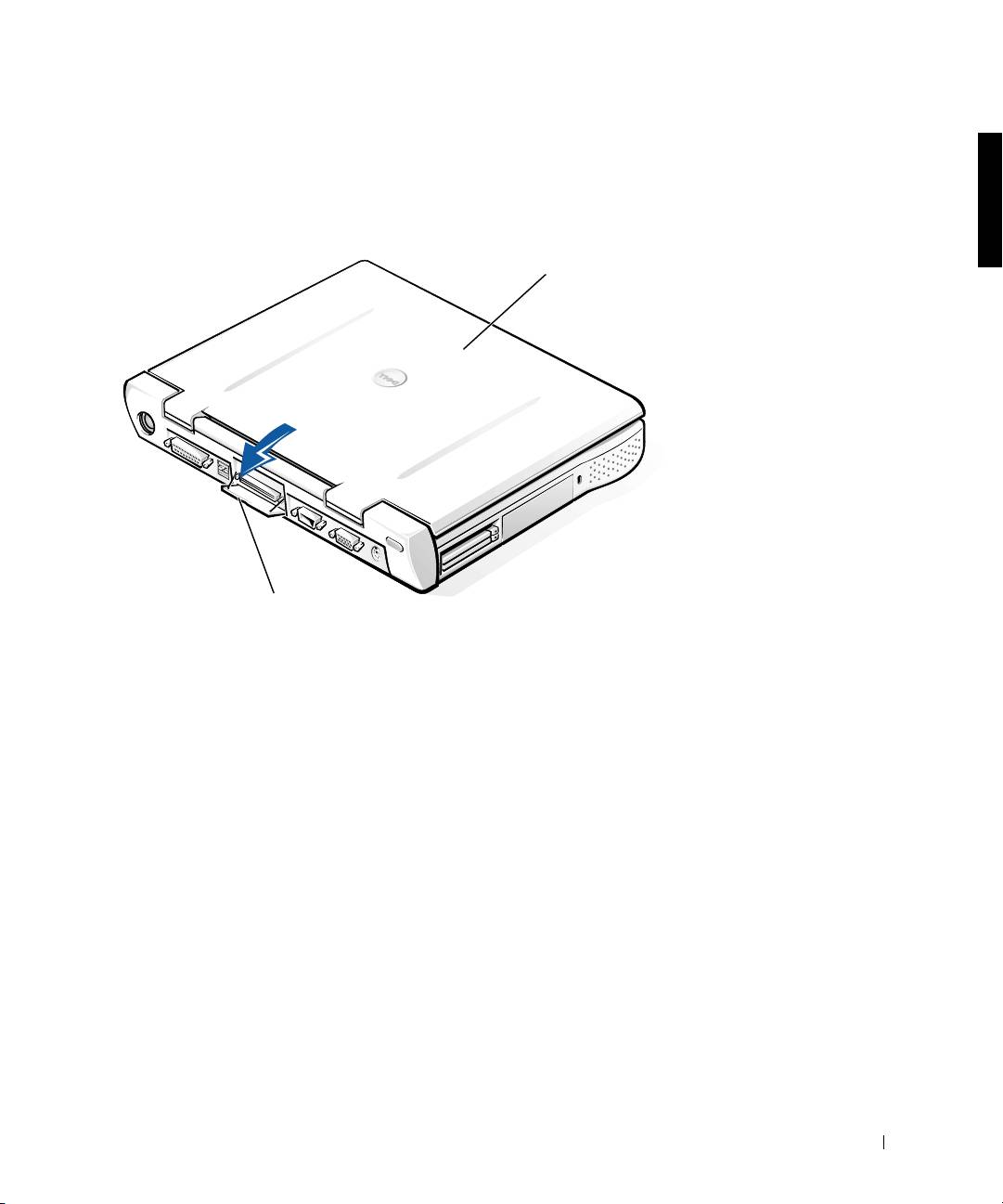
2 If the computer has a docking panel door, open the docking panel door
on the back of the computer.
Docking Panel Door on the Computer
computer
docking panel
door (not on all
computers)
3
If you are using the docking device with a monitor stand, close the
computer display.
4 Ensure that the eject/locking lever is in the unlocked position.
5 Dock the computer to the docking device as follows:
Dell Latitude C/Port II APR System Information Guide 11
Top 10 manuals
100.00
NZXT HALE90 1000W99.99
Samsung SM-R38099.97
AEG BSB 18C99.97
Dell 2700W99.97
Smeg KSEC70X99.96
Beurer HDE 4099.96
Pyramida KH 50 v.299.96
MSI CSM-H81M-P3299.96
AEG HR 562799.95
Melissa 640-048