
Dell PowerEdge 300: instruction
Class: Household, kitchen appliances, electronics and equipment
Type: Computer
Manual for Dell PowerEdge 300
Table of contents
- Notes, Notices, and Cautions
- System Features
- Getting Started With Your System
- Supported Operating Systems
- Other Information You May Need
- Obtaining Technical Assistance Installation and Configuration Unpacking the System
- Installing the Rail and System in a Rack Connecting the Keyboard, Mouse, and Monitor
- Connecting the Power Turning on the System
- Installing the Bezel Complete the 0perating System Setup
- Technical Specifications Processor Expansion Buses Memory
- Drives Connectors
- Video Power Physical
- Environmental

Dell™ PowerEdge™
R300 Systems
Getting Started
With Your System
Začínáme se systémem
Guide de mise en route
Erste Schritte mit dem System
Τα πρώτα βήµατα µε το σύστηµά σας
Rozpoczęcie pracy z systemem
Начало работы с системой
Procedimientos iniciales con el sistema
תכרעמה ע הדובעה תליחת


Dell™ PowerEdge™ R300 Systems
Getting Started With Your System
Notes, Notices, and Cautions
NOTE:
A NOTE indicates important information that helps you make better use of
your computer.
NOTICE:
A NOTICE indicates either potential damage to hardware or loss of data
and tells you how to avoid the problem.
CAUTION:
A CAUTION indicates a potential for property damage, personal injury,
or death.
____________________
Information in this document is subject to change without notice.
© 2007 Dell Inc. All rights reserved.
Reproduction in any manner whatsoever without the written permission of Dell Inc. is strictly
forbidden.
Trademarks used in this text:
Dell
, the
DELL
logo, and
PowerEdge
are trademarks of Dell Inc.;
Intel
,
Pentium,
Celeron
and
Xeon
are registered trademarks and
Core
is a trademark of Intel Corporation
in the U.S. and other countries;
Microsoft, Windows,
and
Windows Server
are either tradcmarks or
registered trademarks of Microsoft Corporation in the United States and/or other countries;
Red Hat
and
Enterprise Linux
are registered trademarks of Red Hat Inc.; SUSE is a registered trademark
of Novell Inc..
Other trademarks and trade names may be used in this document to refer to either the entities claiming
the marks and names or their products. Dell Inc. disclaims any proprietary interest in trademarks and
trade names other than its own.
Model SMT
December 2007
P/N HR210
Rev. A00

Getting Started With Your System
3
System Features
The major hardware and software features of your system include:
•
1U/1S rack-mountable chassis with support for static rails and sliding rails.
NOTE:
Use the System Setup program to view processor information. See
"Using the System Setup Program" in your
Hardware Owner’s Manual
.
•
One of the following processors:
–
Single Core Intel
®
Celeron
®
445 Processor
–
Dual-Core Intel Core™2 Duo E6305 or E6405 Processor
–
Quad-Core Intel Xeon
®
X3323, X3353, or X3363 Processor
•
A minimum of 512-MB single or dual-ranked registered 667-MHz DDR2
memory modules with ECC, upgradeable to a maximum of 24-GB by
installing combinations of 512-MB, 1-GB, 2-GB, or 4-GB memory modules
in six memory module sockets on the system board.
•
One of the following riser card options:
–
Two riser cards (left and center risers), each providing a x8 lane width
PCI-Express expansion slot.
OR
–
One riser card (center riser), providing a x8 lane width PCI-Express
expansion slot.
–
One riser card (left riser) providing a 3.3 V, 64-bit 133MHz PCI-X
expansion slot.
•
One 12.7 mm DVD, or combination CD-RW/DVD in a device drive bay.
•
Support for the following internal hard-drive configurations:
–
Up to two 3.5-inch, internal, SATA hard drives with the optional SAS
controller card (hot-plug option available).
–
Up to two 3.5-inch, internal, Serial-Attached SCSI (SAS) hard drives
with an optional SAS controller card (hot-plug option available).

4
Getting Started With Your System
•
Optional remote access controller for remote systems management, which
is installed on the dedicated slot on the system board.
•
Optional USB flash drive emulates a diskette drive or hard drive.
•
One 400-W power supply (optional redundant power supply available).
•
Two integrated Gigabit Ethernet network adapters, capable of supporting
10-Mbps, 100-Mbps, and 1000-Mbps data rates with support for Wake-
on-LAN.
•
A Dell Remote Access Controller Card (DRAC5), which provides remote
system management, crashed system recovery, and power control functions
for Dell PowerEdge
.
•
An integrated VGA-compatible video subsystem with an ATI ES1000,
33-MHz PCI video controller. This video subsystem contains a
minimum of 32MB of graphics memory with support for 2D graphics.
Maximum resolution is 1600 x 1200 with 65,536 colors; true-color
graphics are supported in the following resolutions: 640 x 480, 800 x 600,
1024 x 768, 1280 x 1024. When the optional remote access card is
installed, the maximum video resolution is 1280 x 1024
.
•
Fan modules, each of which is comprised of two dual-rotor fans positioned
in front of the processor and memory.
•
Fan modules, comprised of two dual-rotor fans positioned in front of the
PSU. These fans are used for the two redundant PSUs (hot-plug hard
drives and redundant PSU configuration).
•
Serial connector for console redirection support.
•
Security features, including chassis-intrusion detection and keylock
on the optional bezel.
•
An integrated Trusted Platform Module (TPM) version 1.2 used for
security applications, capable of generating and storing keys, and storing
passwords and digital certifications. (Not available in China.)

Getting Started With Your System
5
•
Systems management software/circuitry that monitors critical system
voltages and temperatures.
•
Back-panel connectors include video, serial, two USB, and two network
adapter connectors.
•
Front-panel connectors include one VGA and two USB connectors.
•
One internal USB connector is included for a bootable memory key.
•
Front-panel 1x5 LCD for system ID and error messaging.
For more information about specific features, see “Technical Specifications”
on page 11.
The following software is included with your system:
•
A System Setup program for viewing and changing system configuration
information. For more information, see “Using the System Setup Program”
in the
Hardware Owner’s Manual
.
•
Enhanced security features, including a system and setup passwords are
available through the System Setup program.
•
Video drivers for displaying programs in high-resolution modes.
Systems management software and documentation CDs.
Supported Operating Systems
•
Microsoft
®
Windows Server
®
2008 Web, Standard, and Enterprise
(32-bit x86) Editions (
when available
)
•
Microsoft Windows Server 2008 Web, Standard, Small Business Server
(Premium and Standard), and Enterprise (x64) Editions (
when available
)
•
Microsoft Windows Server 2003 Web, Standard, Small Business Server
(Premium and Standard), and Enterprise (32-bit x86) Editions
(SP1 and SP2)
•
Microsoft Windows Server 2003 Standard and Enterprise (x64) Editions
•
Microsoft Windows Server 2003 R2 Standard, Small Business Server
(Premium and Standard), and Enterprise (32-bit x86) Editions
6
Getting Started With Your System
•
Microsoft Windows Server 2003 R2 Standard and Enterprise (x64)
Editions
•
Red Hat
®
Enterprise Linux
®
ES (versions 4 and 5) (x86_32)
•
Red Hat Enterprise Linux ES (versions 4 and 5) (x86_64)
•
SUSE
®
Linux Enterprise Server 9 (SP4 or later) (x86_64)
•
SUSE Linux Enterprise Server 10 (x86_64)
NOTE:
For the latest information on supported operating systems,
see
www.dell.com
.
Other Information You May Need
CAUTION:
The
Product Information Guide
provides important safety and
regulatory information. Warranty information may be included within this
document or as a separate document.
•
The
Rack Installation Guide
or
Rack Installation Instructions
included
with your rack solution describes how to install your system into a rack.
•
The
Getting Started Guide
provides an overview of system features,
setting up your system, and technical specifications.
•
The
Hardware Owner’s Manual
provides information about system
features and describes how to troubleshoot the system and install
or replace system components.
•
CDs included with your system provide documentation and tools
for configuring and managing your system.
•
Systems management software documentation describes the features,
requirements, installation, and basic operation of the software.
•
Operating system documentation describes how to install (if necessary),
configure, and use the operating system software.
•
Documentation for any components you purchased separately provides
information to configure and install these options.
Getting Started With Your System
7
•
Updates are sometimes included with the system to describe changes
to the system, software, and/or documentation.
NOTE:
Always check for updates on
support.dell.com
and read the updates
first because they often supersede information in other documents.
•
Release notes or readme files may be included to provide last-minute
updates to the system or documentation or advanced technical reference
material intended for experienced users or technicians.
Obtaining Technical Assistance
If you do not understand a procedure in this guide or if the system does not
perform as expected, see your
Hardware Owner’s Manual
.
Dell Enterprise Training and Certification is available; see
www.dell.com/training
for more information. This service may not be offered
in all locations.
Installation and Configuration
CAUTION:
Before performing the following procedure, read and follow the safety
instructions and important regulatory information in your
Product Information
Guide
.
CAUTION:
Whenever you need to lift the system, get others to assist you. To avoid
injury, do not attempt to lift the system by yourself.
This section describes the steps to set up your system for the first time.
Unpacking the System
Unpack your system and identify each item. Keep all shipping materials in
case you need them later.
8
Getting Started With Your System
Installing the Rail and System in a Rack
Install the system in the rack once you have read the “Safety Instructions”
located in the rack installation documentation for your system.
See your rack installation documentation for instructions on installing your
system in a rack. For power and cooling guidelines, see the rack capacity
planner tool on
www.dell.com
.
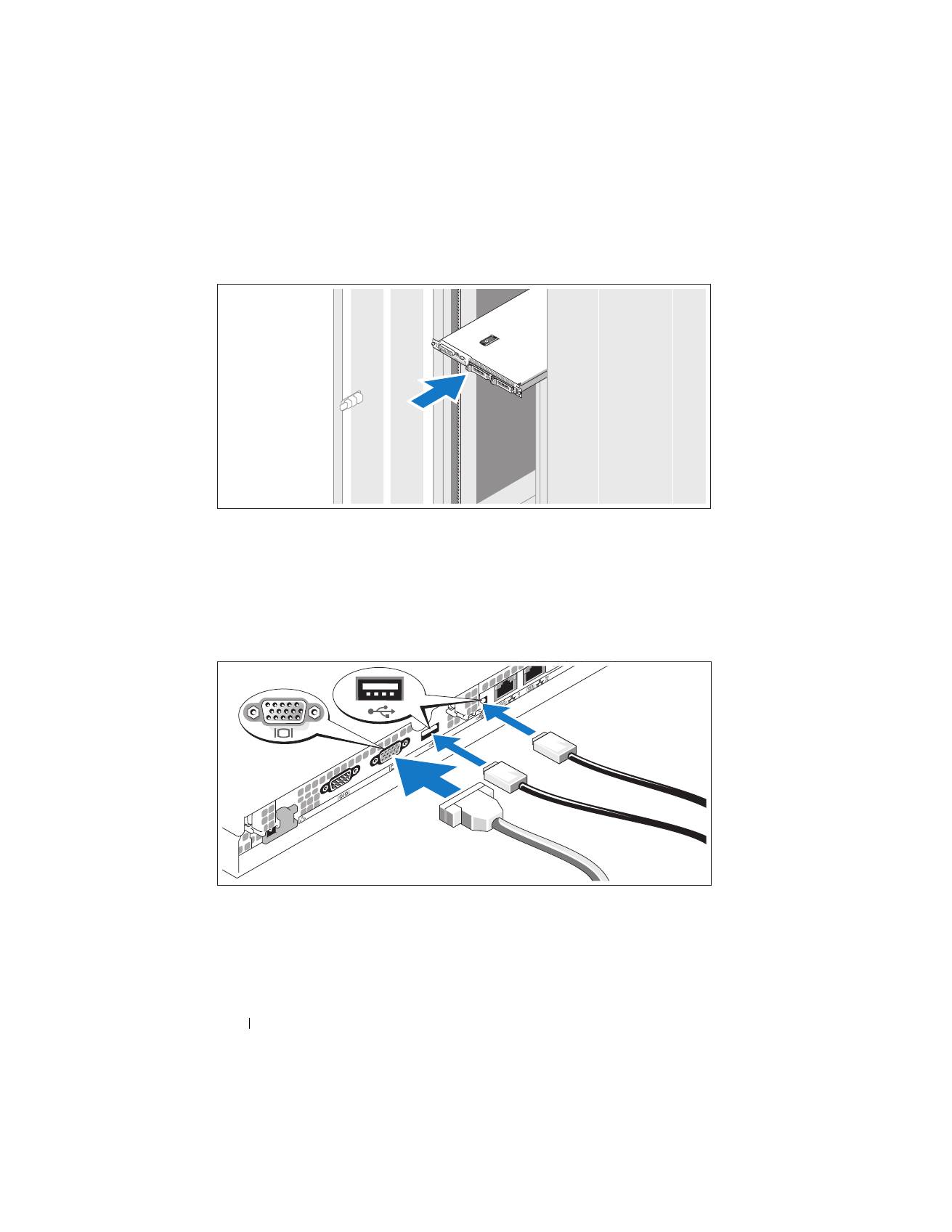
Connecting the Keyboard, Mouse, and Monitor
Connect the keyboard, mouse, and monitor (optional).
The connectors on the back of your system have icons indicating which cable
to plug into each connector. Be sure to tighten the screws (if any) on the
monitor's cable connector.
Getting Started With Your System
9
Connecting the Power
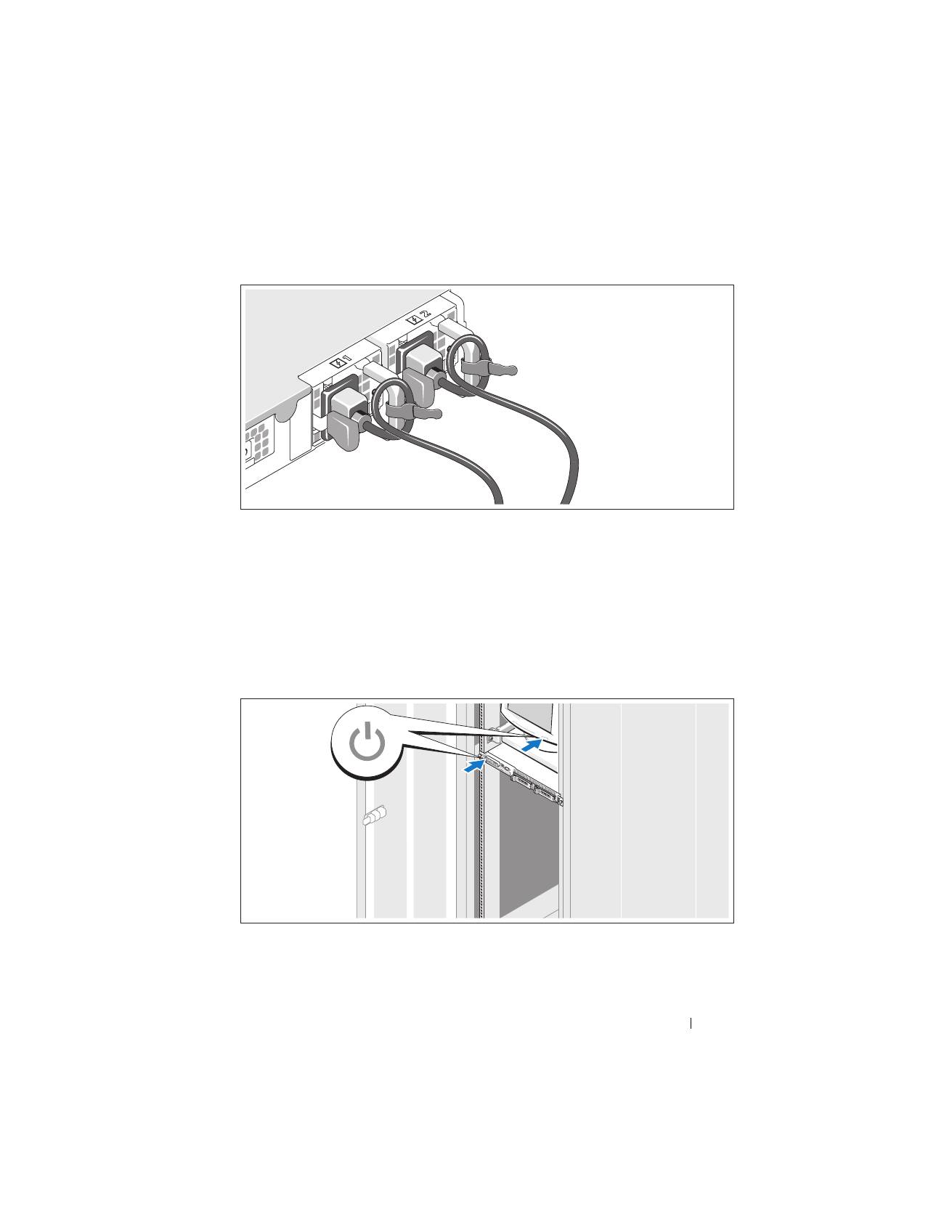
Connect the system’s power cable(s) to the system (a redundant system is
shown in the illustration). For redundant systems, secure the cables with the
two Velcro straps that ship with your system, as shown. For non-redundant
systems, attach the power cord retention bracket that ships with your system.
Plug the other end of the cable into a grounded electrical outlet or a separate
power source such as an uninterrupted power supply (UPS) or a power
distribution unit (PDU).
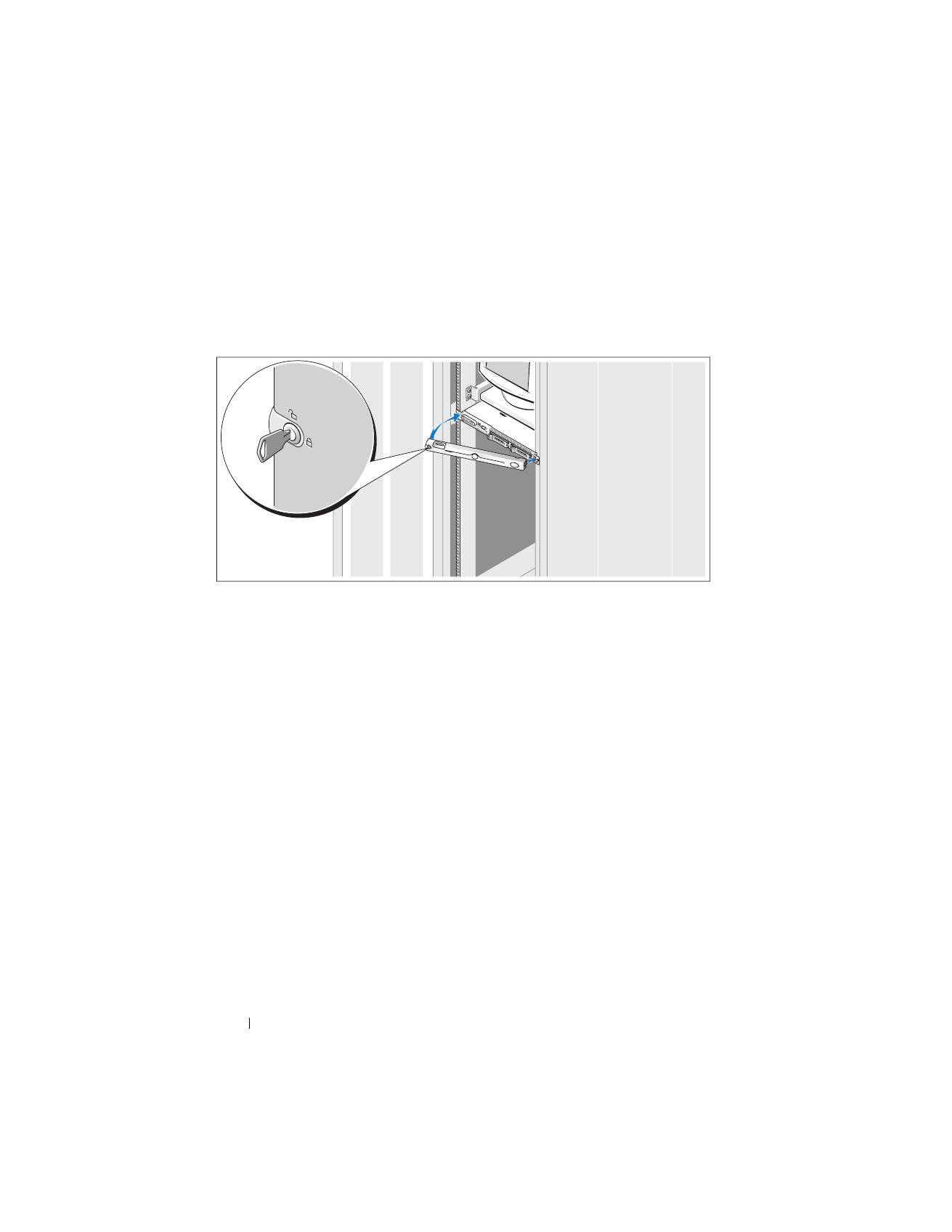
Turning on the System
Turn on the system and monitor (optional).
10
Getting Started With Your System
Press the power button on the system and the monitor. The power indicators
should light. Adjust the monitor’s controls until the displayed image is
satisfactory.
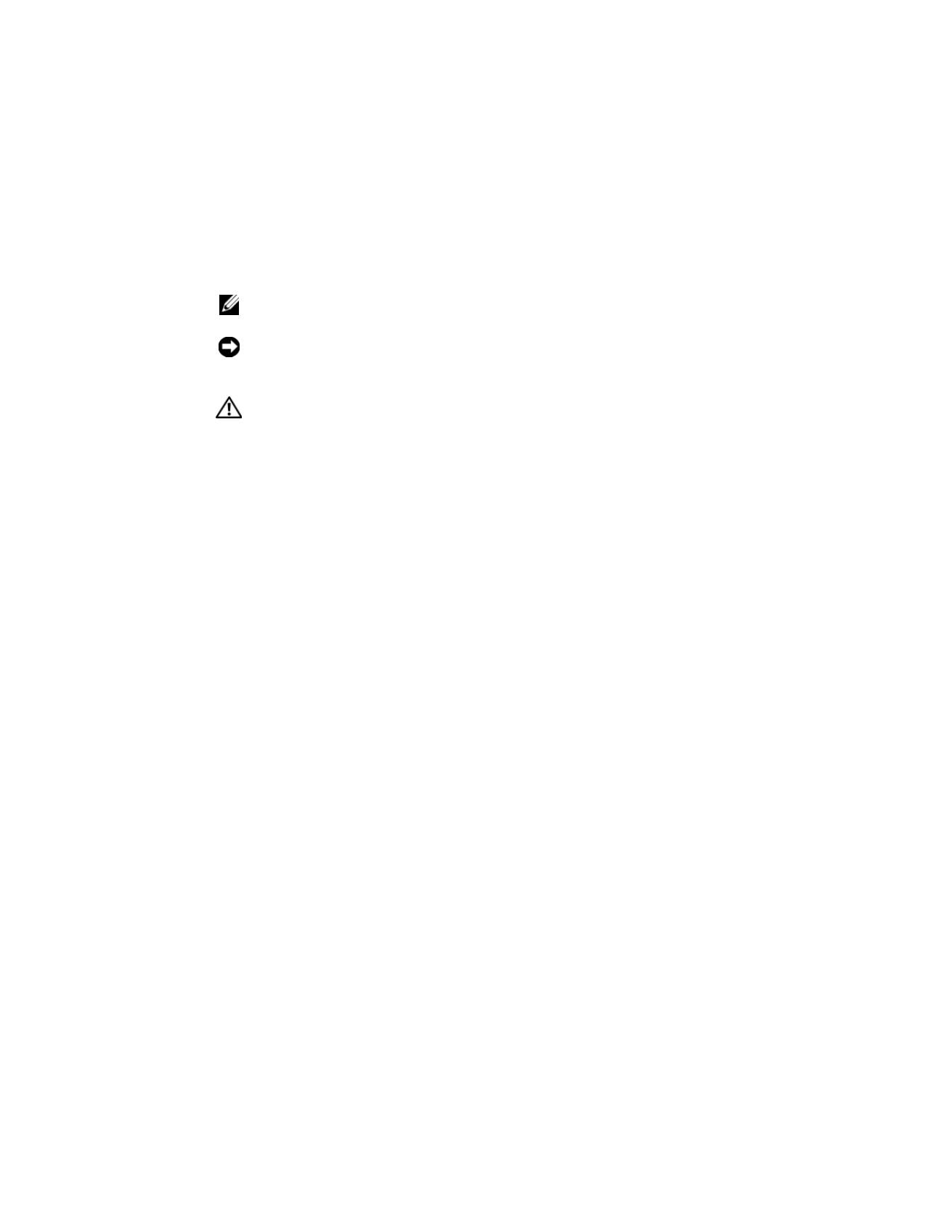
Installing the Bezel
Install the bezel (optional).
Complete the 0perating System Setup
If you purchased a preinstalled operating system, see the operating system
documentation that ships with your system. To install an operating system for
the first time, see the
Quick Installation Guide
. Be sure the operating system
is installed before installing hardware or software not purchased with the
system.

Getting Started With Your System
11
Technical Specifications
Processor
Processor type
Single Core Intel
®
Celeron
®
445 processor
or
Dual-Core Intel Core
™
2 Duo E6305 or E6405
sequence processor
or
Quad-Core Intel Xeon
®
X3323, X3353, or X3363
serial processor
Expansion Buses
Bus type
PCI-X, PCIe
Expansion slots – Two optional riser cards
Riser 1
PCIe Center Riser
One full-height, half-length, x8 lane PCIe slot
PCIe Left Riser
One full-height, half-length, x8 lane PCIe slot
Riser 2
PCI-X Left Riser
One full-height, half-length,
64-bit, 133MHz PCI-X slot
PCIe Center Riser
One full-height, half-length, x8 lane PCIe slot
Memory
Architecture
Up to six registered DDR2 677 MHz RDRAM
memory modules with ECC
Memory module sockets
Six 240-pin
Memory module capacities
512 MB, 1 GB, 2 GB, 4GB
Minimum RAM
512 MB (one 512-MB module)
Maximum RAM
24 GB

12
Getting Started With Your System
Drives
Hard Drives
SATA
Up to two 3.5-inch, internal
(optional for hot-plug)
SAS
Up to two 3.5-inch, internal with optional SAS
controller card (optional for hot-plug)
CD/DVD drive
One optional DVD, or combination
CD-RW/DVD in a device drive bay
NOTE:
DVD devices are data only.
USB flash drive
One optional drive that emulates a diskette drive
or hard drive
Connectors
Externally accessible
Back
Network adapter
Two RJ-45 (for integrated 1-Gigabit network
adapters)
Serial
9 pin
USB
Two 4-pin, USB 2.0 compliant
Video
15-pin VGA
Front
Video
15-pin VGA
USB
Two 4-pin, USB 2.0 compliant
Internally accessible
SATA channels
Three 7-pin
USB key (for memory key)
one 4-pin, USB 2.0-compliant

Getting Started With Your System
13
Video
Video type
Integrated ATI ES1000 VGA controller
Video memory
32 MB (Min)-64 MB (Max) DDR II
Power
AC power supply
Wattage
400 W redundant PSU for hot-plug hard
drives plus redundant PSU configuration
(maximum configuration)
Voltage
100–240 VAC, 50/60 Hz
Maximum inrush current
Under typical line conditions and over
the entire system ambient operating range,
the inrush current may reach 25 A for 10 ms
or less
System battery
CR 2032 3.0-V lithium coin cell
Physical
Height
4.2 cm (1.67 in)
Width
42.6 cm (16.78 in)
Depth
With optional bezel
69.3 cm (27.29 in)
Without optional bezel
66 cm (26 in)
Weight (maximum
configuration Kg)
13.45 kg (29.6 lb)

14
Getting Started With Your System
Environmental
NOTE:
For additional information about environmental measurements for specific
system configurations, see
www.dell.com/environmental_datasheets
.
Temperature
Operating
10° to 35°C (50° to 95°F)
Storage
–40° to 65°C (–40° to 149°F)
Relative humidity
Operating
20% to 80% (noncondensing) with a maximum
humidity gradation of 10% per hour
Storage
5% to 95% (noncondensing)
Maximum vibration
Operating
0.26 Grms at 5–350 Hz for 15 min
Storage
1.54 Grms at 10–250 Hz for 15 min
Maximum shock
Operating
One shock pulse in the positive z axis (one pulse
on each side of the system) of 31 G for up to
2.6 ms
Storage
Six consecutively executed shock pulses in the
positive and negative x, y, and z axes (one pulse
on each side of the system) of 71 G for up to 2 ms
Altitude
Operating
–16 to 3,048 m (–50 to 10,000 ft)
NOTE:
For altitudes above 2,950 feet, the maximum
operating temperature is derated 1
°
F/550 ft.
Storage
–16 to 10,600 m (–50 to 35,000 ft)
Airborne Contaminant Level
Class
G2 or lower as defined by ISA-S71.04-1985

Dell™ PowerEdge™ Systémy R300
Začínáme se systémem
Poznámky, upozornění a varování
POZNÁMKA:
POZNÁMKA označuje důležitou informaci, s jejíž pomocí
lépe využijete svůj počítač.
UPOZORNĚNÍ:
UPOZORNĚNÍ poukazuje na možnost poškození
hardwaru nebo ztráty dat a poskytuje návod, jak se danému problému
vyhnout.
POZOR:
VAROVÁNÍ označuje hrozící nebezpečí poškození majetku,
poranění nebo usmrcení osob.
____________________
Informace obsažené v tomto dokumentu podléhají změnám bez předchozího upozornění.
© 2007 Dell Inc. Všechna práva vyhrazena.
Reprodukce jakýmkoli způsobem bez písemného povolení společnosti Dell Inc. je přísně zakázána.
Ochranné známky použité v tomto textu:
Dell
, logo
DELL
a
PowerEdge
jsou ochranné
známky společnosti Dell Inc.
Intel
,
Pentium
,
Celeron
a
Xeon
jsou registrované ochranné známky
a
Core
je ochranná známka společnosti Intel Corporation v USA a dalších zemích.
Microsoft
,
Windows
a
Windows Server
jsou ochranné známky nebo registrované ochranné známky společnosti
Microsoft Corporation v USA a dalších zemích.
Red Hat
a
Enterprise Linux
jsou registrované ochranné
známky společnosti Red Hat Inc. SUSE je registrovaná ochranná známka společnosti Novell Inc.
V tomto dokumentu mohou být použity další ochranné známky a obchodní názvy buď s odkazem na
právnické osoby a organizace, které uplatňují na dané ochranné známky a obchodní názvy nárok, nebo
s odkazem na jejich výrobky. Společnost Dell Inc. nemá vlastnické zájmy vůči ochranným známkám
a obchodním názvům jiným než svým vlastním.
Model SMT
Prosinec 2007
P/N HR210
Rev. A00

Začínáme se systémem
17
Systémové funkce
Hlavní hardwarové a softwarové funkce systému jsou:
•
Šasi pro montáž do stojanu 1U/1S s podporou pevných a výsuvných
kolejniček.
POZNÁMKA:
K zobrazení informací o procesoru použijte program
nastavení systému. Další informace najdete v části Použití programu
nastavení systému v
Příručce majitele hardwaru
.
•
Jeden z následujících procesorů:
–
Procesor Intel
®
Celeron
®
445
–
Dvoujádrový procesor Intel Core™2 Duo E6305 nebo E6405
–
Čtyřjádrový procesor Intel Xeon
®
X3323, X3353 nebo X3363
•
Minimálně 512 MB paměti sestávající z jednoduchých nebo duálních
registrovaných paměťových modulů DDR2 o frekvenci 667 MHz
s ochranou ECC. Paměť lze rozšířit maximálně na 24 GB instalací
příslušných kombinací paměťových modulů o kapacitě 512 MB,
1 GB, 2 GB nebo 4 GB do šesti slotů na systémové desce.
•
Jedna z následujících možností zvedacích karet:
–
Dvě zvedací karty (levá a střední), každá poskytující osmilinkový
(x8 lane) rozšiřovací slot PCI-Express.
NEBO
–
Jedna zvedací karta (střední) poskytující osmilinkový (x8 lane)
rozšiřovací slot PCI-Express.
–
Jedna zvedací karta (levá) poskytující rozšiřovací slot PCI-X, 3,3 V,
64 bitů, 133 MHz.
•
Jedna jednotka DVD nebo kombinovaná jednotka CD-RW/DVD o výšce
12,7 mm v pozici pro jednotky.

18
Začínáme se systémem
•
Podpora následujících konfigurací interních pevných disků:
–
Až dva 3,5palcové interní pevné disky SATA s volitelnou kartou
řadiče SAS (k dispozici je možnost připojení za provozu).
–
Až dva 3,5palcové interní pevné disky SAS (Serial-Attached SCSI)
s volitelnou kartou řadiče SAS (k dispozici je možnost připojení za
provozu).
•
Volitelný ovladač pro vzdálený přístup umožňující vzdálenou správu
systému, který je instalován do vyhrazeného slotu na systémové desce.
•
Volitelná jednotka USB flash emuluje disketovou jednotku nebo pevný disk.
•
Jeden napájecí zdroj 400 W (k dispozici je volitelný záložní napájecí zdroj).
•
Dvě integrované síťové karty Gigabit Ethernet podporující datové přenosy
rychlostí 10 Mb/s, 100 Mb/s a 1000 Mb/s a funkci Wake-on-LAN.
•
Karta ovladače pro vzdálený přístup (DRAC5), která pro počítač Dell
PowerEdge poskytuje vzdálenou správu systému, obnovení havarovaného
systému a funkce řízení napájení
.
•
Integrovaný grafický subsystém VGA s grafickou kartou ATI ES1000,
33 MHz PCI. Tento grafický subsystém disponuje minimálně 32 MB
grafické paměti a podporuje zobrazení 2D. Maximální rozlišení je
1600 x 1200 s 65 536 barvami. Zobrazení true color je podporováno
v následujících rozlišeních: 640 x 480, 800 x 600, 1024 x 768
a 1280 x 1024. Je-li nainstalována volitelná karta ovladače pro
vzdálený přístup, je maximální grafické rozlišení 1280 x 1024.
•
Ventilátorové moduly sestávající ze dvou ventilátorů s duálním rotorem
umístěné před procesorem a pamětí.
•
Ventilátorové moduly sestávající ze dvou ventilátorů s duálním rotorem
umístěné před napájecím zdrojem. Tyto ventilátory se používají pro dva
záložní napájecí zdroje (v konfiguracích s pevnými disky připojitelnými
za provozu a záložními napájecími zdroji).
•
Sériový konektor pro podporu přesměrování na konzolu.
•
Zabezpečovací funkce včetně detekce vniknutí do šasi a zámku na volitelném
čelním krytu.
