
Dell C/Port II APR: Docking Device With the Monitor Stand Before Docking the Computer
Docking Device With the Monitor Stand Before Docking the Computer: Dell C/Port II APR
Table of contents
- System Information Guide
- Notes, Notices, and Cautions
- System Information Guide Other Documents Available Getting Help Docking Device Overview
- I/O Panel of the Docking Device External I/O Connectors
- External I/O Connectors Audio Connectors and Infrared Sensor
- Docking Control Base Controls and Indicators Monitor Stand
- Docking Device With the Monitor Stand Before Docking the Computer
- Check Your Computer for Existing Docking Drivers Installing the Docking Drivers Installing the Docking Drivers From the ResourceCD or Drivers and Utilities CD
- Installing the Docking Drivers From the Dell Support Website
- Docking Your Computer
- Docking Panel Door on the Computer
- Docking the Computer
- Docking for the First Time With Windows XP and Windows 2000 Docking for the First Time With Windows Me
- Docking for the First Time With Windows NT 4.0
- Docking for the First Time With Windows 98
- Docking for the First Time With Windows 95
- Updating Drivers in Windows XP and Windows 2000 Updating Drivers in Windows Me
- Undocking the Computer
- Securing the C/Port II APR Security Features Securing the C/Port II APR
- Dell Diagnostics
- Technical Specifications
- Technical Specifications
- Safety and EMC Instructions: Portable Computers
- 24 Dell Latitude C/Port II APR System Information Guide
- Power (Safety Instructions)
- Regulatory Notices
- CE Notice (European Union)
- EN 55022 Compliance (Czech Republic Only) Polish Center for Testing and Certification Notice
4G281bk1.book Page 7 Friday, October 19, 2001 3:21 PM
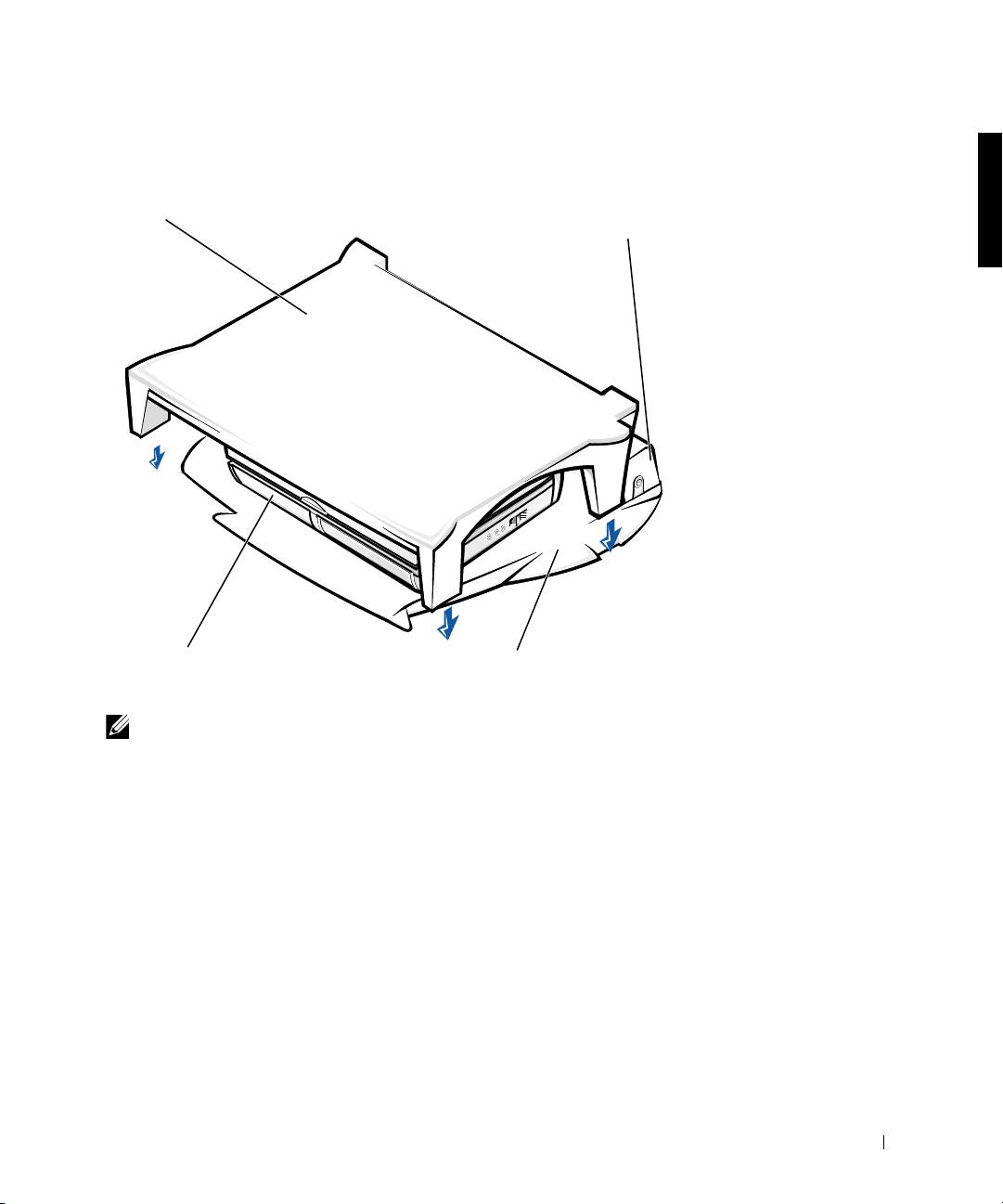
Docking Device With the Monitor Stand
monitor
stand
docking device
computer
docking control base
NOTE: Be sure that the back legs on the monitor stand engage the slots on
either side of the docking control base.
Before Docking the Computer
®
®
®
If your computer is running the Microsoft
Windows
9x, Windows NT
,
or Windows Millennium (Me) operating system, you must first check your
computer for existing docking drivers. If your computer does not have the
docking drivers, install them before you dock the computer for the first
time. To install the docking drivers, perform the steps in “Installing the
Docking Drivers.”
Dell Latitude C/Port II APR System Information Guide 7
Top 10 manuals
100.00
NZXT HALE90 1000W99.99
Samsung SM-R38099.97
AEG BSB 18C99.97
Dell 2700W99.97
Smeg KSEC70X99.96
Beurer HDE 4099.96
Pyramida KH 50 v.299.96
MSI CSM-H81M-P3299.96
AEG HR 562799.95
Melissa 640-048