
Sony TA-FE320R: Hookup Overview Audio Component Hookups
Hookup Overview Audio Component Hookups: Sony TA-FE320R
Table of contents
Getting Started
Hookup Overview
Audio Component Hookups
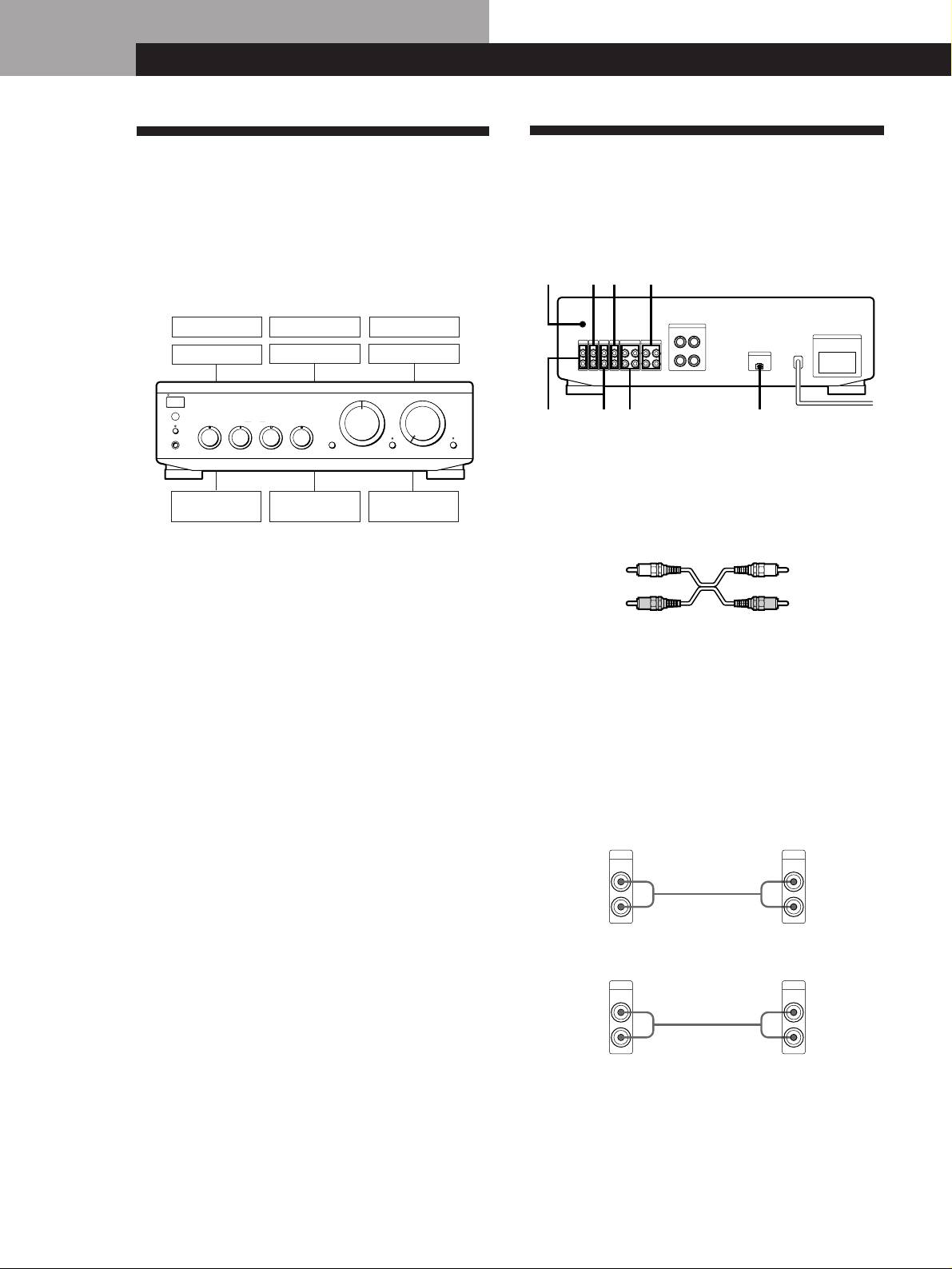
The amplifier allows you to connect and control the
Overview
following audio components. Follow the hookup
Here you learn how to connect your audio components
procedure indicated for each component that you want
to the amplifier.
to connect.
To learn the location and name of each jack, see ”Rear
Panel Descriptions” on page 11.
DAT deck
Tape deck
Tuner
CD player
TV or video
Speaker (L)
Speaker (R)
deck
Before you get started
• Turn off the power to all components before making
any connections.
• Do not connect the mains leads of the various
components until all connections are completed.
• Use the audio connecting cords supplied with each
component for hooking up with the amplifier.
Purchase and use optionally available cords as
required.
• Be sure to make connections firmly to prevent hum
and noise.
• When connecting an audio connecting cord, be sure
to match the R (right) and L (left) jacks of the
amplifier to the R and L jacks on the other
components.
EN
4
y
TUNER
TAPE1/DATAUX
y
S
I
G
N
A
L
G
N
D
IMPEDANCE USE 4 - 16 Ω
SPEAKERS
RL
SWITCHED 100W MAX
AC OUTLET
PHONO
TUNER
CD
AUX
TAPE2/MD
TAPE1/DAT
+
+
IN
IN
IN IN
IN
REC OUT
RECOUT
IN
L
EON CONTROL
–
–
IN
R
PHONO
TAPE2/MD EON CONTROL INCD
Getting Started
MD deck
Turntable
S
T
A
N
D
B
Y
INPUT SELECTOR
AUX
CD
VOLUME
TUNER
g
TAPE2/MD
PHONO
E
O
N
L
I
N
K
SPEAKERS
BASS
TREBLETONE
BALANCE
OFF
ON
•
•
•
TAPE1/DAT
P
H
O
N
E
S
LOUDNESS
ØON øOFF
SOURCE DIRECT TAPE MONITOR
(TA-FE520R only)
–
10
+
10
–
10
+
10
LEFT RIGHT
010
What cords will I need?
Audio connecting cord (not supplied) (2 for each tape deck,
DAT deck, or MD deck; 1 for other components)
White (L)
White (L)
Red (R)
Red (R)
Hookups
The arrow ç indicates signal flow.
Note
The jacks on the TA-FE520R are shown in the following
illustrations.
CD player
Amplifier
CD player
CD
OUTPUT
IN
LINE
L
L
Ç
R
R
Tuner
Amplifier Tuner
TUNER
OUTPUT
IN
LINE
L
L
Ç
R
R
