
Sony MDX-C6500R: Notes on MDs
Notes on MDs: Sony MDX-C6500R
Table of contents
- Welcome ! Precautions
- Notes on MDs
- Table of Contents
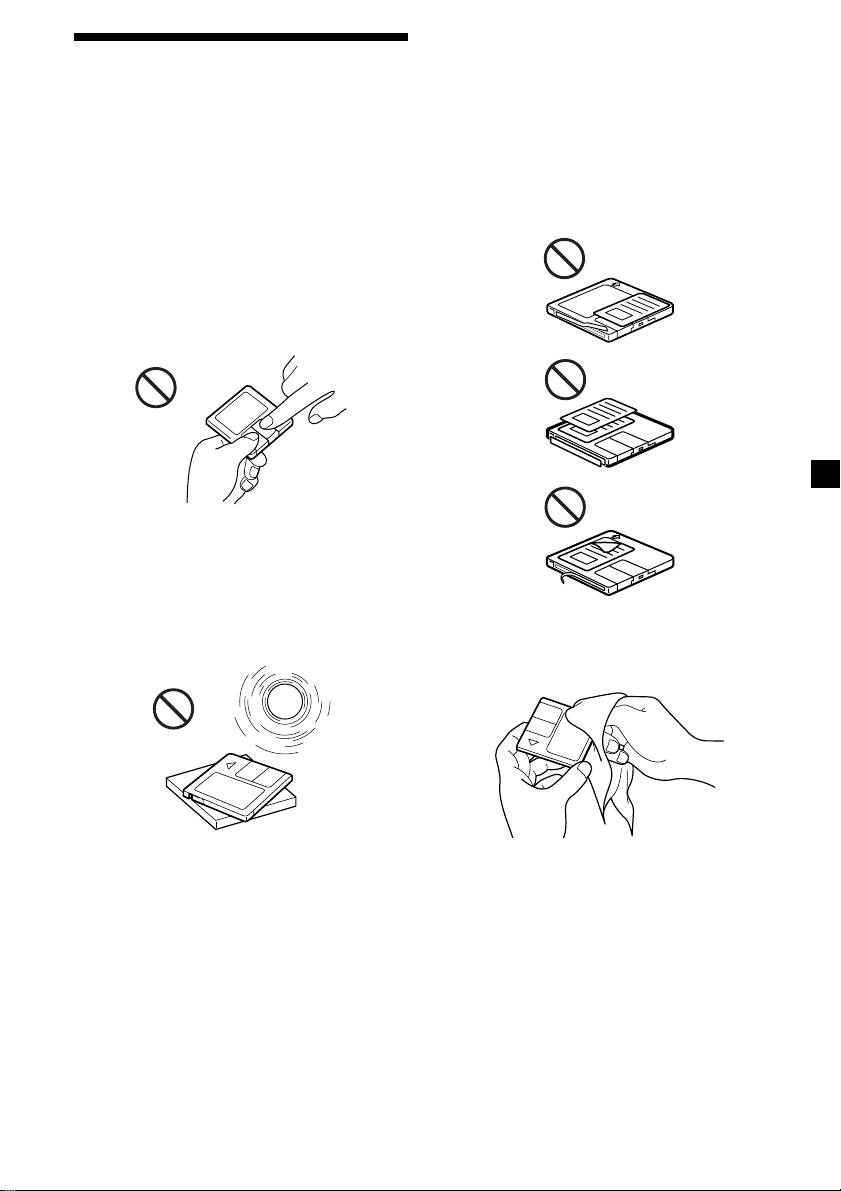
Notes on attaching labels
Notes on MDs
Be sure to attach labels on cartridges correctly,
as failing to do so may cause the MD to
Since the disc itself is housed in a cartridge,
become stuck in the unit.
free from accidental contact with your fingers
and dust, MDs can withstand a certain degree
•Attach the label in a suitable position.
of the rough handling. However, dirt or dust
•Remove old labels before putting new ones
on the surface of the cartridge or a warped
on.
cartridge may cause a malfunction. Observe
•Replace labels that are beginning to peel
the following for best results.
away from the MD.
Never touch the surface of the disc itself by
deliberately opening the shutter on the
cartridge.
When you eject the MD, the shutter may be
open. In such a case, close the shutter
immediately.
Do not expose the MD to direct sunlight or
heat sources such as hot air-ducts. Do not leave
it in a car parked in direct sunlight where there
can be a considerable rise in temperature.
Make sure the MD is not left on the dashboard
or rear tray of a car, etc. where the temperature
Cleaning
can also be excessive.
Wipe the surface of the cartridge from time to
time with a soft dry cloth.
3
