
Dell Latitude D800: Removing a Battery
Removing a Battery: Dell Latitude D800
Table of contents
- Notes, Notices, and Cautions Abbreviations and Acronyms
- Contents
- CAUTION: Safety Instructions General
- CAUTION: Safety Instructions (continued) Power
- CAUTION: Safety Instructions (continued) Battery
- CAUTION: Safety Instructions (continued) Air Travel EMC Instructions California Residents
- When Using Your Computer
- When Using Your Computer (continued) Ergonomic Computing Habits When Working Inside Your Computer
- When Using Your Computer (continued) Protecting Against Electrostatic Discharge
- Finding Information for Your Computer What are you looking for? Find It Here
- What are you looking for? Find It Here
- Setting Up Your Computer
- 4 Open the computer display and press the power button to turn on the computer.
- About Your Computer
- Front View
- Left Side View Right Side View
- Back View
- Bottom View
- Removing a Battery
- Installing a Battery Removing a Reserve Battery
- 3 Pull the reserve battery out of its compartment, and disconnect the cable from the connector.
- Installing a Reserve Battery Running the Dell Diagnostics
- Option Function
- Tab Function
- Regulatory Notices
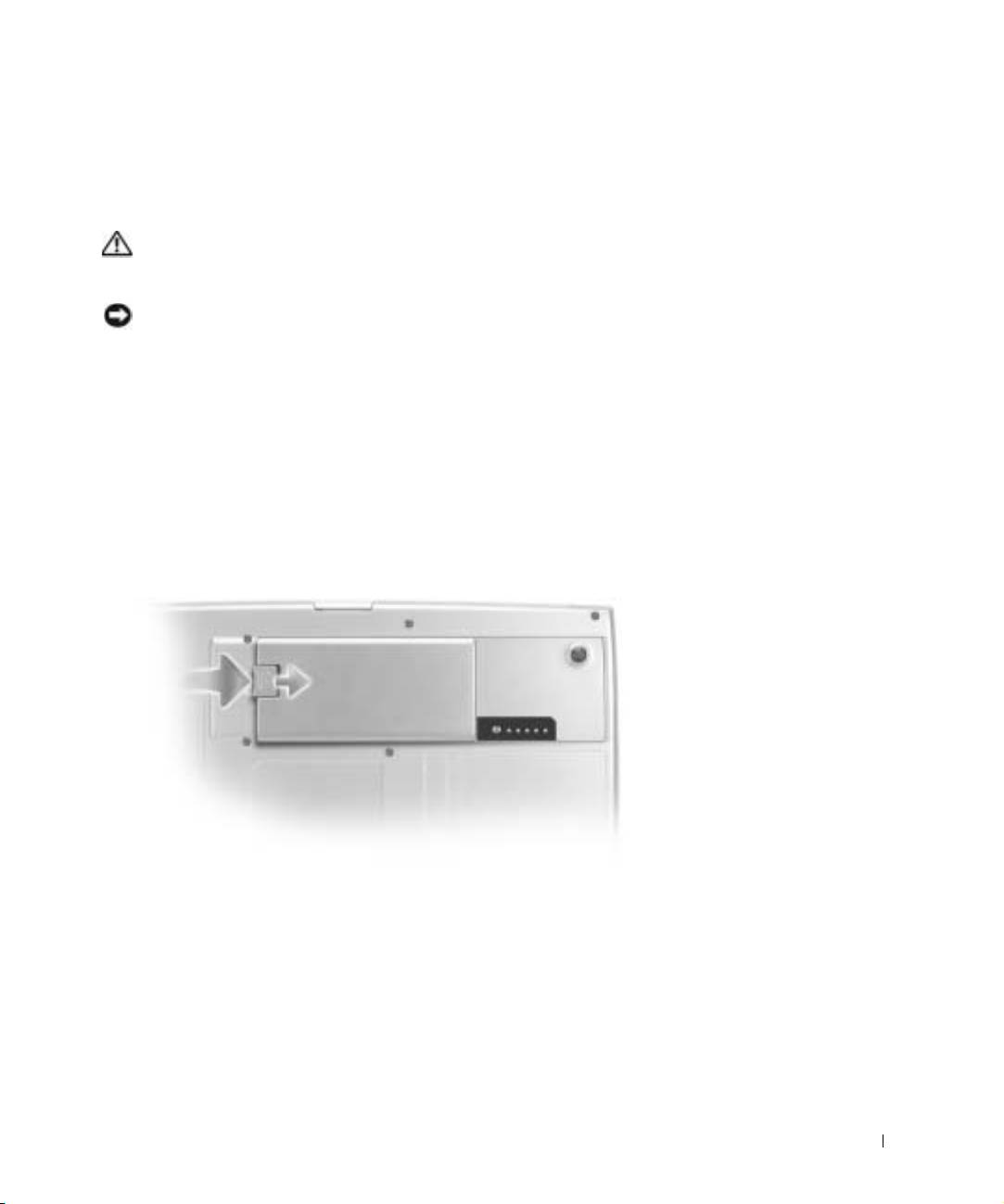
Removing a Battery
For more information about removing the second battery, see "Using the Module Bay" in
your online User’s Guide.
CAUTION: Before performing these procedures, turn off the computer,
disconnect it from the electrical outlet, and disconnect the modem from the
telephone wall jack.
NOTICE: If you choose to replace the battery with the computer in standby mode, you have up
to 90 seconds to complete the battery replacement before the computer shuts down and loses any
unsaved data.
1
Ensure that the computer is turned off, suspended in a power management mode, or
connected to an electrical outlet.
2 If the computer is connected to a docking device (docked), undock it.
See the documentation that came with your docking device for instructions.
3 Slide and hold the battery-bay latch release on the bottom of the computer, and then
remove the battery from the bay.
System Information Guide 21
