
Dell Latitude D800: Front View
Front View: Dell Latitude D800
Table of contents
- Notes, Notices, and Cautions Abbreviations and Acronyms
- Contents
- CAUTION: Safety Instructions General
- CAUTION: Safety Instructions (continued) Power
- CAUTION: Safety Instructions (continued) Battery
- CAUTION: Safety Instructions (continued) Air Travel EMC Instructions California Residents
- When Using Your Computer
- When Using Your Computer (continued) Ergonomic Computing Habits When Working Inside Your Computer
- When Using Your Computer (continued) Protecting Against Electrostatic Discharge
- Finding Information for Your Computer What are you looking for? Find It Here
- What are you looking for? Find It Here
- Setting Up Your Computer
- 4 Open the computer display and press the power button to turn on the computer.
- About Your Computer
- Front View
- Left Side View Right Side View
- Back View
- Bottom View
- Removing a Battery
- Installing a Battery Removing a Reserve Battery
- 3 Pull the reserve battery out of its compartment, and disconnect the cable from the connector.
- Installing a Reserve Battery Running the Dell Diagnostics
- Option Function
- Tab Function
- Regulatory Notices
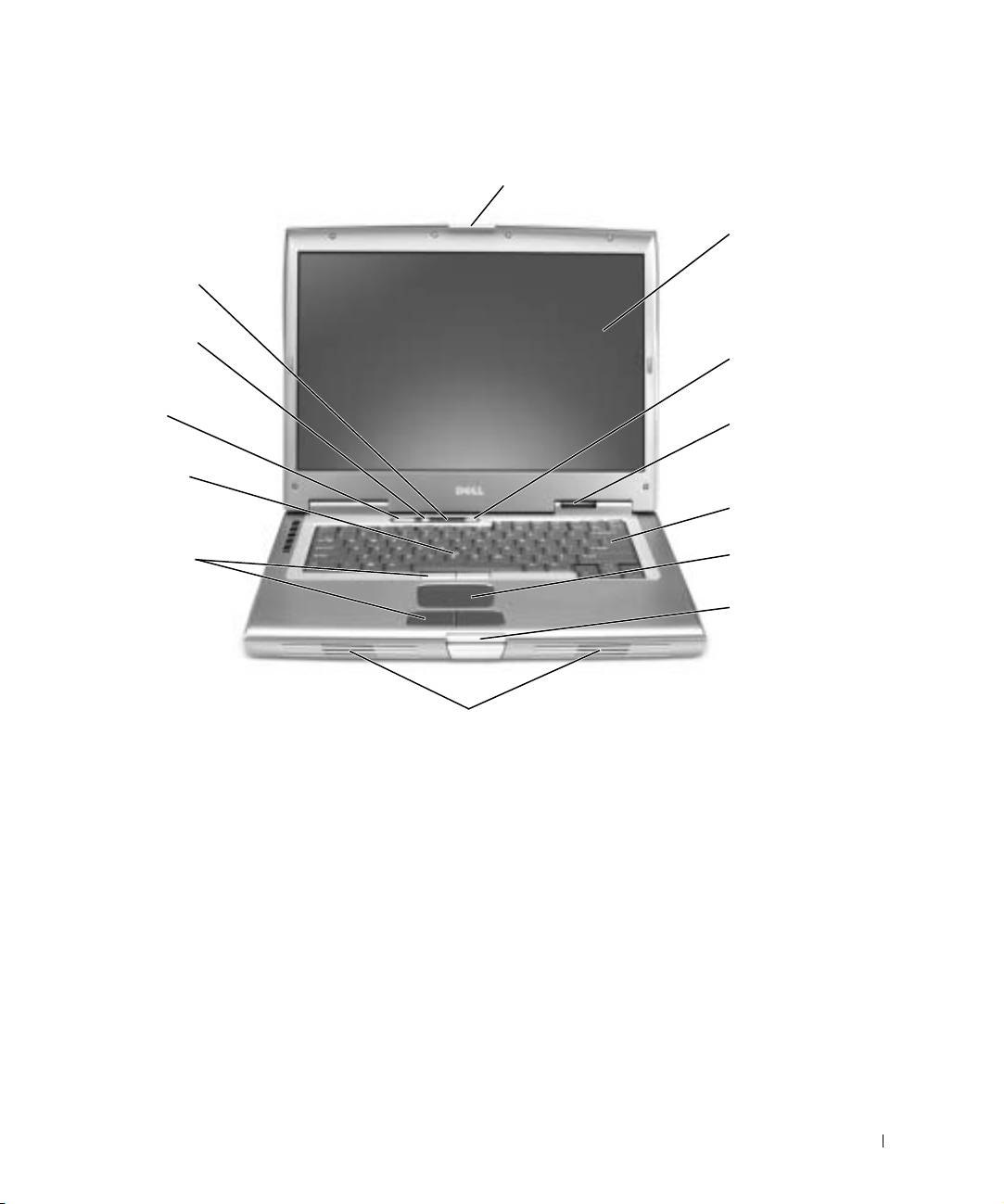
Front View
display latch
display
keyboard
status lights
mute button
power button
volume control
buttons
device status
lights
track stick
keyboard
track stick/touch
pad buttons
touch pad
display latch
button
speakers
System Information Guide 17
Top 10 manuals
100.00
NZXT HALE90 1000W99.99
Samsung SM-R38099.97
AEG BSB 18C99.97
Dell 2700W99.97
Smeg KSEC70X99.96
Beurer HDE 4099.96
Pyramida KH 50 v.299.96
MSI CSM-H81M-P3299.96
AEG HR 562799.95
Melissa 640-048