
Beurer BM 75: 9. Cleaning and storing the instrument 11. Specifications 10. Rectifying faults
9. Cleaning and storing the instrument 11. Specifications 10. Rectifying faults: Beurer BM 75
Table of contents
- 2. Important information 1. Getting to know your instrument Signs and symbols
- Advice on use
- Advice on batteries Storage and Care Repair and disposal
- 3. Device description
- Information on the display: USB interface System requirements for the Beurer „HealthManager“ PC software
- 4. Preparing the measurement Setting the hour format, date and time Inserting the batteries
- 5. Measuring blood pressure Positioning cuff Operation with the mains part
- Performing the blood pressure measurement Correct posture
- WHO classification: 6. Evaluating results Cardiac arrhythmia:
- Range of blood pressure values Systolic Resting indicator measurement (using HSD diagnostics) RED: Lack of haemodynamic stability GREEN: Haemodynamic stability
- 7. Displaying and deleting measurements
- 8. Transferring measurements USB interface NFC
- 9. Cleaning and storing the instrument 11. Specifications 10. Rectifying faults
- 12. Mains part
9. Cleaning and storing the instrument
11. Specifications
•
Clean your device and cuff carefully only with a slightly mois-
Model no. BM 75
tened cloth.
Measurement
Oscillometric, non-invasive blood pres-
•
The frequency of cleaning depends on the contamination
method
sure measurement on the upper arm
level of the device. Clean the blood pressure device and cuff
Measurement range Cuff pressure 0 – 300 mmHg,
as soon as any dirt appears on the device.
systolic 30 – 260 mmHg,
•
Do not use detergents or solvents.
diastolic 30 – 260 mmHg,
•
On no account must you immerse the computer in water,
Pulse 40 –199 beats/minute
otherwise liquid can enter it and cause demage.
Display accuracy Systolic ± 3 mmHg, diastolic ± 3 mmHg,
10. Rectifying faults
pulse ± 5 % of the value shown
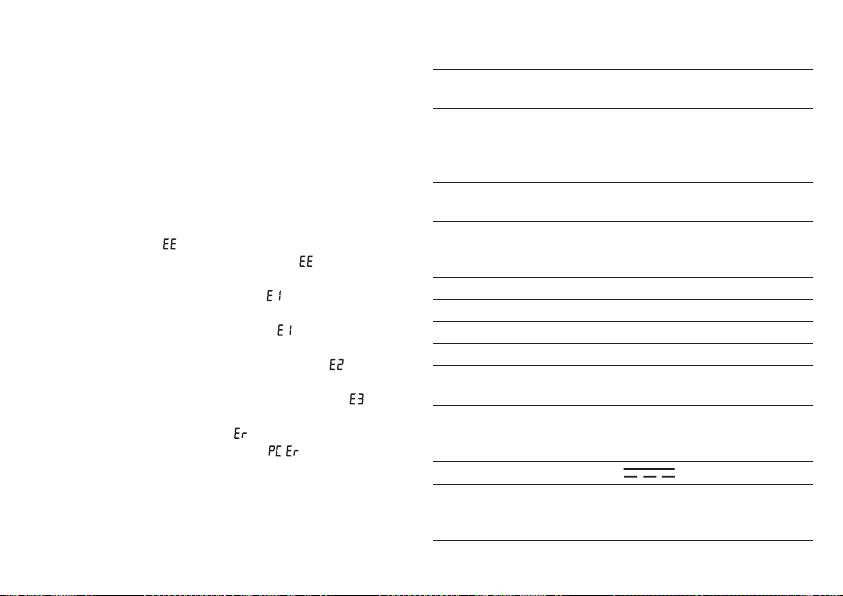
Error messages can occur when
Measurement
Max. permissible standard deviation
•
measurement error ( appears in the display),
inaccuracy
according to clinical testing:
•
you move or talk during the measurement ( appears in the
systolic 8 mmHg /diastolic 8 mmHg
display),
Memory 2 x 60 memory spaces
•
the cuff tube is not properly inserted ( appears in the dis-
play),
Dimensions L 175 mm x W 117 mm x H 50 mm
•
inflation takes longer than 15 seconds ( appears in the dis-
Weight Approx. 478 g (without batteries)
play),
Cuff size 24 to 36 cm
•
the inflation pressure is higher than 300 mmHg ( appears
Permissible operating
+10 °C to + 40 °C, 15 % – 85 % relative
in the display),
conditions
air humidity (non-condensing)
•
an error occurs when storing the measured values ( ap-
pears in the display),
Permissible storage
- 10 °C to + 60 °C, 10 % – 90 % relative
•
exceeding measurement range ( appears in the display),
and transport condi-
air humidity, 700 –1060 hPa ambient
•
the data could not be sent to the PC ( appears in the
tions
pressure
display).
Power supply
4 x 1,5 V
AAA batteries
In the about cases, you must repeat the measurement. Make
Battery life For approx. 120 measurements, de-
sure that the cuff tube is properly inserted and that you do not
pending on the blood pressure level
move or talk. Put the batteries back in if necessary, or else
and/or pump pressure
replace them.
29
