
Beurer BM 75: 8. Transferring measurements USB interface NFC
8. Transferring measurements USB interface NFC: Beurer BM 75
Table of contents
- 2. Important information 1. Getting to know your instrument Signs and symbols
- Advice on use
- Advice on batteries Storage and Care Repair and disposal
- 3. Device description
- Information on the display: USB interface System requirements for the Beurer „HealthManager“ PC software
- 4. Preparing the measurement Setting the hour format, date and time Inserting the batteries
- 5. Measuring blood pressure Positioning cuff Operation with the mains part
- Performing the blood pressure measurement Correct posture
- WHO classification: 6. Evaluating results Cardiac arrhythmia:
- Range of blood pressure values Systolic Resting indicator measurement (using HSD diagnostics) RED: Lack of haemodynamic stability GREEN: Haemodynamic stability
- 7. Displaying and deleting measurements
- 8. Transferring measurements USB interface NFC
- 9. Cleaning and storing the instrument 11. Specifications 10. Rectifying faults
- 12. Mains part
•
When the relevant memory button (M1 or
8. Transferring measurements
M2) is pressed again, the last individual
USB interface
measurement is displayed (in this example,
Connect the blood pressure monitor to your PC using the USB
measurement 03).
cable.
No data transfer may be launched whilst performing a
•
When the relevant memory button (M1 or M2) is
measurement.
pressed again, you can view your individual measure-
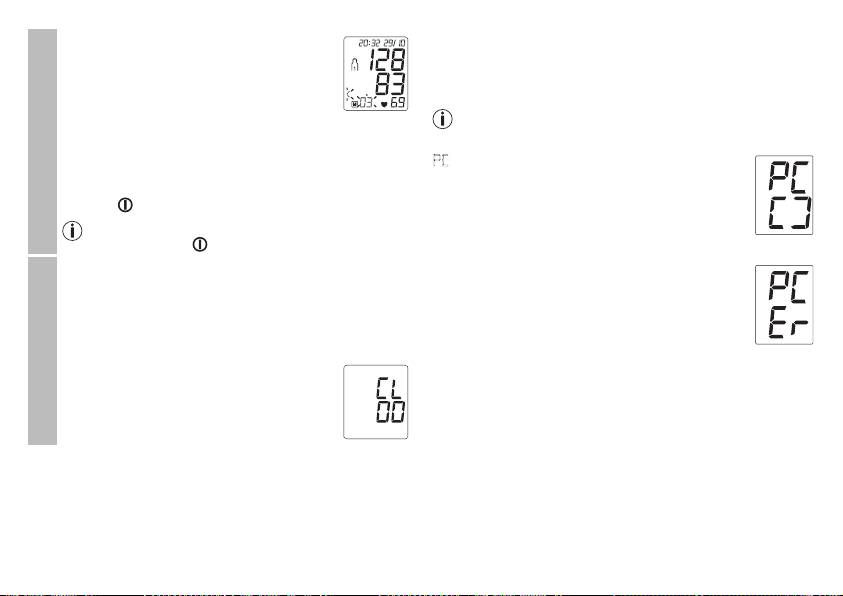
PC
is shown on the display. Begin the data transfer
ments.
in the “HealthManager” PC software. During the
•
To switch the device off again, press the Start/stop
data transfer, an animation is shown on the display.
button or wait 30 sec.
A successful data transfer is displayed as in
Individual measured values
You can exit the menu at any time by pressing the
figure 1. If the data transfer is unsuccessful, an
Start/stop button .
f
igure 1
error message appears as in figure 2. In this case,
•
To clear the memory of the relevant user memory, you
interrupt the PC connection and start the data
must first select a user memory.
transfer again.
•
Start individual measurement access.
After 30 seconds of not being in use or if commu-
nication with the PC is interrupted, the blood pres-
•
Press and hold the M1/M2 memory buttons for 5 sec-
sure monitor switches itself off automatically.
onds.
f
igure 2
All the values in the current user memory are
NFC
deleted.
It is also possible to transfer the measured values saved on the
device onto your smartphone via NFC (Near Field Communi-
cation).
Deleting measured values
You will need the “Beurer HealthManager” app for this. The
app can be installed from the Play Store.
To transfer the values, unlock your smartphone screen and
hold the back of your phone up to the NFC detection zone of
the blood pressure monitor. If your smartphone has a protec-
tive cover, remove this to ensure that there is no interference
during the transfer. Begin the data transfer in the “Beurer
HealthManager” app.
28
