
Dell Precision M4300: To remove the battery: Storing a Battery
To remove the battery: Storing a Battery: Dell Precision M4300
Table of contents
- Notes, Notices, and Cautions Abbreviations and Acronyms
- Contents
- Finding Information What Are You Looking For? Find It Here
- What Are You Looking For? Find It Here
- What Are You Looking For? Find It Here
- Setting Up Your Computer
- About Your Computer Front View
- Left View Right View
- Back View Bottom View
- Using a Battery Battery Performance
- Checking the Battery Charge Dell™ QuickSet Battery Meter Microsoft Windows Power Meter Charge Gauge Check the Battery Charge Check the Battery Health
- Low-Battery Warning Conserving Battery Power Power Management Modes Standby Mode
- Hibernate Mode
- Configuring Power Management Settings Charging the Battery Replacing the Battery
- To remove the battery: Storing a Battery
- Troubleshooting Lockups and Software Problems The computer does not start up The computer stops responding A program stops responding or crashes repeatedly A program is designed for an earlier Microsoft Windows operating system A solid blue screen appears
- Other software problems Dell Diagnostics When to Use the Dell Diagnostics
- Starting the Dell Diagnostics From Your Hard Drive Starting the Dell Diagnostics From the Drivers and Utilities Media
- Dell Diagnostics Main Menu Option Function Option Function
- 4 Tab Function
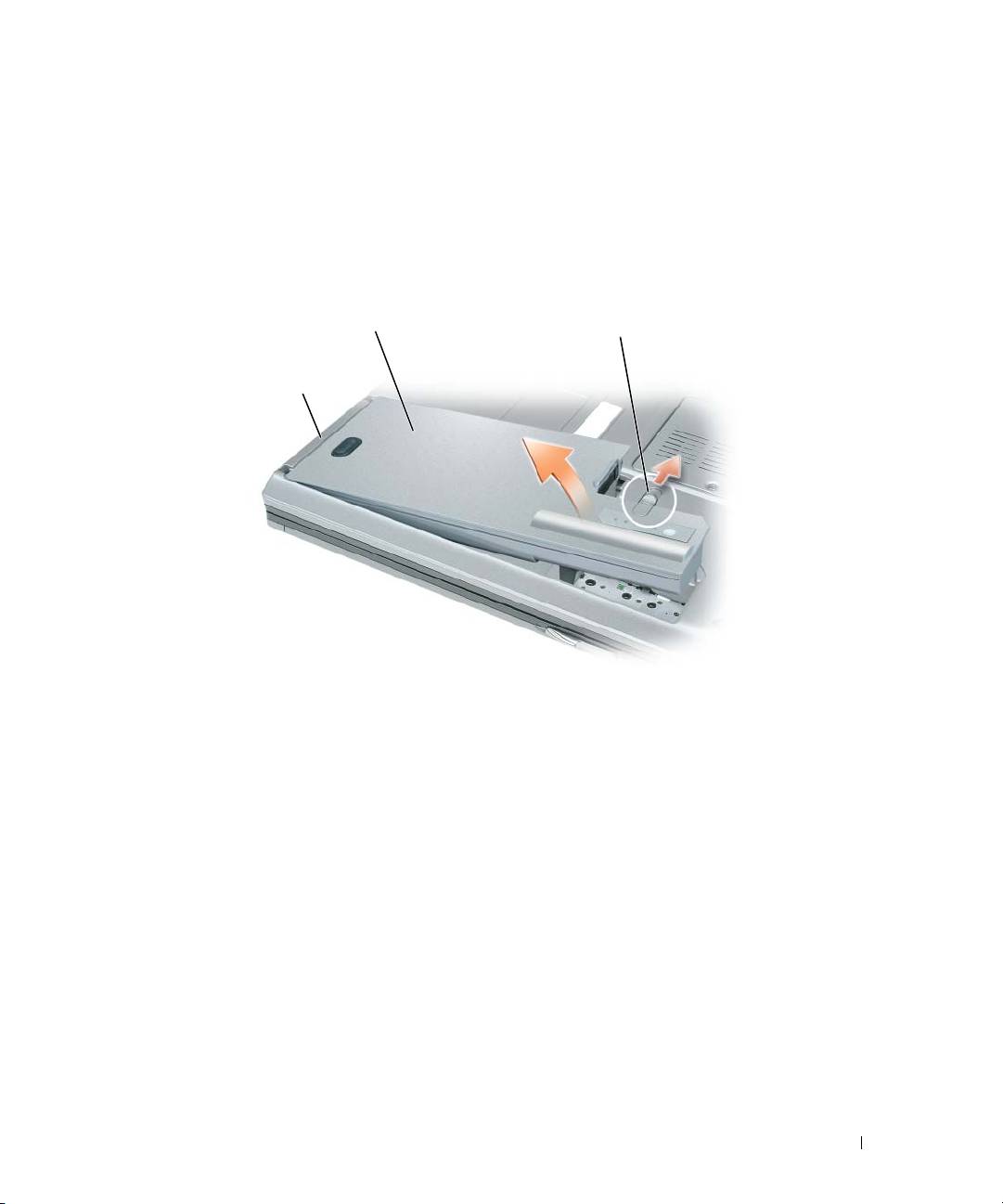
To remove the battery:
1
If the computer is connected to a docking device (docked), undock it. See the documentation that
came with your docking device for instructions.
2
Ensure that the computer is turned off.
3
Slide the battery-bay latch release on the bottom of the computer until the release clicks.
4
Using the tab on the battery, lift the battery out of the computer.
2
3
1
1 battery tab 2 battery 3 battery-bay latch release
To replace the battery, place the battery in the bay and press down until the battery-bay latch
release clicks.
Storing a Battery
Remove the battery when you store your computer for an extended period of time. A battery discharges
during prolonged storage. After a long storage period, recharge the battery fully before you use it (see
"Charging the Battery" on page 16).
Quick Reference Guide 17
