
Dell Latitude D810: Microsoft Windows Power Meter Charge Gauge Health Gauge
Microsoft Windows Power Meter Charge Gauge Health Gauge: Dell Latitude D810
Table of contents
- Notes, Notices, and Cautions Abbreviations and Acronyms
- Contents
- Finding Information for Your Computer What Are You Looking For? Find It Here
- What Are You Looking For? Find It Here
- What Are You Looking For? Find It Here
- What Are You Looking For? Find It Here
- Setting Up Your Computer
- About Your Computer
- Front View
- Left View Right View
- Back View
- Bottom View
- Checking the Battery Charge Dell QuickSet Battery Meter
- Microsoft Windows Power Meter Charge Gauge Health Gauge
- Low-Battery Warning Charging the Battery Removing a Battery
- Installing a Battery Storing a Battery Solving Problems Notebook System Software (NSS)
- Lockups and Software Problems The computer does not start up The computer stops responding A program stops responding A program crashes repeatedly
- A program is designed for an earlier Windows operating system A solid blue screen appears Other software problems
- Running the Dell Diagnostics When to Use the Dell Diagnostics Starting the Dell Diagnostics From Your Hard Drive
- Starting the Dell Diagnostics From the Optional Drivers and Utilities CD
- Dell Diagnostics Main Menu Option Function Tab Function
- 24 Quick Reference Guide
- Index
- 26 Index
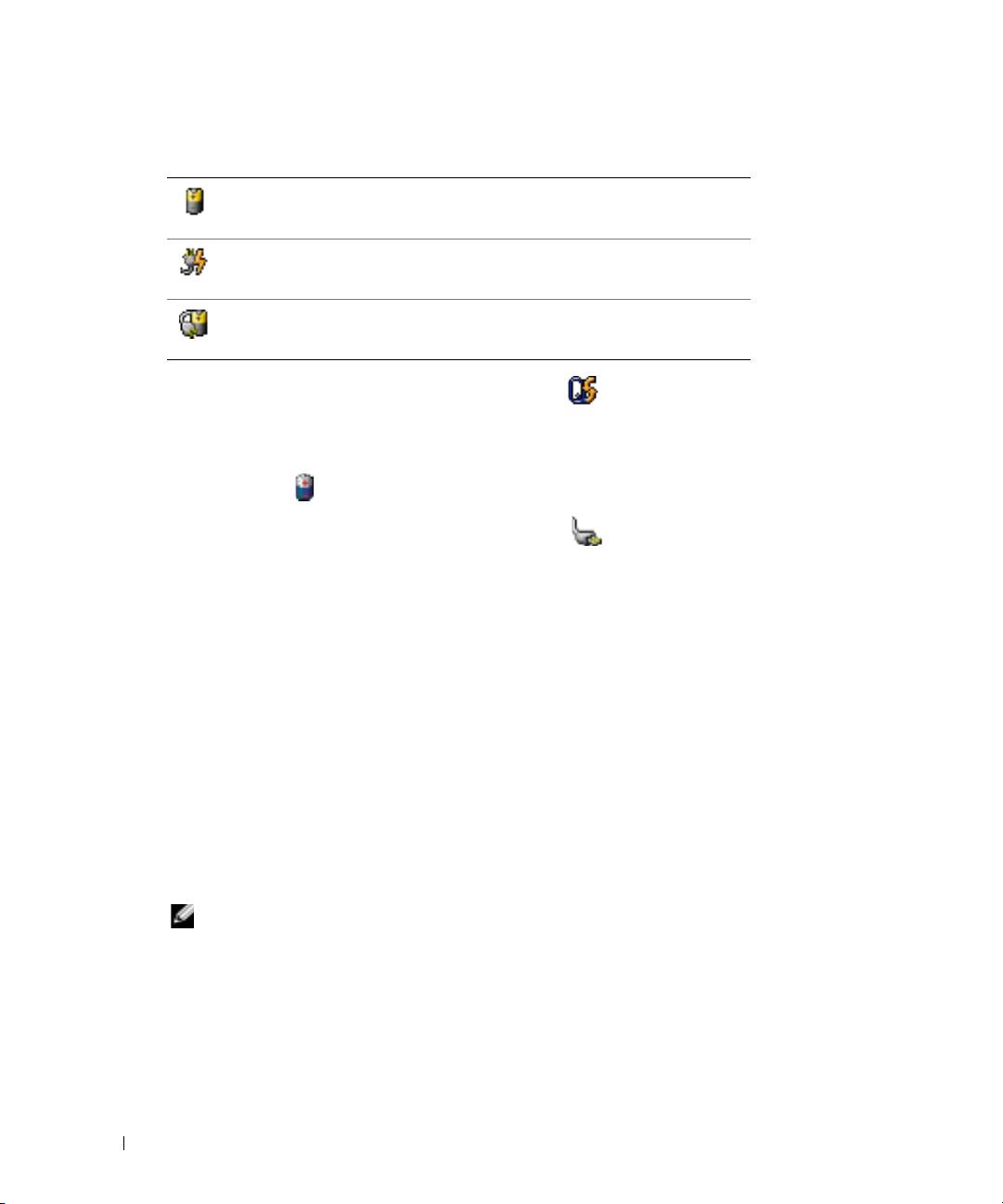
The following icons appear in the
Battery Meter
window:
The computer or docking device is running on battery power.
The computer is connected to AC power and the battery is charging.
The computer is connected to AC power and the battery is fully charged.
For more information about QuickSet, right-click the icon in the taskbar, and click
Help
.
www.dell.com | support.dell.com
Microsoft Windows Power Meter
The Windows Power Meter indicates the remaining battery charge. To check the Power Meter,
double-click the icon on the taskbar. For more information about the Power Meter tab, see your
User’s Guide
.
If the computer is connected to an electrical outlet, a icon appears.
Charge Gauge
Before you install a battery, press the status button on the battery charge gauge to illuminate the
charge-level lights. Each light represents approximately 20 percent of the total battery charge. For
example, if the battery has 80 percent of its charge remaining, four of the lights are on. If no lights
appear, the battery has no charge.
Health Gauge
The battery operating time is largely determined by the number of times it is charged. After
hundreds of charge and discharge cycles, batteries lose some charge capacity, or battery health. To
check the battery health, press and hold the status button on the battery charge gauge for at least
3 seconds. If no lights appear, the battery is in good condition, and more than 80 percent of its
original charge capacity remains. Each light represents incremental degradation. If five lights
appear, less than 60 percent of the charge capacity remains, and you should consider replacing the
battery.
NOTE: When you press and hold the status button on the battery charge gauge for at least 3 seconds,
the charge-level lights will first light to display the current charge status. Then they switch to Health
status, where they represent incremental degradation when lit.
16 Quick Reference Guide
