
Dell Latitude 120L: About Your Computer Front View
About Your Computer Front View: Dell Latitude 120L
Table of contents
- Notes, Notices, and Cautions Abbreviations and Acronyms
- Contents
- Finding Information What Are You Looking For? Find It Here
- What Are You Looking For? Find It Here
- What Are You Looking For? Find It Here
- Setting Up Your Computer
- About Your Computer Front View
- Left Side View Right Side View Back View
- Bottom View Using a Battery Battery Performance
- Checking the Battery Charge Dell™ QuickSet Battery Meter Microsoft Windows Power Meter
- Low-Battery Warning Conserving Battery Power Power Management Modes Standby Mode
- Hibernate Mode Configuring Power Management Settings
- Charging the Battery Replacing the Battery
- Storing a Battery Troubleshooting Lockups and Software Problems
- Other software problems
- BACK UP YOUR FILES IMMEDIATELY. Dell Diagnostics
- Starting the Dell Diagnostics From the Drivers and Utilities CD
- Dell Diagnostics Main Menu Option Function Tab Function
- Tab Function
- Index
- 24 Index
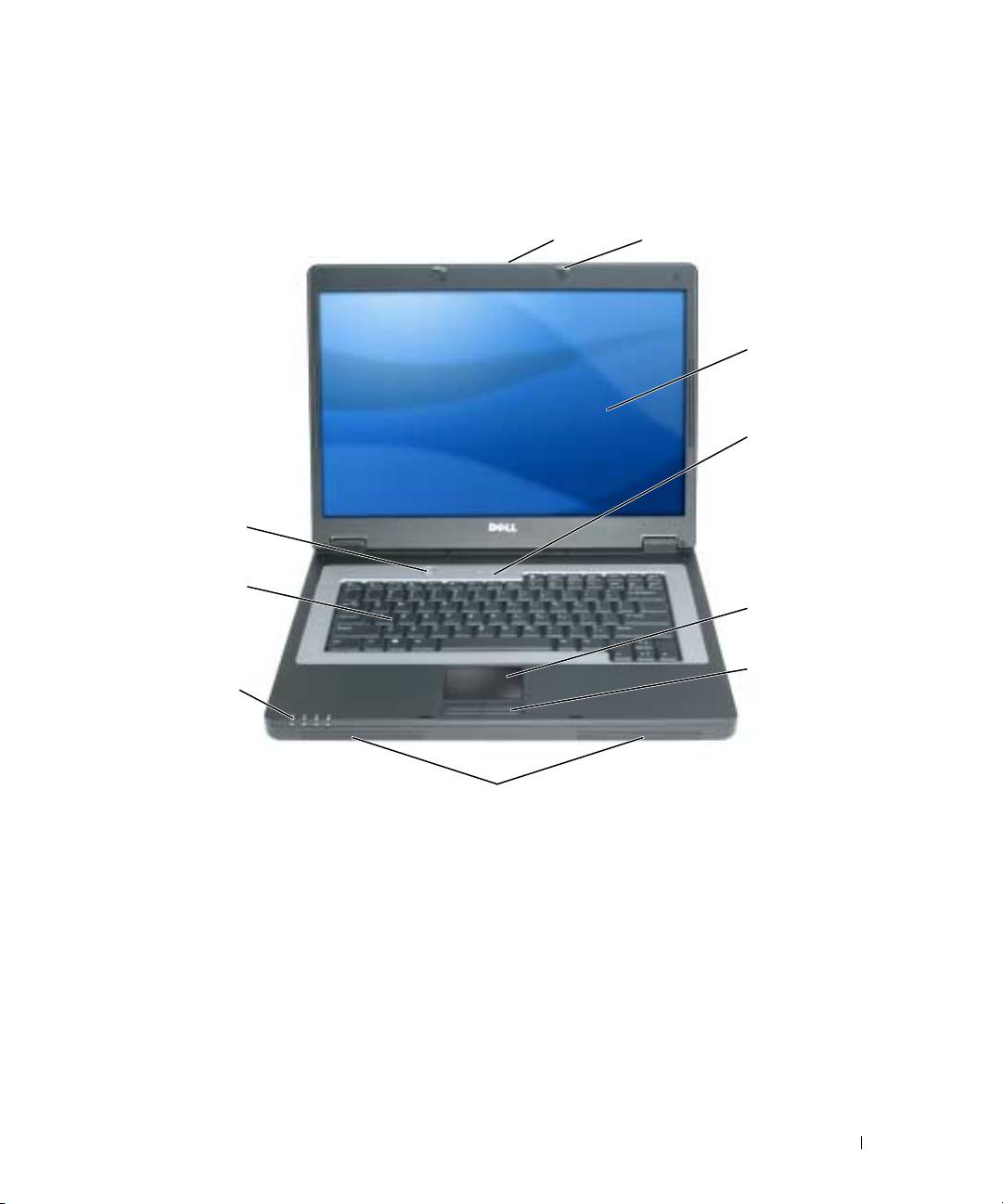
About Your Computer
Front View
1
2
3
4
10
9
5
6
8
7
1 display latch release 2 display latches (2) 3 display
4 keyboard status lights 5 touch pad 6 touch pad buttons (2)
7 speakers (2) 8 device status lights 9 keyboard
10 power button
Quick Reference Guide 9
Top 10 manuals
100.00
NZXT HALE90 1000W99.99
Samsung SM-R38099.97
AEG BSB 18C99.97
Dell 2700W99.97
Smeg KSEC70X99.96
Beurer HDE 4099.96
Pyramida KH 50 v.299.96
MSI CSM-H81M-P3299.96
AEG HR 562799.95
Melissa 640-048