
Dell Latitude D430: Setting Up Your Media Base
Setting Up Your Media Base: Dell Latitude D430
Table of contents
- Media Base Setup Guide
- Notes, Notices, and Cautions Abbreviations and Acronyms
- Contents
- CAUTION: Safety Instructions SAFETY: General Safety
- SAFETY: Power Safety Equipment Protection Instructions
- Protecting Against Electrostatic Discharge
- About Your Media Base Left View Right View
- Back View Connector Description
- Connector Description
- Top View
- Setting Up Your Media Base
- Securing the Media Base
- Docking Your Computer
- Undocking Your Computer 6
- 7 Lift the back of the computer up and slide the computer out towards the back of the
- Installing the Optical Drive
- Removing the Optical Drive Using External Drives
- Specifications
- Ports and Connectors
- Regulatory Notices
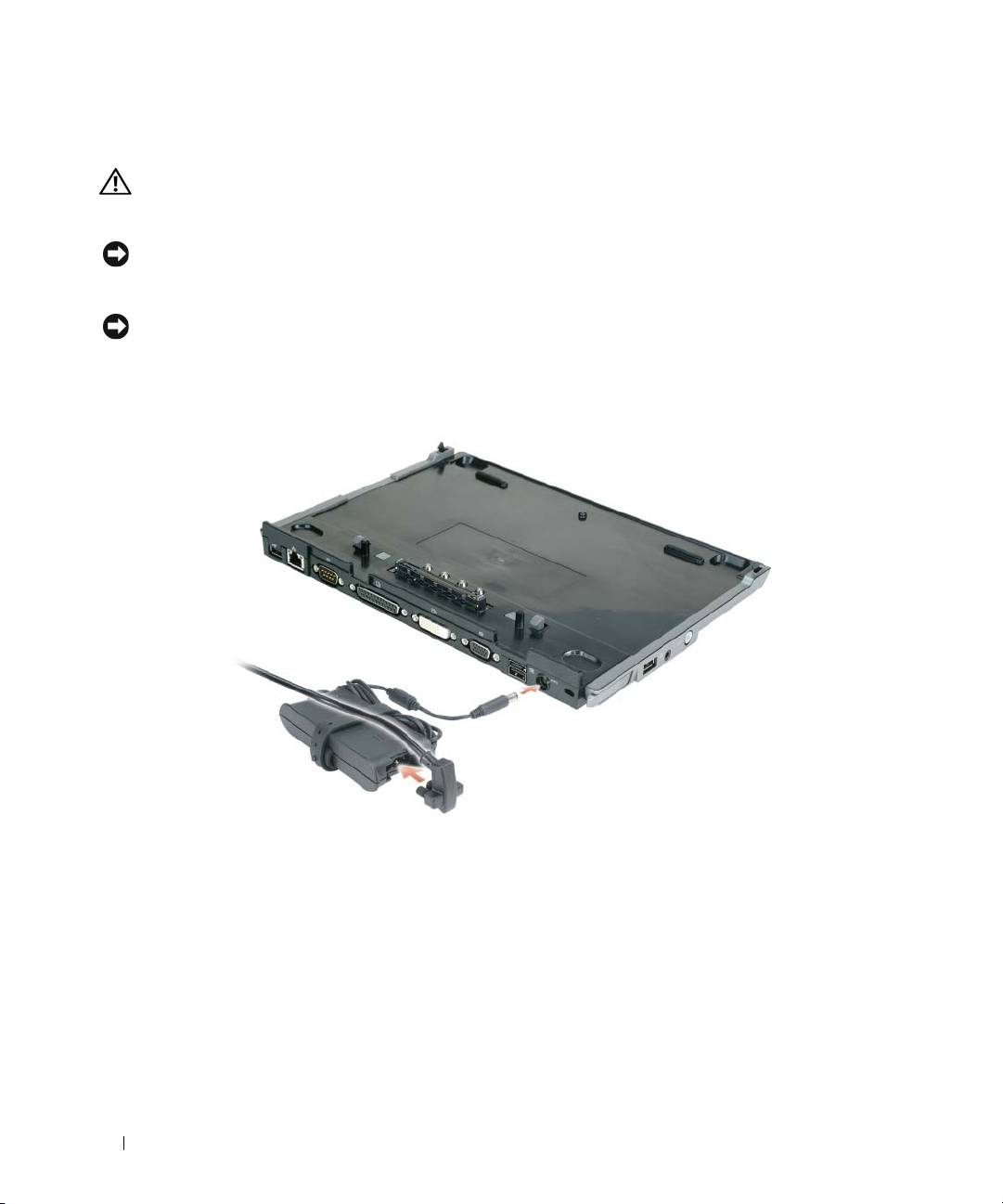
Setting Up Your Media Base
CAUTION: The AC adapter works with electrical outlets worldwide. However, power connectors and power
strips vary among countries. Using an incompatible cable or improperly connecting the cable to the power strip
or electrical outlet may cause fire or equipment damage.
NOTICE: Always use the Dell AC adapter that came with the media base. If you use any other commercially
available AC adapter—or the AC adapter from earlier models of Dell computers—you may damage the media base
or the computer.
NOTICE: When you disconnect the Dell AC adapter cable from the computer or media base, grasp the connector,
not the cable itself, and pull firmly but gently to avoid damaging the cable. When you wrap the AC adapter cable,
ensure that you follow the angle of the connector on the AC adapter to avoid damaging the cable.
1
Connect the AC adapter to the AC adapter connector and to an electrical outlet.
2
Before you initially dock your computer, the operating system must complete its setup process. To
verify that the operating system has completed the setup process:
a
Ensure that the computer is not connected to the media base (docked).
b
Turn on the computer.
®
®
c
Verify that the Microsoft
Windows
desktop appears.
d
Shut down the computer through the Windows
Start
menu.
12 Media Base Setup Guide
