
Dell Latitude D430: Installing the Optical Drive
Installing the Optical Drive: Dell Latitude D430
Table of contents
- Media Base Setup Guide
- Notes, Notices, and Cautions Abbreviations and Acronyms
- Contents
- CAUTION: Safety Instructions SAFETY: General Safety
- SAFETY: Power Safety Equipment Protection Instructions
- Protecting Against Electrostatic Discharge
- About Your Media Base Left View Right View
- Back View Connector Description
- Connector Description
- Top View
- Setting Up Your Media Base
- Securing the Media Base
- Docking Your Computer
- Undocking Your Computer 6
- 7 Lift the back of the computer up and slide the computer out towards the back of the
- Installing the Optical Drive
- Removing the Optical Drive Using External Drives
- Specifications
- Ports and Connectors
- Regulatory Notices
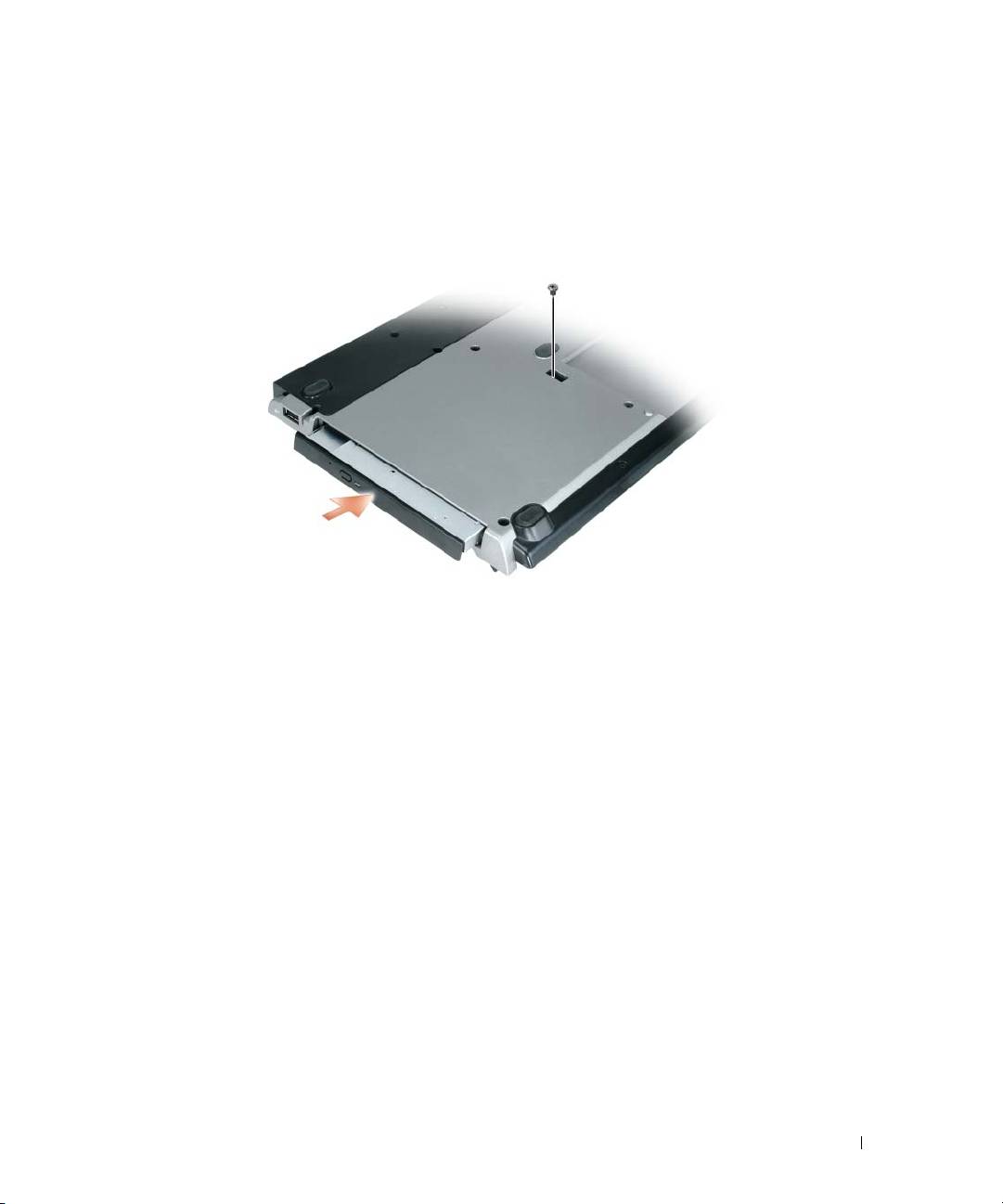
Installing the Optical Drive
1
Save and close any open files or programs, and turn off the computer.
2
Insert the optical drive into the bay on the media base. (See "Right View" on page 8.)
3
Insert the securing screw that holds the optical drive in place.
4
Turn on the computer.
The operating system recognizes the new drive.
Media Base Setup Guide 17
Top 10 manuals
100.00
NZXT HALE90 1000W99.99
Samsung SM-R38099.97
AEG BSB 18C99.97
Dell 2700W99.97
Smeg KSEC70X99.96
Beurer HDE 4099.96
Pyramida KH 50 v.299.96
MSI CSM-H81M-P3299.96
AEG HR 562799.95
Melissa 640-048