
Dell PowerVault NX3500: Securing the Power Cable(s)
Securing the Power Cable(s): Dell PowerVault NX3500
Table of contents
- Notes, Cautions, Warnings, and Danger
- Installation and Configuration Unpacking the Solution Installing the Rails, the System, and the Backup Power Supply in a Rack
- Connecting the Battery in the BPS Power Module Removing the Power Module Front Cover
- Removing the Battery Rotating the Battery
- Reinserting the Battery
- Securing the Power Module Front Cover
- Inserting the Power Modules
- Cabling the Solution
- Connecting the Power Cable(s)
- Securing the Power Cable(s)
- Turning On the Solution Installing the Optional Bezel
- Other Information You May Need
- Obtaining Technical Assistance NOM Information (Mexico Only) Technical Specifications PowerVault NX3500 System Specifications Processor Expansion Bus
- Memory Drives Connectors Video
- Power Physical Environmental
- Environmental (continued) Backup Power Supply Specifications BPS Model List
- Physical (120 V and 230 V Models) Electrical Input Electrical Output
- Electrical Output (continued) Environmental and Safety
- Environmental and Safety (continued) Battery (120 V and 230 V Models)
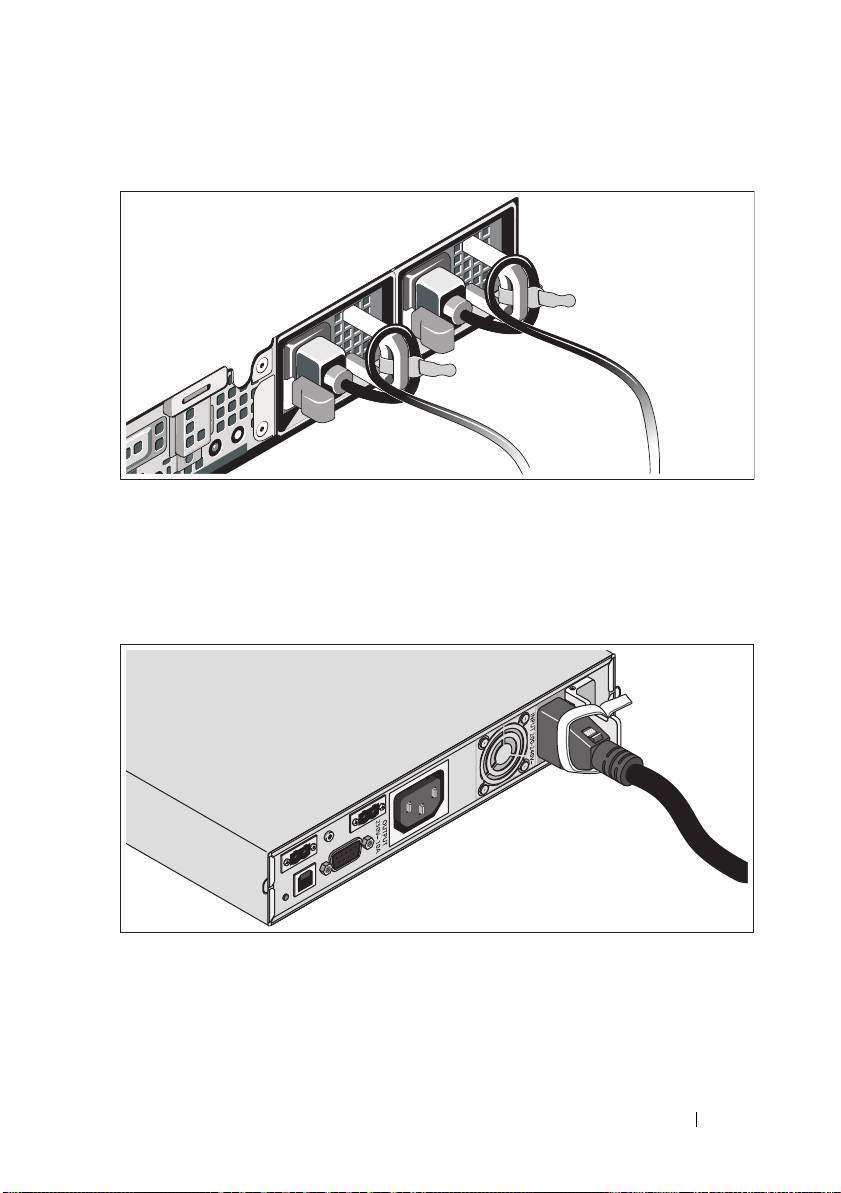
Securing the Power Cable(s)
Bend the system power cable(s) into a loop as shown in the illustration and
secure the cables to the brackets using the provided strap. Plug the other end of
one power cable to a grounded electrical outlet and the other cable to the BPS.
For more information, see "Cabling the Solution" on page 9.
Secure the power cable connected to the BPS as shown in the illustration.
Getting Started With Your System
11
Top 10 manuals
100.00
NZXT HALE90 1000W99.99
Samsung SM-R38099.97
AEG BSB 18C99.97
Dell 2700W99.97
Smeg KSEC70X99.96
Beurer HDE 4099.96
Pyramida KH 50 v.299.96
MSI CSM-H81M-P3299.96
AEG HR 562799.95
Melissa 640-048