
Dell PowerVault NX3500: Installation and Configuration Unpacking the Solution Installing the Rails, the System, and the Backup Power Supply in a Rack
Installation and Configuration Unpacking the Solution Installing the Rails, the System, and the Backup Power Supply in a Rack: Dell PowerVault NX3500
Table of contents
- Notes, Cautions, Warnings, and Danger
- Installation and Configuration Unpacking the Solution Installing the Rails, the System, and the Backup Power Supply in a Rack
- Connecting the Battery in the BPS Power Module Removing the Power Module Front Cover
- Removing the Battery Rotating the Battery
- Reinserting the Battery
- Securing the Power Module Front Cover
- Inserting the Power Modules
- Cabling the Solution
- Connecting the Power Cable(s)
- Securing the Power Cable(s)
- Turning On the Solution Installing the Optional Bezel
- Other Information You May Need
- Obtaining Technical Assistance NOM Information (Mexico Only) Technical Specifications PowerVault NX3500 System Specifications Processor Expansion Bus
- Memory Drives Connectors Video
- Power Physical Environmental
- Environmental (continued) Backup Power Supply Specifications BPS Model List
- Physical (120 V and 230 V Models) Electrical Input Electrical Output
- Electrical Output (continued) Environmental and Safety
- Environmental and Safety (continued) Battery (120 V and 230 V Models)
Installation and Configuration
DANGER:
Observe the following instruction to help prevent an imminently
hazardous situation which, if not avoided, will result in death or serious injury:
The backup power supply contains LETHAL VOLTAGES. All repairs and service
should be performed by AUTHORIZED SERVICE PERSONNEL ONLY. There are
NO USER SERVICEABLE PARTS inside the backup power supply.
WARNING:
Before performing the following procedure, review the safety
instructions that came with the system.
Unpacking the Solution
Unpack the solution and identify each item.
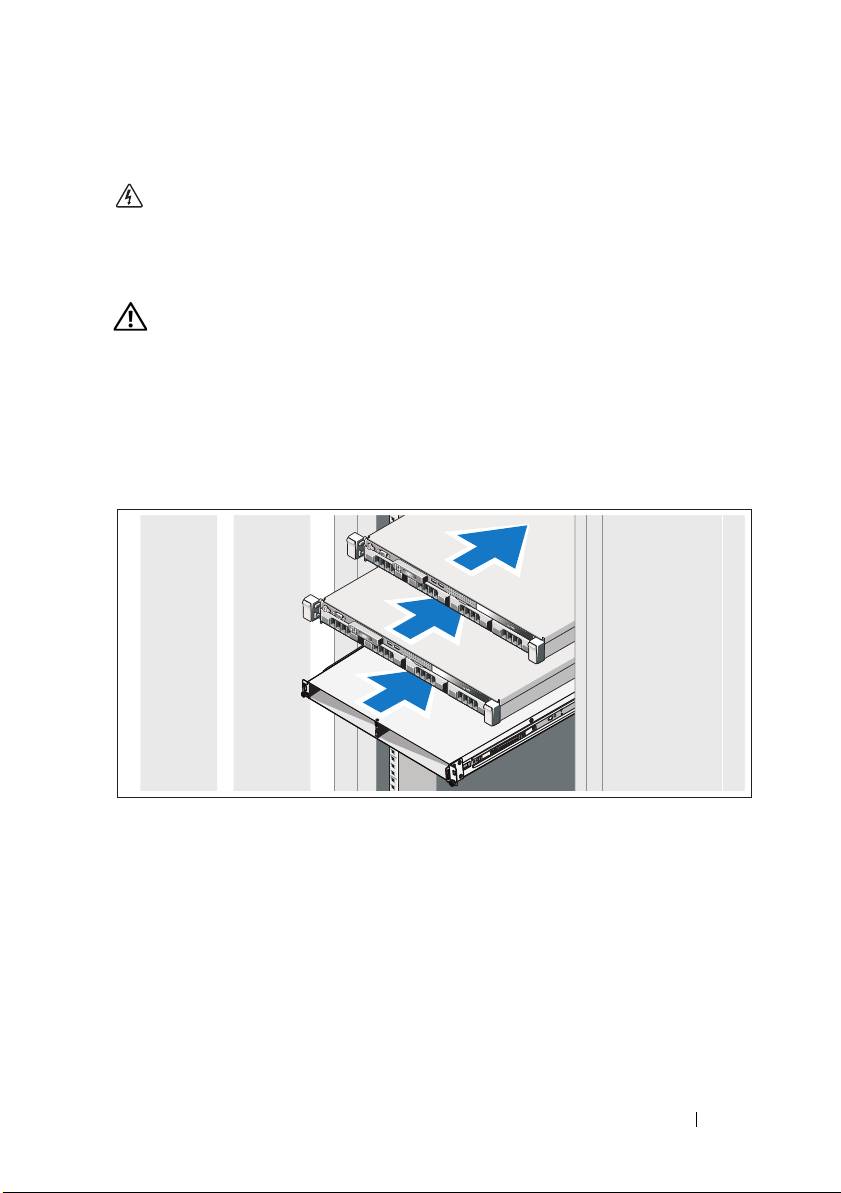
Installing the Rails, the System, and the Backup Power Supply in a Rack
Assemble the rails and install the system and backup power supply (BPS) in the
rack. Follow the safety instructions and the rack installation instructions
provided with the solution.
Getting Started With Your System
3
