
Dell PowerEdge R415: Installing the Optional Bezel Complete the Operating System Setup Supported Operating Systems
Installing the Optional Bezel Complete the Operating System Setup Supported Operating Systems: Dell PowerEdge R415
Table of contents
- Notes, Cautions, and Warnings
- Installation and Configuration Unpacking the System Installing the Rails and System in a Rack
- Optional – Connecting the Keyboard, Mouse, and Monitor Connecting the Power Cable(s)
- Installing the Power Cord Retention Bracket Turning On the System
- Installing the Optional Bezel Complete the Operating System Setup Supported Operating Systems
- Other Information You May Need
- Obtaining Technical Assistance Technical Specifications Processor Expansion Bus Memory
- Drives Connectors Video
- Power Physical
- Environmental
- Environmental (continued)
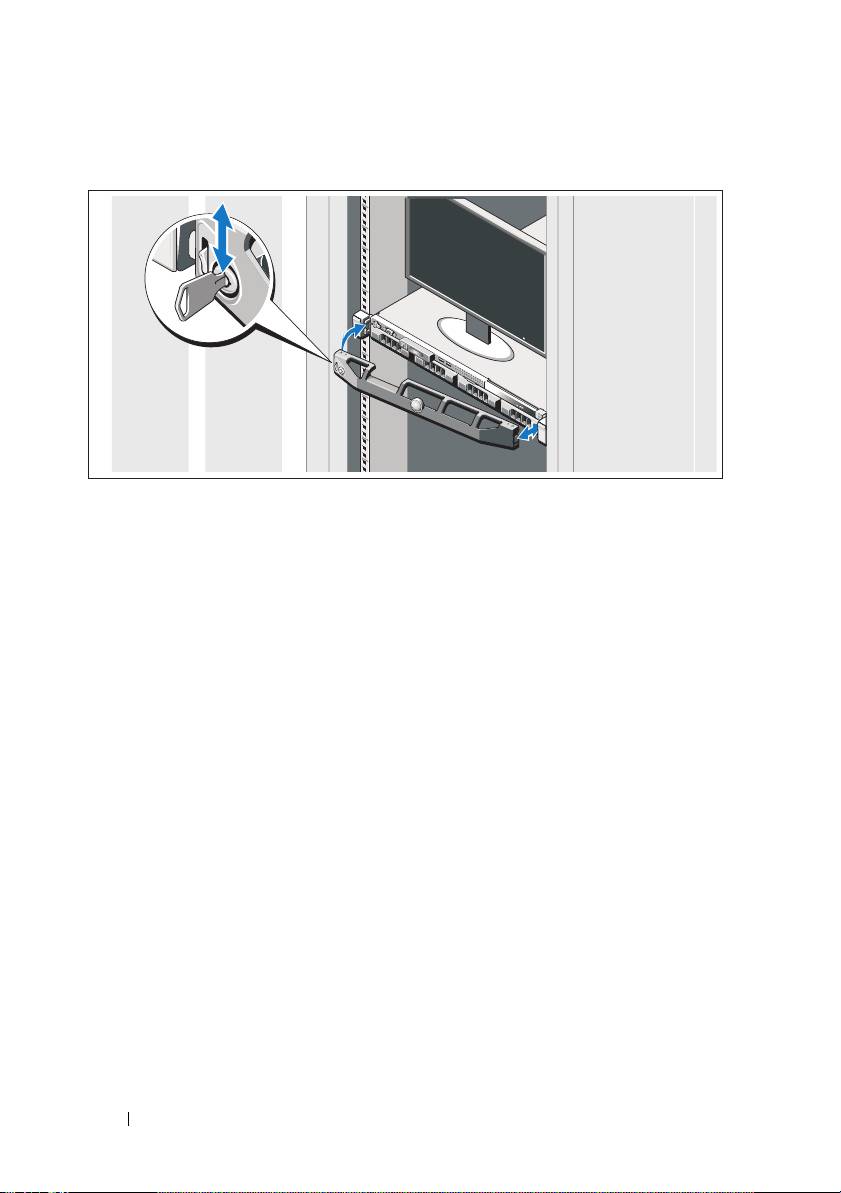
Installing the Optional Bezel
Install the bezel (optional).
Complete the Operating System Setup
If you purchased a preinstalled operating system, see the operating system
documentation that ships with your system. To install an operating system
for the first time, see the installation and configuration documentation
for your operating system. Be sure the operating system is installed before
installing hardware or software not purchased with the system.
Supported Operating Systems
• Microsoft Windows Server 2008 SP2 Web, Standard, and Enterprise (x86)
Editions
• Microsoft Windows Server 2008 SP2 Web, Standard, Enterprise,
and Datacenter (x64) Editions
• Microsoft Windows Server 2008 R2 Web, Standard, Enterprise,
and Datacenter (x64) Editions
• Microsoft Windows Server 2008 R2 HPC (x64) Edition
6 Getting Started With Your System
