
Dell PowerEdge R415: Installation and Configuration Unpacking the System Installing the Rails and System in a Rack
Installation and Configuration Unpacking the System Installing the Rails and System in a Rack: Dell PowerEdge R415
Table of contents
- Notes, Cautions, and Warnings
- Installation and Configuration Unpacking the System Installing the Rails and System in a Rack
- Optional – Connecting the Keyboard, Mouse, and Monitor Connecting the Power Cable(s)
- Installing the Power Cord Retention Bracket Turning On the System
- Installing the Optional Bezel Complete the Operating System Setup Supported Operating Systems
- Other Information You May Need
- Obtaining Technical Assistance Technical Specifications Processor Expansion Bus Memory
- Drives Connectors Video
- Power Physical
- Environmental
- Environmental (continued)
Installation and Configuration
WARNING: Before performing the following procedure, review the safety
instructions that came with the system.
Unpacking the System
Unpack your system and identify each item.
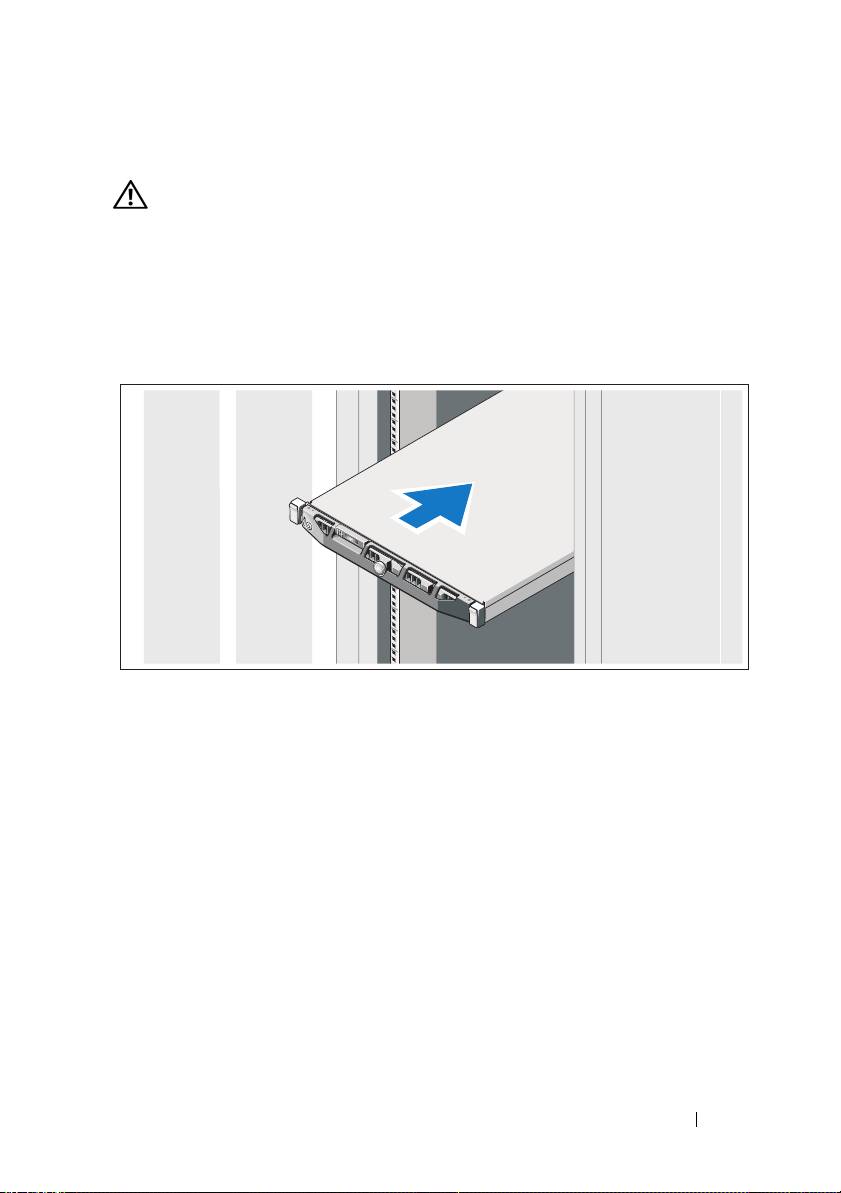
Installing the Rails and System in a Rack
Assemble the rails and install the system in the rack following the safety
instructions and the rack installation instructions provided with your system.
Getting Started With Your System 3
Top 10 manuals
100.00
NZXT HALE90 1000W99.99
Samsung SM-R38099.97
AEG BSB 18C99.97
Dell 2700W99.97
Smeg KSEC70X99.96
Beurer HDE 4099.96
Pyramida KH 50 v.299.96
MSI CSM-H81M-P3299.96
AEG HR 562799.95
Melissa 640-048