
Dell PowerEdge C410X: Turning On the System Other Information You May Need Firmware Updates
Turning On the System Other Information You May Need Firmware Updates: Dell PowerEdge C410X
Table of contents
- Notes, Cautions, and Warnings
- Restricted Access Location Installation and Configuration Unpack your system
- Installing the Rails and System in a Rack
- Follow these instructions to install the rails into a rack: 3. Push the system into the sliding rails until the locking latch clicks into place.
- 4. Install the system into the rack.
- Connecting iPass Cables Connecting Power Cables
- Turning On the System Other Information You May Need Firmware Updates
- NOM Information (Mexico Only) Technical Specifications System Specifications 1. Chassis
- 2. Front I/O Board 3. FAN Module 4. Power Supply BTU Specifications
- Environmental Specifications
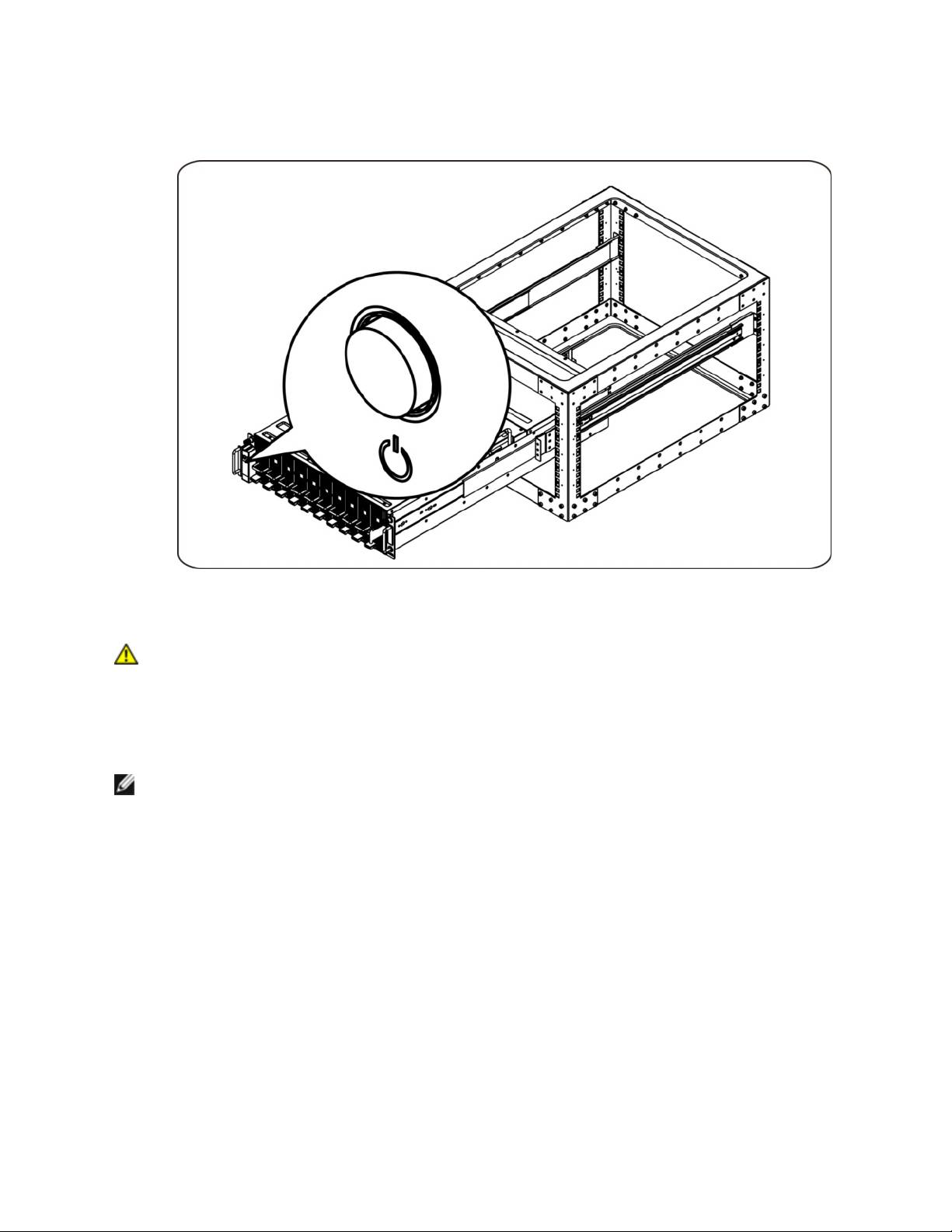
Turning On the System
Press the power button on the system. The power indicators should light.
Other Information You May Need
WARNING: See the safety and regulatory information that shipped with your system. Warranty
information may be included within this document or as a separate document.
The Hardware Owner's Manual provides information about system features and describes how to
troubleshoot the system and install or replace system components. This document is available online at
support.dell.com/manuals.
NOTE: Always check updates on support.dell.com/manuals and read the updates first because they
often supersede information in other documents.
Firmware Updates
When setting up the C410x for the first installation or when upgrading GPGPUs it is highly recommended
that the latest revision of the BMC firmware be used. The latest BMC firmware can be downloaded from
support.dell.com. The download package includes a document with instructions for flashing the BMC
firmware using the C410x WebUI. Additional information about the C410x WebUI and configuration
options is included in the Hardware Owner’s Manual. This document is available online at
support.dell.com/manuals.
8
