
Dell LATITUDE D400: Installing a Battery Running the Dell Diagnostics
Installing a Battery Running the Dell Diagnostics: Dell LATITUDE D400
Table of contents
- Notes, Notices, and Cautions Abbreviations and Acronyms
- Contents
- CAUTION: Safety Instructions General
- CAUTION: Safety Instructions (continued) Power
- CAUTION: Safety Instructions (continued) Battery
- CAUTION: Safety Instructions (continued) Air Travel Electromagnetic Compatibility (EMC) Instructions
- When Using Your Computer
- When Using Your Computer (continued) Ergonomic Computing Habits When Working Inside Your Computer
- When Using Your Computer (continued) Protecting Against Electrostatic Discharge
- Finding Information for Your Computer What are you looking for? Find It Here
- What are you looking for? Find It Here
- Setting Up Your Computer
- 4 Open the computer display and press the power button to turn on the computer.
- Connecting the Dell™ D/Bay
- About Your Computer Front View
- Left View Right View
- Back View
- Bottom View Removing a Battery
- Installing a Battery Running the Dell Diagnostics
- 3 Connect the computer to an electrical outlet.
- Tab Function Tab Function
- Regulatory Notices
0T842bk0.book Page 21 Thursday, April 10, 2003 1:21 PM
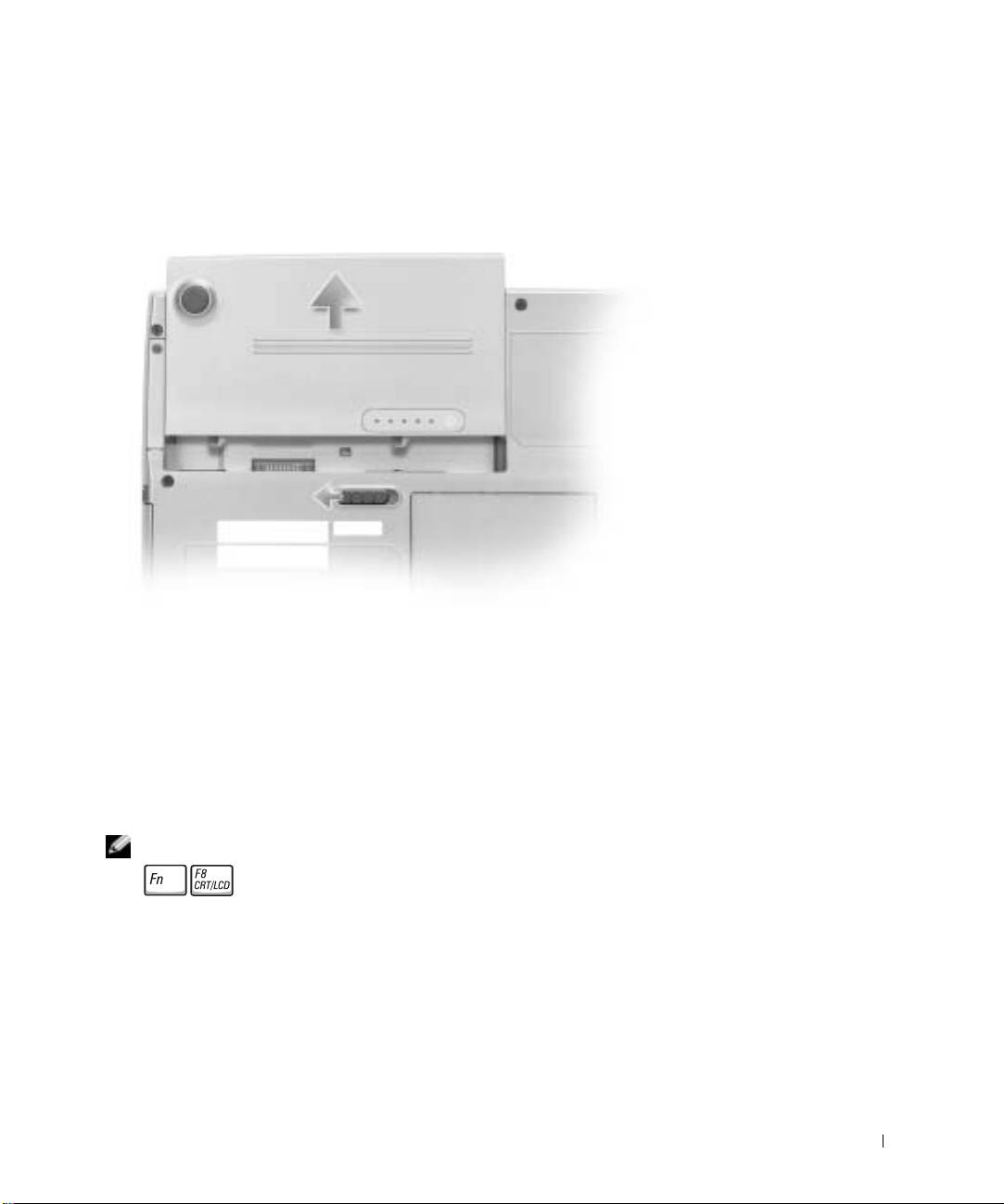
3 Slide and hold the battery-bay latch release on the bottom of the computer, and then
remove the battery from the bay.
Installing a Battery
Slide the battery into the bay until the latch release clicks.
Running the Dell Diagnostics
The Dell Diagnostics is located on a hidden Diagnostic utility partition on your hard drive.
NOTE: If your computer cannot display a screen image, connect an external monitor and press
to switch the video image to the monitor. If the external monitor does not display
a screen image, contact Dell.
1
Shut down the computer.
2 If the computer is connected to a docking device (docked), undock it. See the
documentation that came with your docking device for instructions.
System Information Guide 21
