
Dell PowerEdge T110 II: I nsta ll ation and Con f iguration Unpacking the System Optional—Connecting the Keyboard, Mouse, and Monitor
I nsta ll ation and Con f iguration Unpacking the System Optional—Connecting the Keyboard, Mouse, and Monitor: Dell PowerEdge T110 II
Table of contents
- Notes, Cautions, and Warnings
- I nsta ll ation and Con f iguration Unpacking the System Optional—Connecting the Keyboard, Mouse, and Monitor
- Connecting the Power Cable Securing the Power Cable
- Turning On the System Comp ete the Operating System Setup Supported Operating Systems
- De ll So tware License Agreement
- Other I n f ormation You May Need Obtaining Technica l Assistance
- Technica Speci f ications Processor Expansion Bus Memory Drives
- Connectors Video Power
- Physical Environmental
- Environmental
Getting Started With Your System
3
I nsta ll ation and Con f iguration
WARNING:
Before performing the following procedure, review the safety
instructions that came with the system.
Unpacking the System
Unpack your system and identify each item.
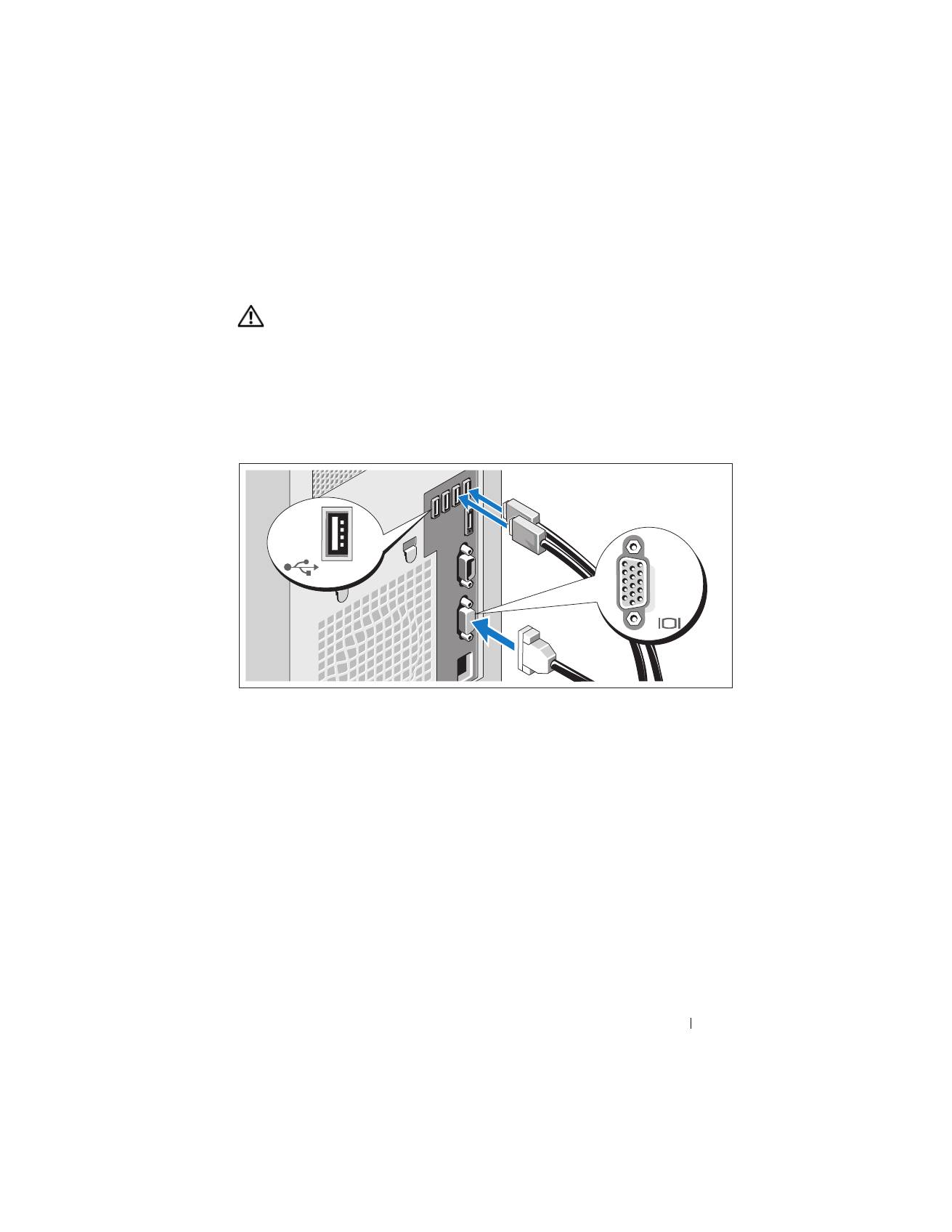
Optional—Connecting the Keyboard, Mouse, and Monitor
Connect the keyboard, mouse, and monitor (optional).
The connectors on the back of your system have icons indicating which cable
to plug into each connector. Be sure to tighten the screws (if any) on the
monitor's cable connector.
Top 10 manuals
100.00
NZXT HALE90 1000W99.99
Samsung SM-R38099.97
AEG BSB 18C99.97
Dell 2700W99.97
Smeg KSEC70X99.96
Beurer HDE 4099.96
Pyramida KH 50 v.299.96
MSI CSM-H81M-P3299.96
AEG HR 562799.95
Melissa 640-048