
Dell PowerConnect 3024: Password Protection
Password Protection: Dell PowerConnect 3024
Table of contents
- System Information Guide
- Notes, Notices, and Cautions
- Contents
- Caution: Safety Instructions General
- Caution: Safety Instructions (continued) Rack Mounting of Systems
- Caution: Safety Instructions (continued)
- Caution: Safety Instructions (continued) Modems, Telecommunications, or Local Area Network Options When Working Inside Your System
- Caution: Safety Instructions (continued) About This Guide
- Finding Information and Assistance Resource Contents Using the Resource Getting Started/Setup Package Contents
- Before You Connect to the Network: Mounting Kit Instructions Installing on a Flat Surface Installing in a Rack
- Connecting the Console Port
- Password Protection
- IP Address Assignment
- Connecting Devices to the Switch Regulatory Information
- If necessary, consult a Dell Technical Support representative or an experienced radio/television technician for additional suggestions.
- CE Notice (European Union) RF INTERFERENCE WARNING: This is a Class A product. In a domestic environment this product may cause radio frequency (RF) interference, in which case the user may be required to take adequate measures.
- EN 55022 Compliance (Czech Republic Only)
3 Once you have set up the terminal correctly, plug the power cable into
the power receptacle on the back of the switch.
The boot sequence appears in the terminal.
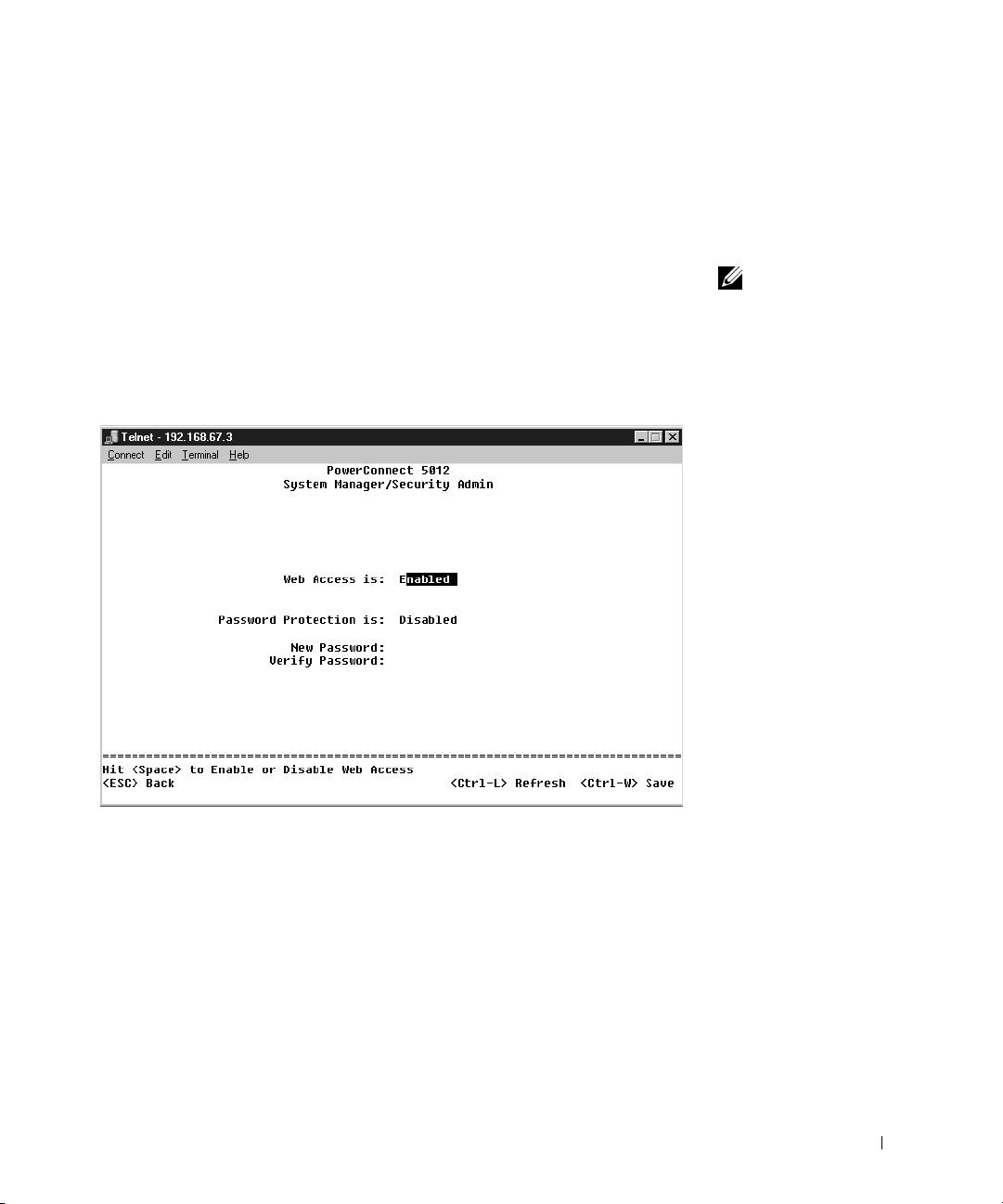
Password Protection
From the initial welcome screen, you must enter a password to proceed,
NOTE: The first time you
if password protection is enabled. If password protection is disabled, the
set up Password
Protection, you must do it
Main Menu is displayed and you immediately have access to the switch
from the console screen.
management interface. By default, password protection is disabled.
Once the switch is set up,
If enabled, the default password is switch and the default username is root.
it can be managed
through the web interface.
See Section 3, “Web
Interface,” for more
information.
To prevent unauthorized access to the switch, turn on password protection:
1 Select System Manager and press <Enter>.
Use the <Tab> key to navigate the menu.
2 Select Security Admin.
3 Type your password and press <Enter>.
PowerConnect System Information Guide 13
